
22 Sep, 2026
•
12 MIN READ
How to Generate Board-Ready Reports with AI
Quick answer: To generate board-ready reports with AI, define the sections and thresholds your board needs, pick an engine that computes figures from your source systems, teach it your business definitions, test the draft against a past approved pack, write the strategic narrative yourself, and route it through a logged sign-off chain.
Key Takeaways
- Definition: A board-ready report is a pack directors can rely on to oversee the business and make decisions, built on traceable numbers and clear commentary.
- What AI does: It handles the assembly, including pulling actuals, computing variances, drafting "what moved" notes, and rendering charts.
- What you do: Your CEO and CFO own the strategic narrative and the final sign-off.
- Biggest accuracy lever: Teaching the AI your business definitions and dry-running it on a pack the board already approved catches errors before directors ever see them.
What Makes a Report Board-Ready

- Executive summary: A one-page view of performance, key risks, and what the board is being asked to decide.
- KPI dashboard: Core metrics with period-over-period and budget comparisons.
- Variance commentary: Explanations for lines that moved meaningfully against budget or forecast.
- Rolling forecast: An updated view of the year ahead based on the latest actuals.
- 13-week cashflow: Near-term receipts and payments so directors can judge liquidity.
| Report section | What AI handles | What you handle |
|---|---|---|
| Executive summary | Surfaces headline metrics and the biggest movements | Writes the story, the risks, and the asks |
| KPI dashboard | Computes period-over-period changes and renders charts | Chooses which KPIs matter to the board |
| Variance commentary | Calculates variances, flags items over threshold, drafts "what moved" | Explains why it moved and what changes next |
| Rolling forecast | Refreshes the forecast with the latest actuals | Sets and defends the assumptions |
| 13-week cashflow | Updates receipts and payments from the ledger | Decides on actions like spend holds or drawdowns |
How to Generate Board-Ready Reports with AI in 8 Steps
Step 1. Lock the Report Sections, Thresholds, and Access Rules

- List every section and the decision it supports. Open your last board pack and write one line next to each section naming the decision or oversight duty it serves. Cut any section you can't label.
- Set a materiality threshold. Ask your board chair or audit committee what level of movement they want flagged, such as more than 5% or a fixed dollar amount against budget. Write the rule down in one sentence.
- Map access by role. Build a simple table with each role (CFO, CEO, non-executive director) down one side and each section across the top. Mark which roles see full detail and which see only summaries.
- Confirm data residency. Check your customer contracts and any regulatory obligations for rules about where data must be stored. Note the required region so you can choose tools that support it.
Step 2. Pick an AI Engine That Computes Every Number
- Ask for a specific variance, then ask how it got there. Request one figure from last quarter, such as the marketing spend variance, then follow up with "show me how you calculated that." A strong engine displays the query or code it ran and the tables it pulled from.
- Ask a cross-system question. Ask it to compare bookings in your CRM with recognized revenue in your accounting system. Check whether it joins both sources correctly or only answers from one.
- Log in as a restricted user. Sign in with a test account that mirrors a non-executive director's access. Request customer-level detail, and confirm the tool blocks it.
- Ask something your data can't answer. Ask about a metric you don't track. The engine should tell you the data isn't available. A made-up figure is a red flag.
Step 3. Connect Your Finance Systems Where They Already Live
- List every data source. Go through each section of your pack spec and note where its numbers come from. This usually includes accounting (Xero, QuickBooks, or NetSuite), planning spreadsheets, your CRM, billing, and any data warehouse.
- Connect each one directly. Use the tool's native connectors or API integrations for each source. Skip the monthly CSV export, since stale exports are a common reason numbers in the pack don't match the ledger.
- Apply the access rules from Step 1. Link the tool to your identity provider, such as Microsoft Entra ID, Okta, or Google Workspace. Then assign each user the role that matches your access table.
- Set a refresh schedule. Find your month-end close date on the finance calendar and schedule data refreshes to run right after it. This way every draft uses final, closed numbers.
Step 4. Teach the AI Your Business Definitions
- Gather your existing definitions. Pull the footnotes from your last three board packs and your FP&A glossary into one document.
- Fill the gaps. Make sure the document covers how you calculate ARR, churn, gross margin, and burn, plus your revenue recognition rules, fiscal calendar, and period cutoffs.
- Name the approved budget. State which budget version the board signed off on, so the AI never compares actuals against an outdated draft.
- List known one-offs. Note unusual items, like a lumpy contract or a one-time legal fee, and whether to exclude them or add a footnote.
- Load it into the tool. Add the document to the tool's knowledge base or context layer. Whenever the AI misuses a definition, correct it in the same thread so the fix sticks.
Step 5. Generate a Draft and Test It Against Last Quarter's Pack
- Pull period-end actuals. Ask it to compute period-over-period changes for every KPI in your pack spec.
- Calculate variances. Have it compare actuals with the approved budget for every line item.
- Flag what crosses the line. Ask it to list every variance above your materiality threshold.
- Draft "what moved" commentary. For each flagged item, have it state the amount, the direction, and the driver in one or two sentences.
- Render the visuals. Have it place the KPI dashboard, rolling forecast, and 13-week cashflow into your board template. Leave the executive summary as a placeholder listing the key signals.
- Do a dry run. Generate last quarter's pack from last quarter's data. Compare it line by line with the version the board approved, and investigate every gap.
- Reconcile to the ledger. Check that revenue, expense, and cash totals tie back to your trial balance.
- Spot-check three figures. Pick three numbers at random and ask the AI to show its calculation for each. Confirm each one against the source system.
Step 6. Write the Strategic Narrative Yourself
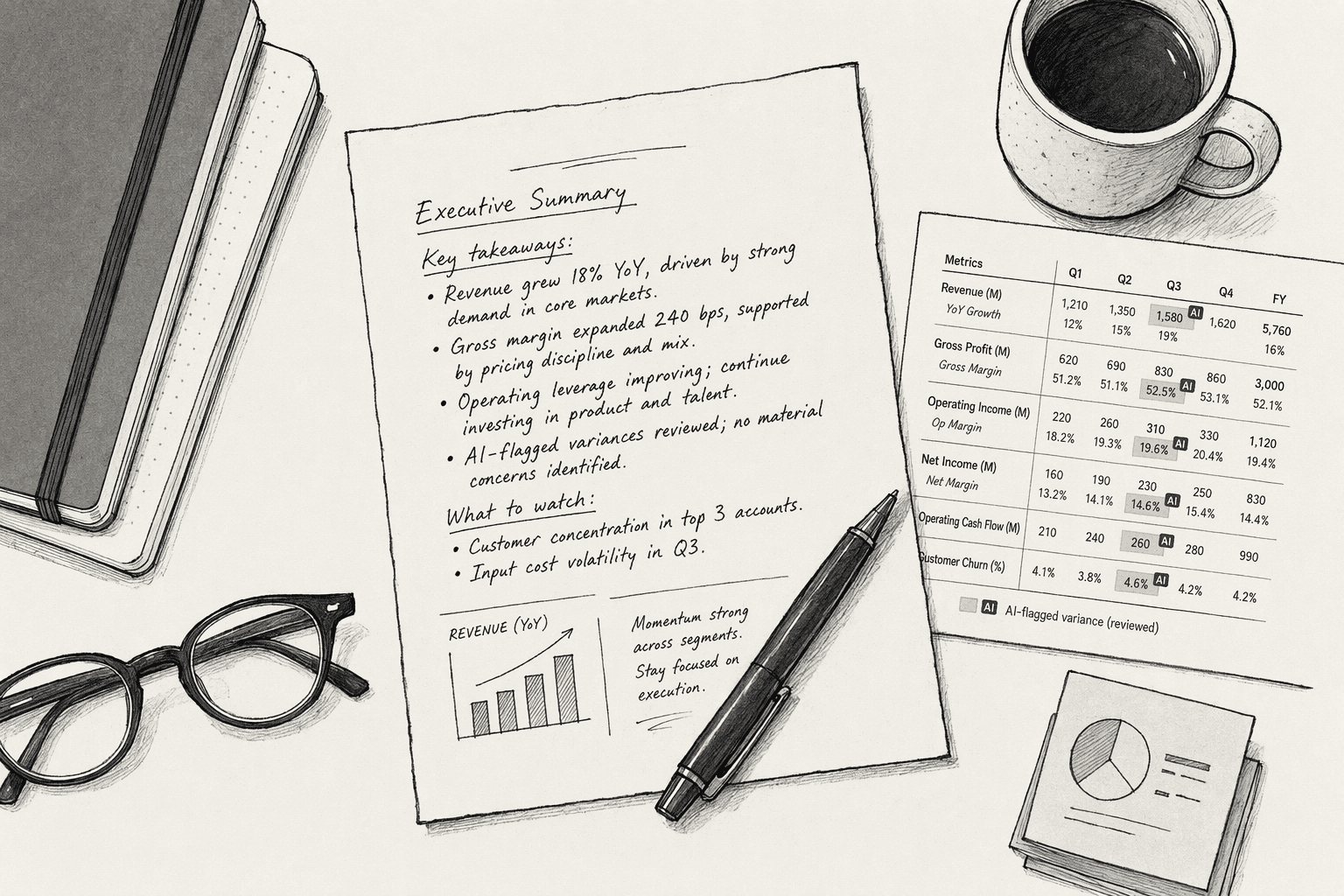
- Start from the flagged signals. Open the placeholder from Step 5 and use its list of key movements as your outline.
- Explain the biggest variances. For each major movement, write one or two sentences on why it happened, drawing on context the data doesn't hold.
- State what you're changing. Note any actions you're taking in response, such as a hiring pause or a pricing change.
- Update the risk picture. Flag which risks have grown or shrunk since the last meeting.
- Spell out the ask. End with the specific decision or input you need from the board.
Step 7. Route the Draft Through a Sign-Off Chain
- Name one owner per stage. A typical chain runs FP&A lead (line-level variances and commentary), then CFO (rolling forecast and cashflow), then CEO (executive summary), then company secretary or chair's office (format and circulation).
- Set deadlines backward. Start from your circulation date and give each reviewer a fixed window, such as two working days per stage.
- Compare side by side. Keep the AI draft and the edited version open together so reviewers can see exactly what changed.
- Log every change. Record each edit, who made it, and why, using your tool's audit log or a simple change tracker.
Step 8. Save the Workflow as a Reusable Template
- Save the full workflow. Store your prompts, queries, board template, threshold rule, and definitions document together as one reusable setup in your AI tool.
- Feed back reviewer corrections. Go through the change log from Step 7 and add every recurring fix to your definitions document.
- Schedule the next run. Set the draft to trigger automatically once month-end close is complete.
- Put a yearly review on the calendar. Revisit your pack spec each year, or sooner if the board asks for new metrics.
How PromptQL Supports Board Reporting
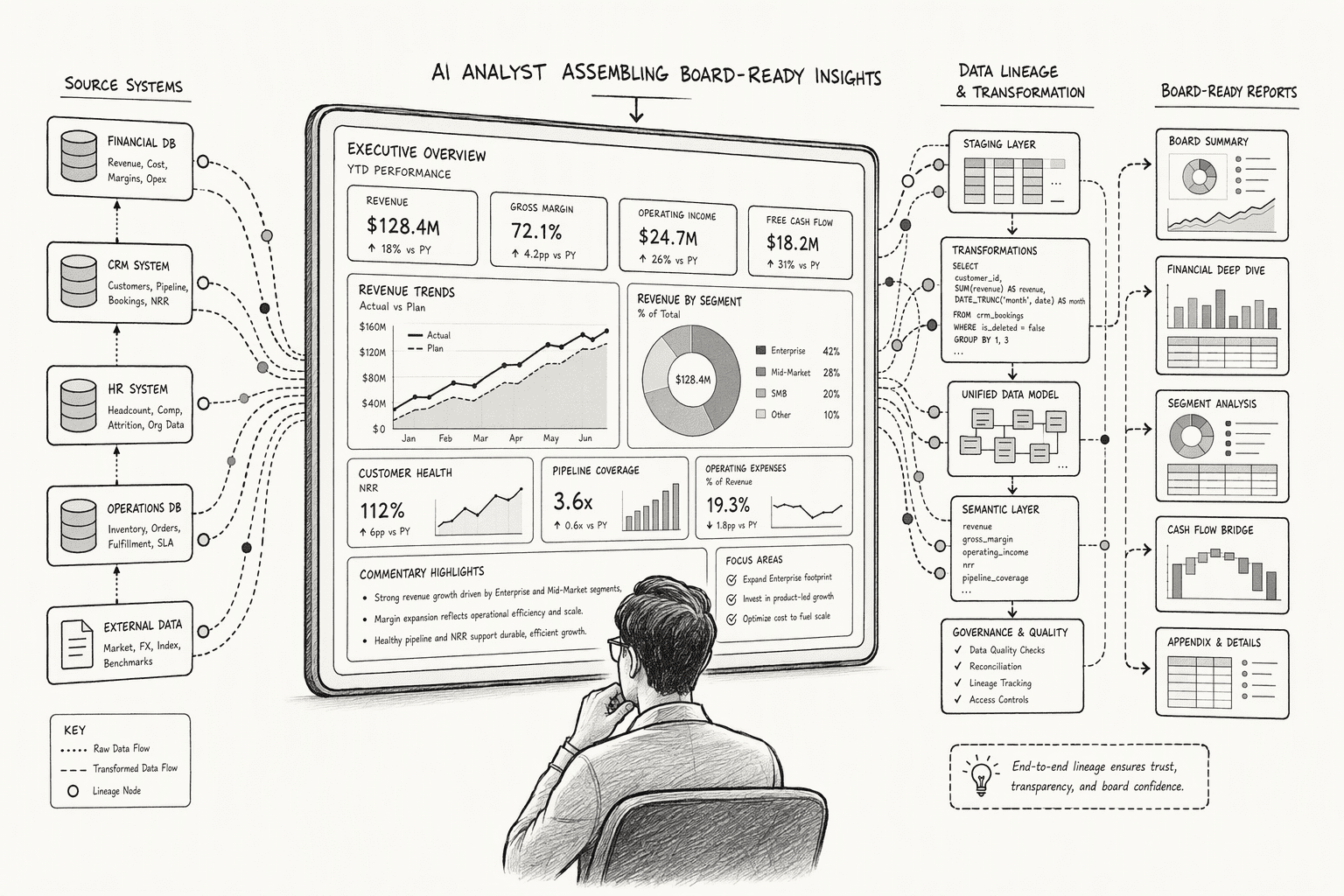
- Data connected in place. PromptQL connects to warehouses, databases, SaaS apps, and APIs as they exist today, without moving or reshaping the data.
- Figures computed from source. PromptQL writes code to answer each question, so every number in the pack comes from a calculation you can inspect.
- Permissions that hold. PromptQL respects existing source permissions, including row-level and column-level controls.
- Review in one place. Teammates can join threads to review, clarify, and correct analysis, and sensitive work can move into private threads or restricted channels.
- A dedicated environment. PromptQL runs in a dedicated environment and executes generated programs in a sandboxed runtime.
Conclusion
FAQs
Frequently Asked Questions
What exactly is an AI board report, and which sections should be included to satisfy fiduciary governance requirements?
How can an AI system reliably pull data, enforce permissions, and avoid hallucinations when generating board-ready financial and operational reports?
What are the core architectural components needed to make AI-generated reports trustworthy for audit, compliance, and board-level scrutiny?
- Secure data connector: standardizes multi-source data (for instance from Xero and QuickBooks) into one reconciled schema
- Plan-based execution engine: computes figures through controlled dependency chains instead of guessing
- Role-based access controls: enforced at the permission level so every viewer sees only authorized data
How does a plan-based execution engine compare to simple tool-calling or RAG for multi-step board report creation?
What steps should an enterprise follow to deploy an AI reporting agent that respects data security, role-based access, and cloud sovereignty?
What do recent 2026 best practices say about balancing AI automation with human oversight in board report preparation?
Sources
- Your AI workspace to discuss, decide, and act. - promptql.io
- Enable security for AI agents using Microsoft Defender - Microsoft Defender XDR | Microsoft Learn - learn.microsoft.com
- Assigning security profile permissions to AI agents - docs.aws.amazon.com
- [PDF] AI Governance Principles for Boards - Report - KPMG International - kpmg.com
- BoardReady.AI — Monthly Board Packs in 24 Hours. AI-Generated. - board-ready.ai



