
PromptQL Logo
22 Sep, 2026

9 MIN READ

How to Stop Context Decay in Slack, Docs & Databases

Ask an AI agent to pull a number, then ask a follow-up question about that same number, and watch what happens. In a lot of enterprise setups, the agent forgets what it just told you. It re-fetches data it already had, mixes up records that mean the same thing in different systems, and answers a question you stopped asking three turns ago.

This is context decay, and it gets worse as conversations stretch across Slack threads, documents, and databases. Left alone, it turns a promising AI agent into something you have to double check every single time.

The good news is that this is a solvable engineering problem, not a model limitation. Below are eight concrete steps to fix it.

Key Takeaways

  • Context decay happens when an AI agent loses track of goals, decisions, and data across a multi-step task, usually because each tool call starts from scratch instead of building on the last one.
  • The fix is architectural: store the agent's goal, constraints, and decisions in one structured object and pass that object into every exchange instead of re-sending raw threads or documents.
  • Plan-based execution, a unified semantic layer, and strict permissioning each close a different gap that causes decay, and they work best combined rather than applied one at a time.
  • Teams that move to multiplayer AI threads avoid a separate cause of context loss entirely: every new collaborator starting from zero.

What Causes Context Decay in Slack, Docs, and Databases
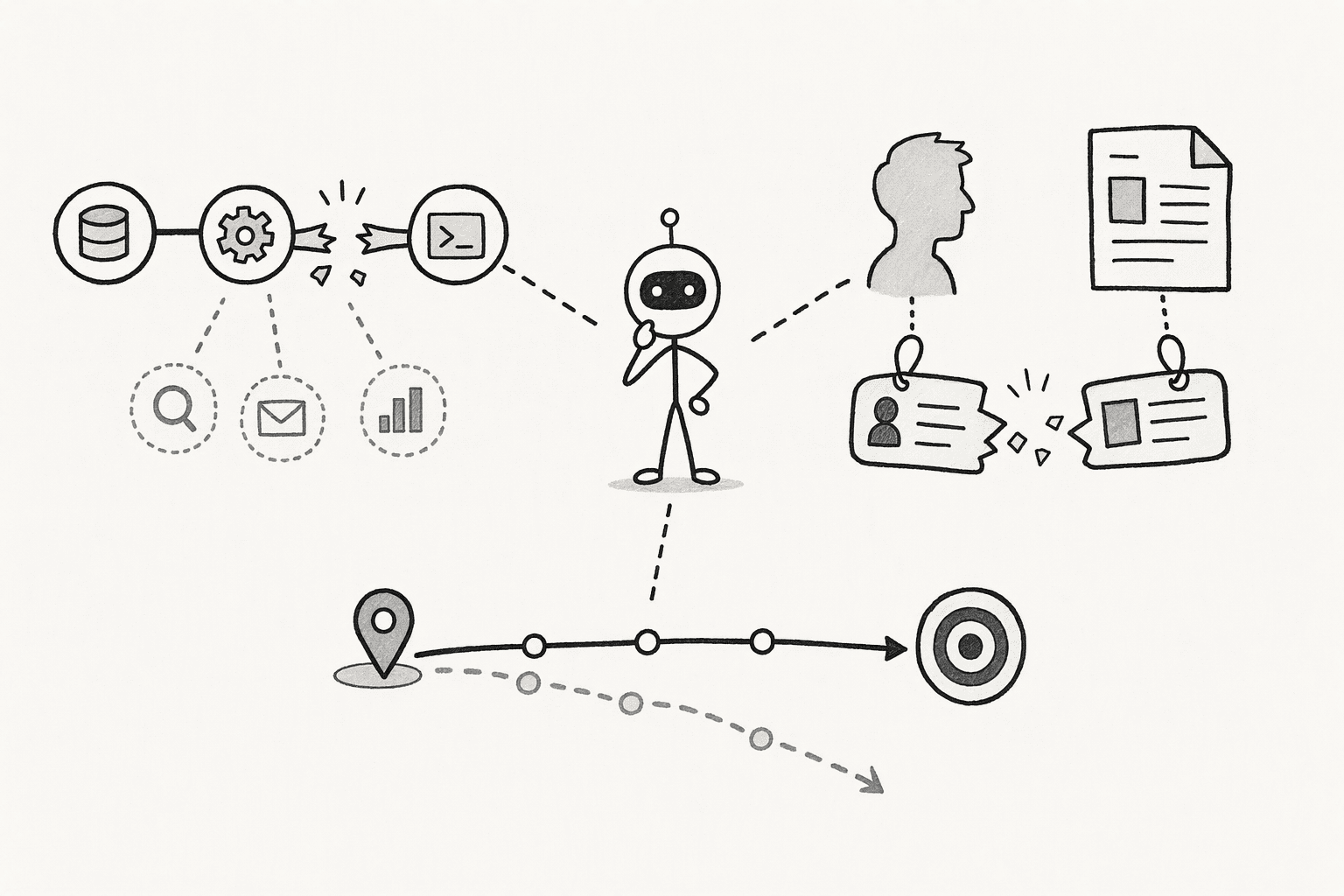
Context decay usually comes from one of three root causes. Here's what to look for in your own stack:

  • Stateless tool calls: The agent runs a database lookup, gets a result, and discards the reasoning behind that call before the next step. The next tool receives a raw number with no context about where it came from or what it already excludes.
  • Identity resolution gaps: A Slack mention of "Acme" doesn't automatically map to the CRM record "Acme Corp (US-East)" or the document folder "Acme2026Q2." The agent treats these as three unrelated things instead of one account.
  • Silent goal drift: You ask for a retention-risk analysis, and a few turns later the agent is listing feature requests instead, without ever flagging that the task changed.

The Step-by-Step Fix for Context Decay

Step 1: Diagnose Where Context Decay Is Happening in Your Stack
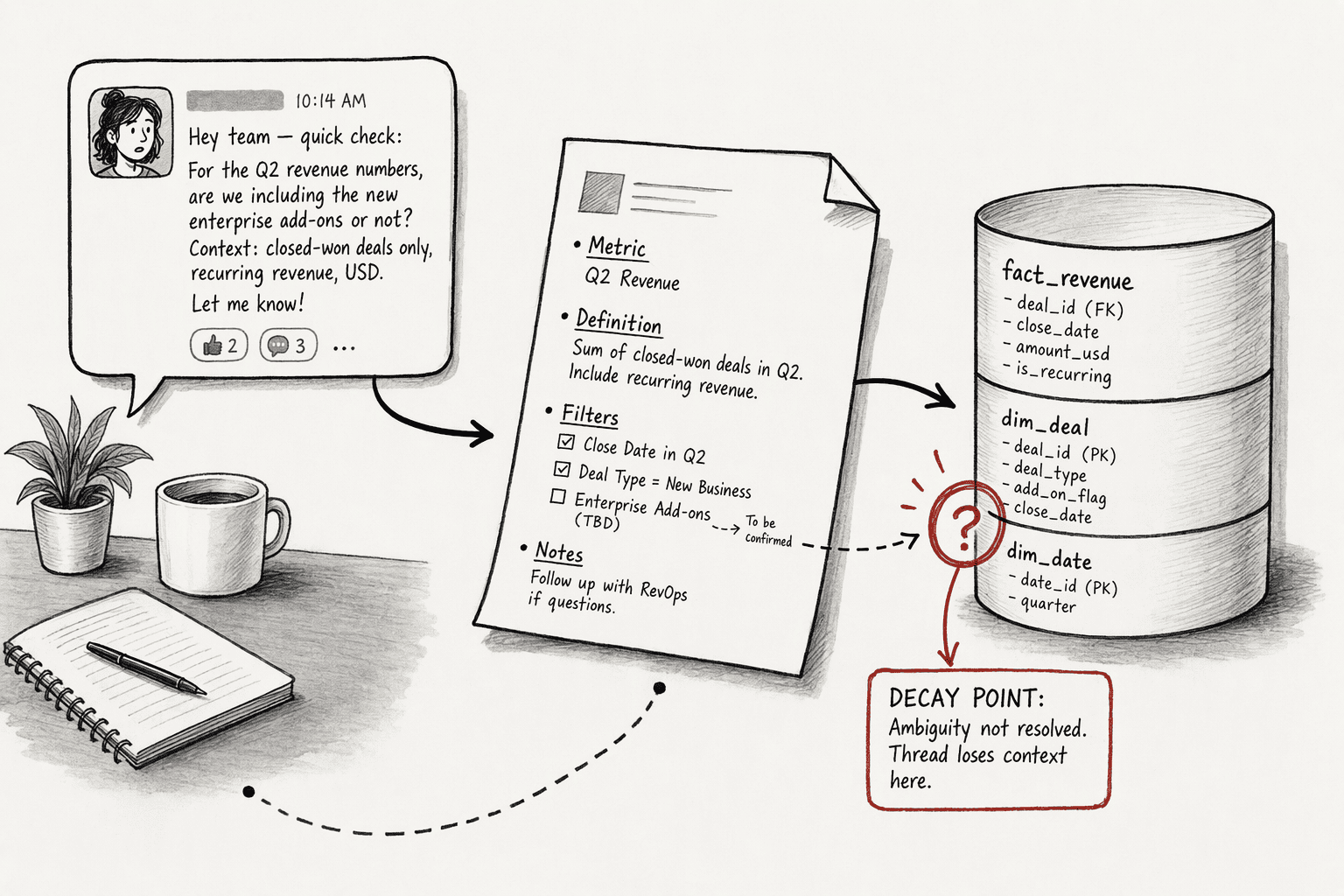
Diagnosing context decay means tracing one real workflow turn by turn to find the exact point where the agent loses the thread, rather than guessing at a fix for the whole system.

Here's how to run the diagnostic:

  1. Pick one real multi-step query that crosses Slack, a document, and a database.
  2. Replay it turn by turn.
  3. At each turn, check three things: did the agent carry the original goal forward?did it resolve the same entity consistently? did it repeat a fetch it had already done?
  4. Note the exact turn where any answer is "no." That's your decay point.

This tells you exactly which mechanism to fix first instead of guessing at a system-wide overhaul.

Step 2: Build a Structured State Object to Anchor Agent Memory

A structured state object is a single record that holds an agent's goal, constraints, decisions, and outputs across a session, so the agent reads from and writes to one place instead of the full conversation history.

Building one means setting it up at the start of a session and updating it as the agent works, so it becomes the agent's single source of truth instead of the raw thread.

Here's how to build a structured state object:

  1. Initialize the object at the start of the session with the user's explicit goal and any constraints they stated. For example: goal is "update Q4 forecast with October actuals," constraint is "only include closed-won deals."
  2. Update the decisions and artifacts fields every time the agent makes a choice or produces output, such as "excluded EMEA per user directive at turn 3."
  3. Pass this object into the LLM on every subsequent exchange instead of re-sending the full thread.
  4. Treat the object as the single source of truth for every tool call that follows, so the agent injects stored constraints before it queries anything.

With this in place, every tool call starts with the same grounded context instead of guessing from a raw, growing thread.

Step 3: Set Up Progressive Summarization and Drift Detection

Progressive summarization means condensing a finished exchange into one compact update instead of appending the full exchange to the record. Drift detection is a check that compares each new response against the original goal before it's shown to you.

Together, these keep a long session lean and self-correcting: one keeps the state object from bloating, and the other catches the agent the moment it wanders off the original task.

Here's how to set up both:

  1. After a meaningful exchange, condense it into one updated line in the state object instead of appending the full transcript. Three messages spent refining a cohort definition should become one line, not three thousand tokens of dialogue.
  2. Before the agent surfaces a response, run a quick check: Does this still serve the stored goal?
  3. If the check fails, trigger a realignment step that reasserts the goal and constraints before the next turn runs.

The result is a session that stays lean as it grows, and catches a drifting answer before it reaches you instead of after.

Step 4: Replace Reactive Context Stitching with Plan-Based Execution
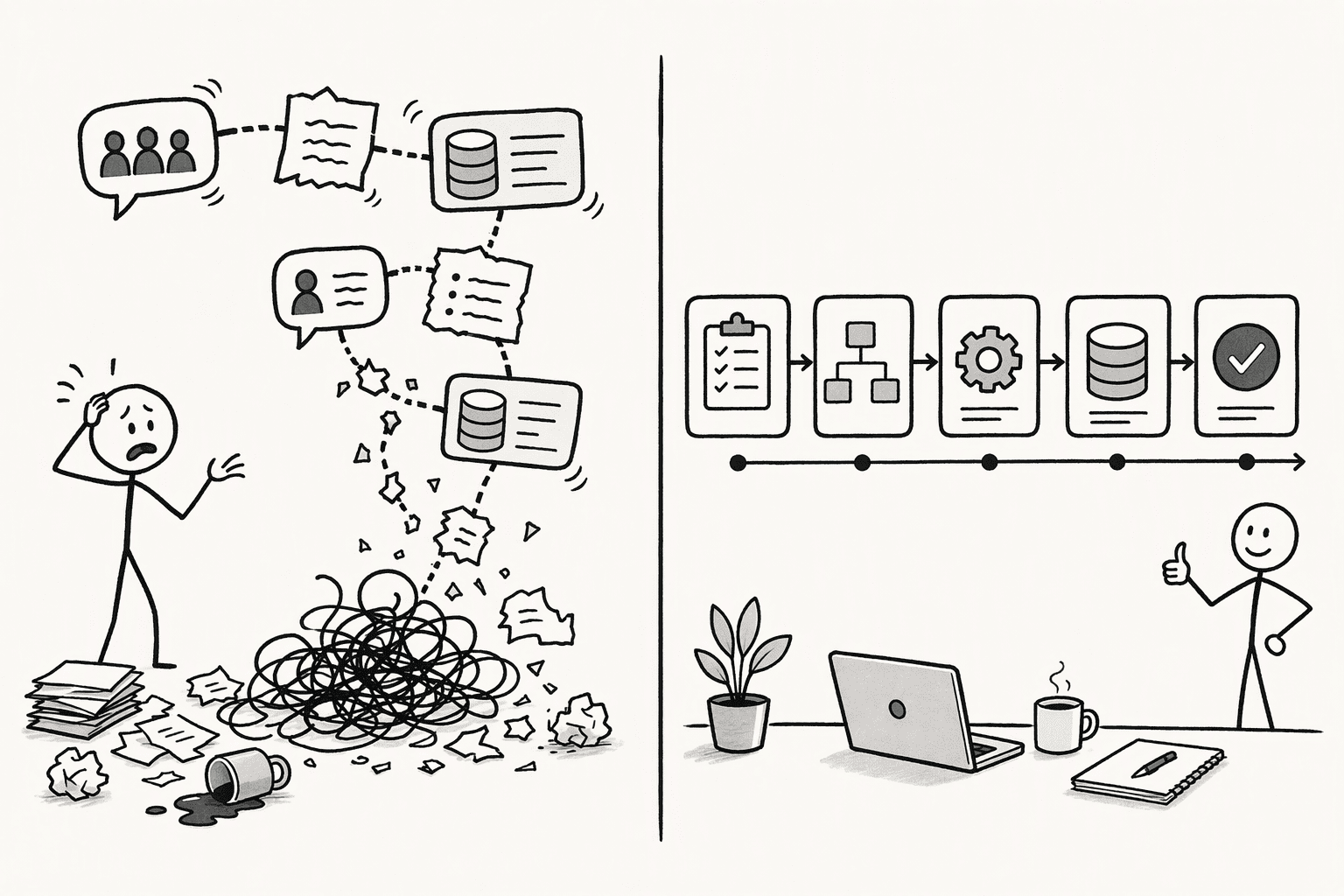
Context stitching is when an agent assembles context reactively, pulling thread fragments and tool outputs together right before each call. Plan-based execution flips that: the full plan is built before any tool runs at all.

Replacing one with the other means moving the planning step earlier, so the agent commits to a full sequence of actions up front instead of deciding what to do next after each result comes in.

Here's how the two approaches compare:

ApproachHow it worksWhere it breaks down
Context stitchingAssembles context reactively before each LLM callDrops qualifications and constraints as the chain gets longer
Plan-based executionBuilds the full multi-step plan up front, before any tool runsRequires more setup, but no step can discard the original intent

PromptQL is worth a mention here. It is built on plan-based execution specifically to close this gap: the system declares the goal, data sources, sequence, and expected output format before a single query fires.

Once every step inherits the same plan, a nine-step task spanning a CRM, Slack, and a document store can run end to end without losing a constraint along the way.

Step 5: Unify Your Data with a Semantic Layer

A semantic layer is a mapping that resolves every data source to one consistent entity model, so the same account or record is recognized the same way everywhere it appears.

Unifying your data with one means building that mapping once, so every system your agent touches refers to the same customer, account, or record by the same identity instead of three different ones.

Here's how to build one:

  1. Map each system (Slack, CRM, document store) to a single entity model so "Acme Corp," "ACME_INC," and "Acmé Client Files" all resolve to the same record.
  2. Store the resolved entity reference once unification happens, and reuse that clean reference on every later exchange.

PromptQL's semantic layer applies this mapping at query time, rewriting the request before the agent ever sees it.

This shifts the agent's effort from disambiguating names to actually analyzing the data, and it removes the most common source of cross-system contradictions.

Step 6: Lock Down Context Integrity with Strong Access Controls
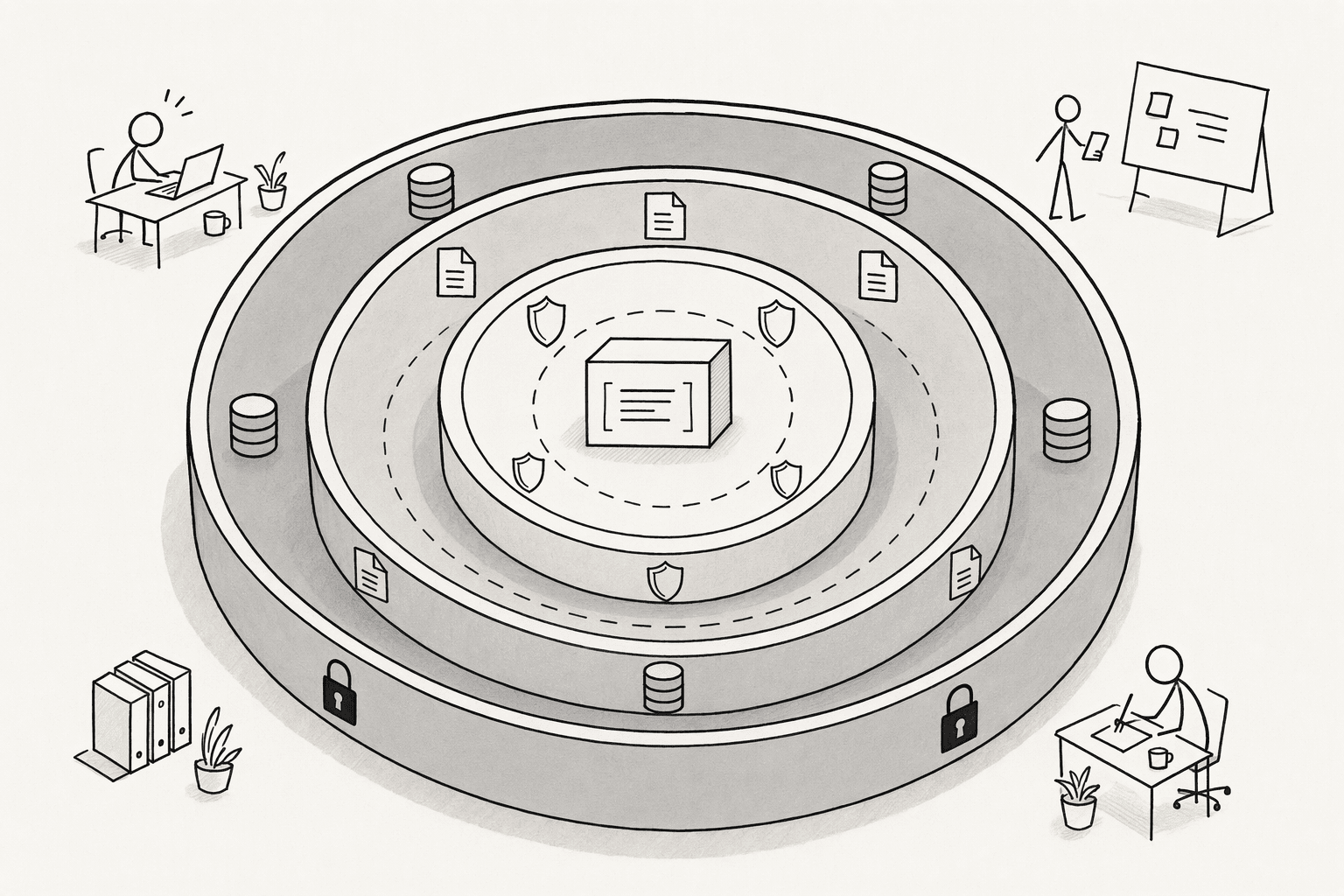
Access controls, in this context, are the combination of where your data lives, who can see what, and where permissions get enforced. Together they decide how much unauthorized or unscoped data can leak into an agent's context window.

Locking this down means applying all three at once, since a gap in any one of them undermines the other two.

Here's how to apply them:

ControlWhat it doesHow it protects context
Private, self-hosted deploymentKeeps data inside your own cloud or on-prem environmentPrevents external or unauthorized data from entering the agent's context window
Role-based access controlLimits data to what the requesting user can see, down to row and column levelKeeps the agent's context permission-bounded, so it can't infer from data the user shouldn't see
Enforcement at the data layerApplies permissions in the data layer itself, not as a prompt instructionGuarantees consistent, bounded context regardless of which model or session is asking

PromptQL implements this with role-based permissions defined in its metadata layer and private deployment options that keep your data inside your own infrastructure.

With these controls active, the agent's context is provably bounded to what a given user is allowed to see, session after session.

Step 7: Build an Audit-Proof Regression Testing Workflow

A regression test, in this context, is a fixed test case built from a past failure, used to make sure that same failure never happens again after an update.

Building a full workflow around this means capturing every failure as it happens and running the growing collection against every future change, instead of testing each update in isolation.

Here's how to build the workflow:

  1. Log every context-loss incident as a structured test case: the original goal, the state object at turn zero, the tool sequence, the point of divergence, and the correct output.
  2. Group these cases by category and set a minimum accuracy baseline for each one.
  3. Run the full test suite against every planned update before it ships.
  4. Feed new failures back into the library on an ongoing basis, so the test set grows with real use.

Over time, this turns every past mistake into a permanent safeguard, so an update that fixes one thing can't quietly break another.

Step 8: Move to Shared, Multiplayer AI Threads for Team Work

A multiplayer AI thread is a single persistent session that multiple people work inside together, instead of everyone running the same task in separate, private chats.

Moving your team onto this model means consolidating everyone's work into one shared session, so context built by one person is automatically available to the next.

Here's how to move your team over:

  1. Put the team inside one persistent session where the state object, decisions log, and artifacts are visible to all.
  2. Let a follow-up question from any team member inherit the full prior session automatically, regardless of who started it.
  3. Tag teammates directly in the thread when you need a correction or a second opinion, instead of restarting the conversation elsewhere.

PromptQL was rebuilt around this model, running as a shared, multiplayer AI workspace where a team's decisions and context compound in one place.

This eliminates the restart penalty entirely: no one on the team begins from zero context again.

How PromptQL Solves Context Decay End to End
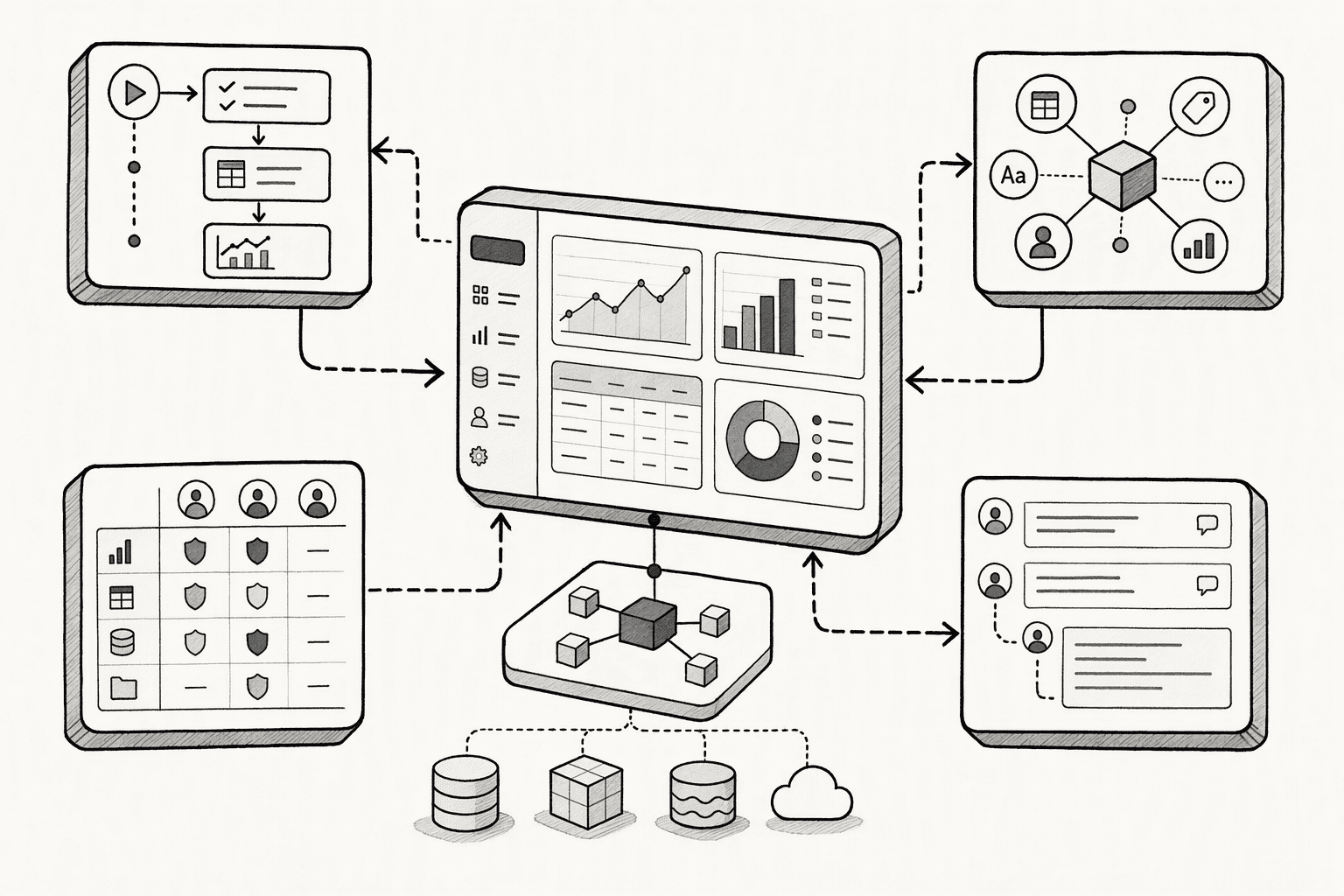
PromptQL addresses each cause of context decay covered above inside one system, rather than requiring you to bolt these pieces together yourself:

  • Plan-based execution replaces reactive stitching, so a multi-step task never loses its original constraints partway through.
  • A semantic layer resolves identity mismatches across Slack, your CRM, and your document store before the agent starts reasoning.
  • Role-based permissions and private deployment keep the agent's context bounded to exactly what a given user is allowed to see.
  • Shared, multiplayer threads mean your team works from one context instead of rebuilding it in every private chat.

If you're evaluating how to fix context decay at the infrastructure level rather than patching it prompt by prompt, this is the kind of system built specifically for that.

Conclusion

The real cost of context decay isn't the wrong answer you catch. It's the wrong answer you don't catch, because it looked confident enough to act on. Before you scale any AI agent past single-turn use, ask one question: if you handed today's task to a new hire with zero context, would they make the same mistake your agent just made? If the answer is yes, the problem was never the model. It was what the model was never given to remember.

Is context decay the same thing as an AI hallucination?No. A hallucination is the model inventing information that was never true. Context decay is different: the agent loses track of information that was true and available earlier in the session, then acts on stale or incomplete context as if it were current.

Frequently Asked Questions

How to Stop Context Decay in Slack, Docs & Databases

Sources

  1. PromptQL | About us - promptql.io
  2. 3 Silent Killers of Enterprise AI (And Why Your Pilot Will Probably Fail) - promptql.io
  3. I am always in a flow state now - promptql.io
  4. The ultimate guide to semantic layers for AI - promptql.io
  5. FRAMES: Guarded and Dual-Objective Skill Evolution for Agents in Policy-Governed Enterprise Workflows - arxiv.org
  6. Context management | Slack Developer Docs - docs.slack.dev
  7. PromptQL | Team AI with a wiki - promptql.hasura.io
PromptQL Team
PromptQL Team
Pre Footer

See PromptQL in action on your data.


