Last quarter, our shiny new internal AI tool confidently told a VP that our churn rate was 2%. It was actually 18%. The model wasn't broken. It just had no idea who it was talking to, what data to use, or which metric definition to trust.
This is the reality 95% of enterprise AI pilots never produce measurable ROI. The root cause is not a lack of powerful models. When AI systems begin to fail in production, the root cause often comes from the system not having access to the right information at the right time.
A context layer fixes this. It sits between raw enterprise data and model output to capture and deliver organizational knowledge at the exact point of inference. It turns chaotic, permissionless LLM calls into grounded, governed answers.
This guide walks through what a context layer is, the problems it actually solves, and how to add one to a tool you already have, without replacing it.
Key Takeaways
Adding a context layer is the critical strategy to move from hallucination-prone AI to trusted, data-grounded systems. Here is what the process demands:
- Architectural foundation: Understand the stark difference between basic RAG and an agentic semantic layer before writing a single line of code.
- Corpus quality is everything: A smaller model with well-curated, well-retrieved context often outperforms a larger model operating on poorly structured information.
- Metrics beat intuition: A systematic configuration sweep targeting recall and MRR identifies the one setup that slashes noise while keeping the answer correct.
- Security cannot be bolted on: Embed access control directly into the retrieval step so the context layer is a gateway, not a leak, for regulated data.
What is a context layer?
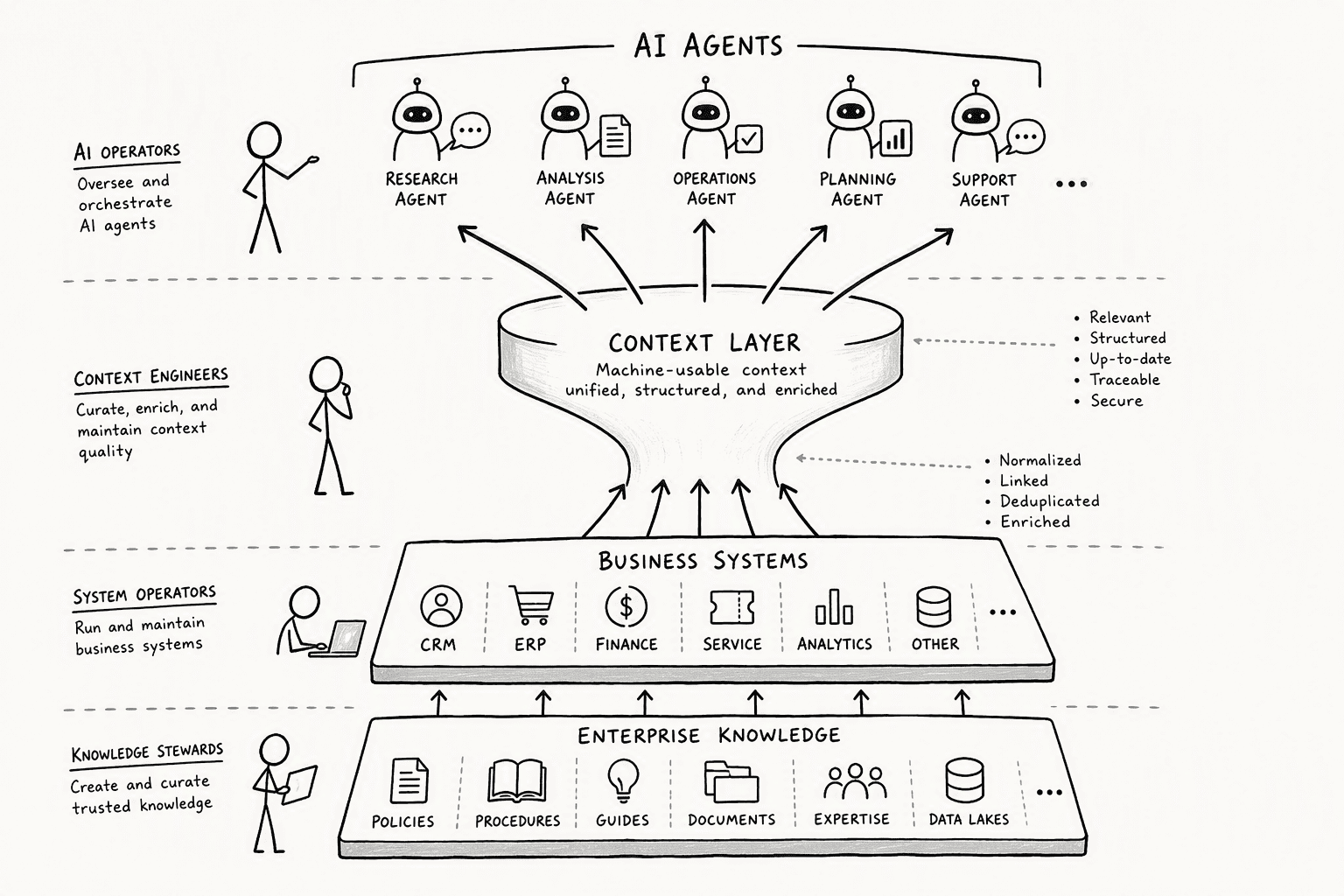
A context layer is infrastructure that turns your company's knowledge, expertise, and norms into machine-usable context for AI agents, spanning your data, your business systems, and whatever AI tool you're already using.
It sits between raw information and the model's output, delivering organizational knowledge at the exact point where the model needs it.
The distinction that matters here is simple. A prompt is the instruction, the "what to do." The context layer is everything that makes that prompt actually useful: who's asking, what data they're allowed to see, what's happened before, and what the business actually means by the terms in the question.
A context layer is generally made up of:
- Semantic definitions: the business terms, entities, and logic the model can draw on instead of guessing, so "revenue" means the same thing whether sales or finance is asking
- Permission and identity awareness: the model only sees what the specific person asking is actually allowed to see
- Memory that compounds: corrections and context get captured and reused, instead of disappearing the moment a conversation ends
- A way to stay current: business logic changes constantly, so the layer needs to update without a full manual rebuild every time something shifts
The problems a context layer solves
A model can be fully capable and still confidently give you the wrong number, not because it's a bad model, but because it never had a reliable way to know which data or definition to trust. This matters more than it might seem: well-curated, well-retrieved context often outperforms a larger model working from poorly structured information.
Without a context layer, a few failure patterns show up consistently:
- The same question gets different answers depending on who asks or how it's phrased
- The model hallucinates fields, columns, or facts that don't actually exist
- People have to keep re-explaining the same business definitions over and over
- A correction made once doesn't stick. The next person who asks a similar question hits the same wrong answer, the same problem we cover in how to set up a Slack AI bot that learns from corrections
- The tool has no enforced boundary on what a given person should actually be able to see
How to add a context layer to your existing AI tool
You don't need to replace the AI tool you already have to fix this. Here's how to add a context layer on top of it.
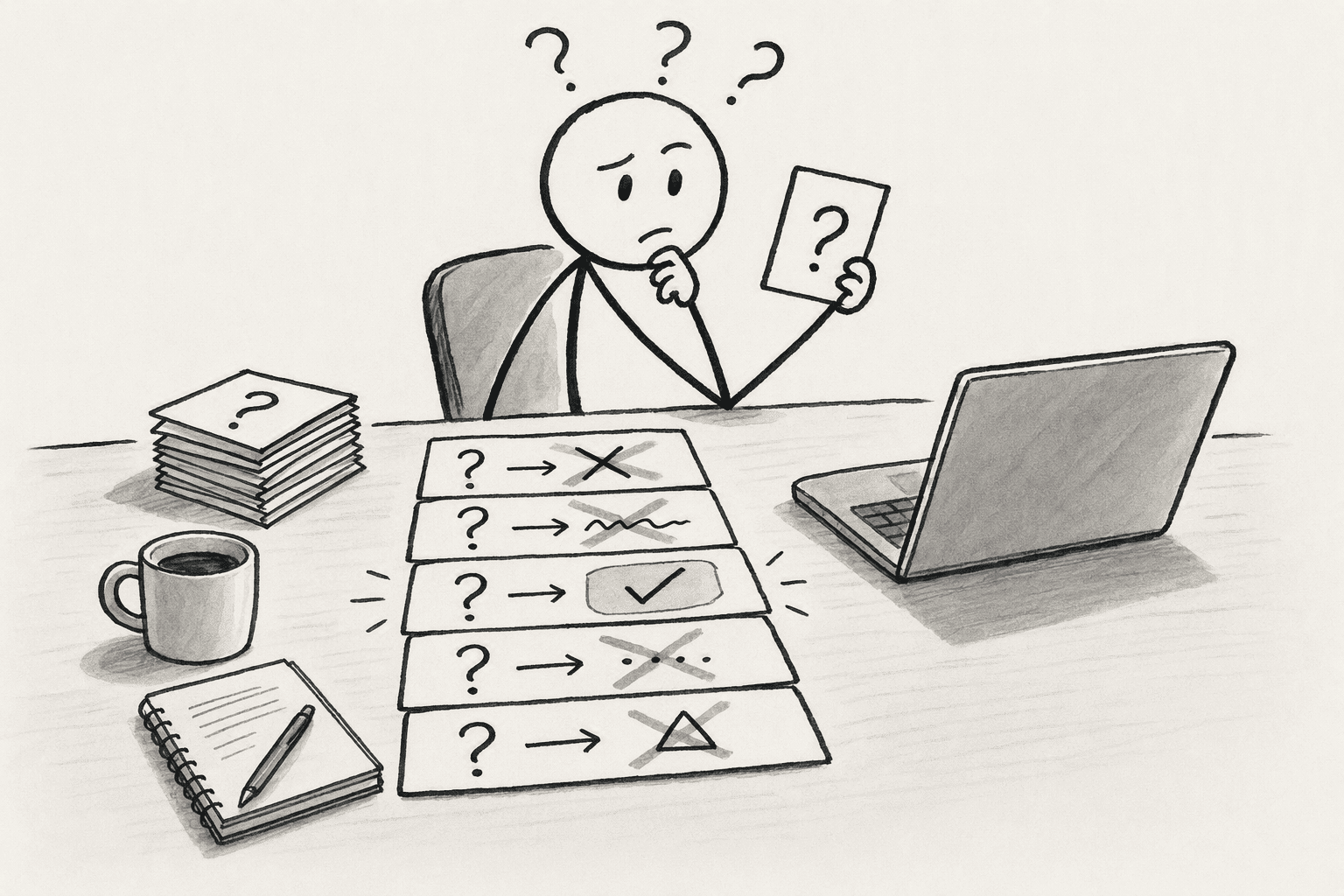
Step 1: Audit where your existing tool is actually failing
Before building anything, collect the specific questions your tool gets wrong, answers inconsistently, or where a business term meant one thing to the model and another to your team. This becomes your baseline for measuring whether the context layer actually helped, and it keeps you from building infrastructure around a problem you haven't confirmed.
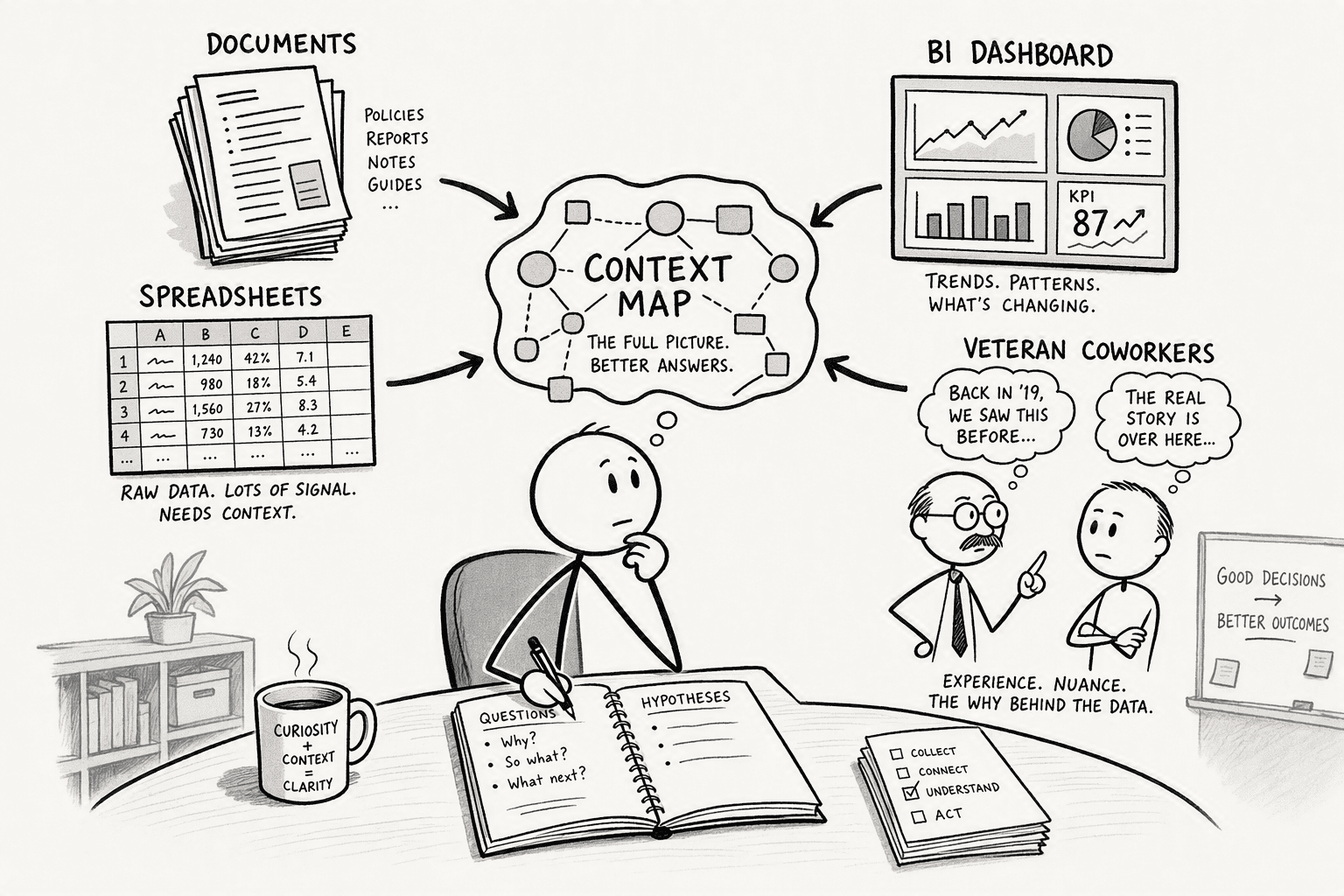
Step 2: Identify where the real definitions and context live
Most of what's missing isn't sitting in a database. It's in docs, spreadsheets, existing BI tools, or in the heads of the people who've been doing the job the longest. Map those sources before connecting anything, since a context layer is only as good as what it's actually built from.
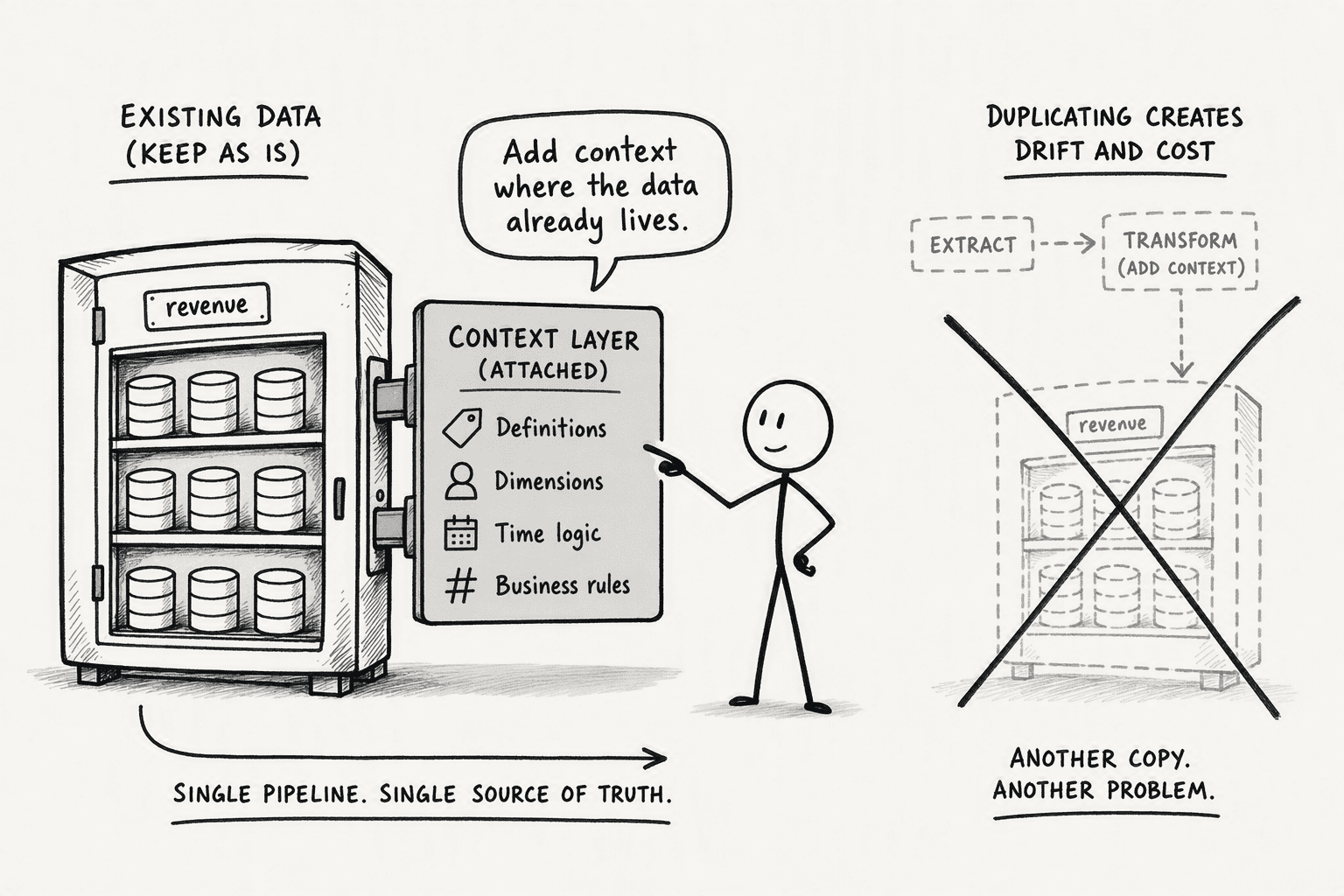
Step 3: Connect the context layer to your existing data, without duplicating it
Point the context layer at your data where it already lives, rather than copying it into a new store or rebuilding pipelines you already have. Duplicating data adds another thing to keep in sync and another place for definitions to drift out of alignment with the source of truth.
Step 4: Enforce permissions at the context layer, not just the tool
A context layer that ignores permissions is a bigger risk than the problem it's meant to solve. Access control has to be enforced at the point of retrieval, not bolted on afterward. That also means understanding that a column like "revenue" can mean something different to different teams, and enforcing the right definition and the right access boundary together, at the same step.
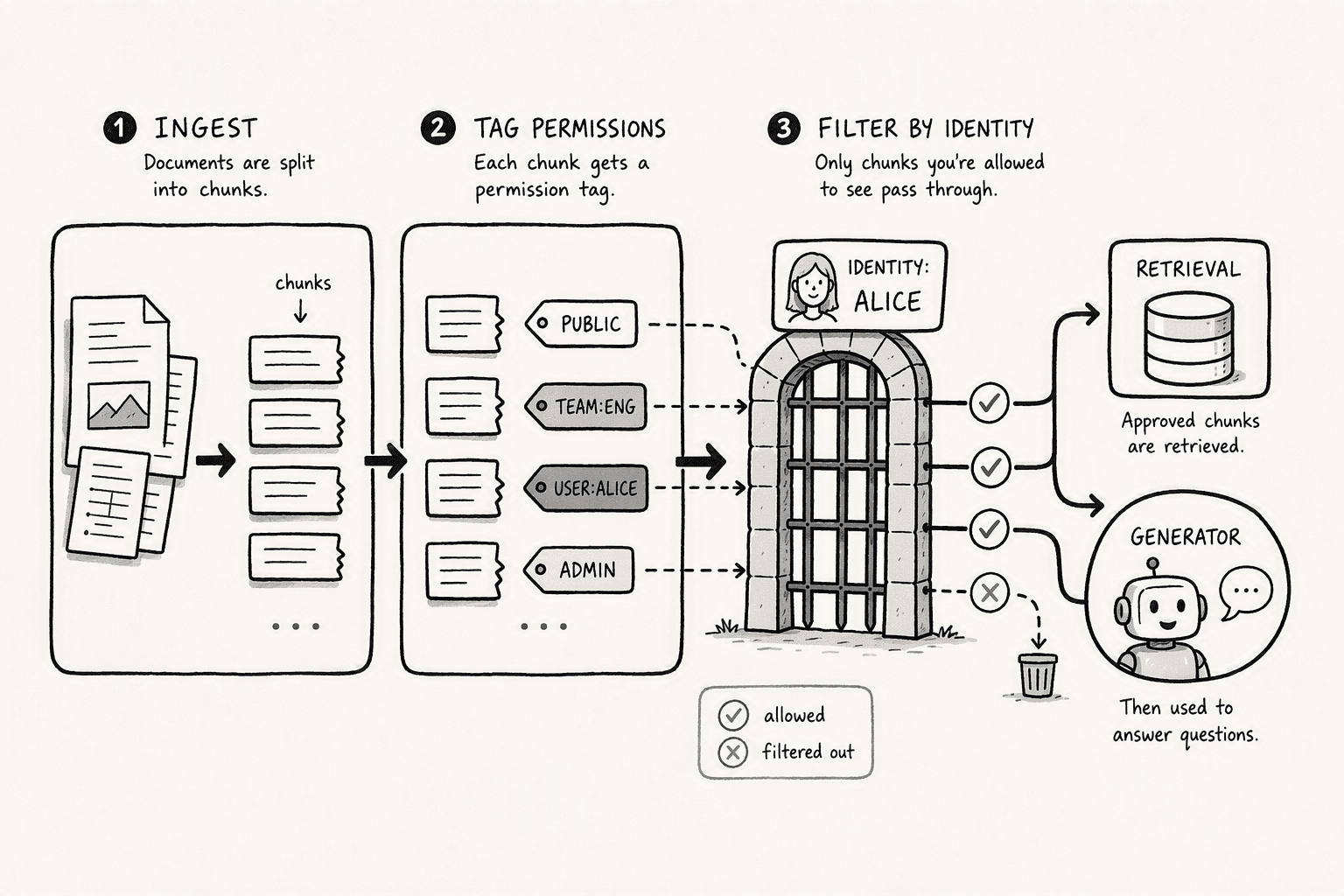
This is also where compliance and data-privacy obligations around AI-enabled tools need to be accounted for directly in the design, not addressed after the fact.
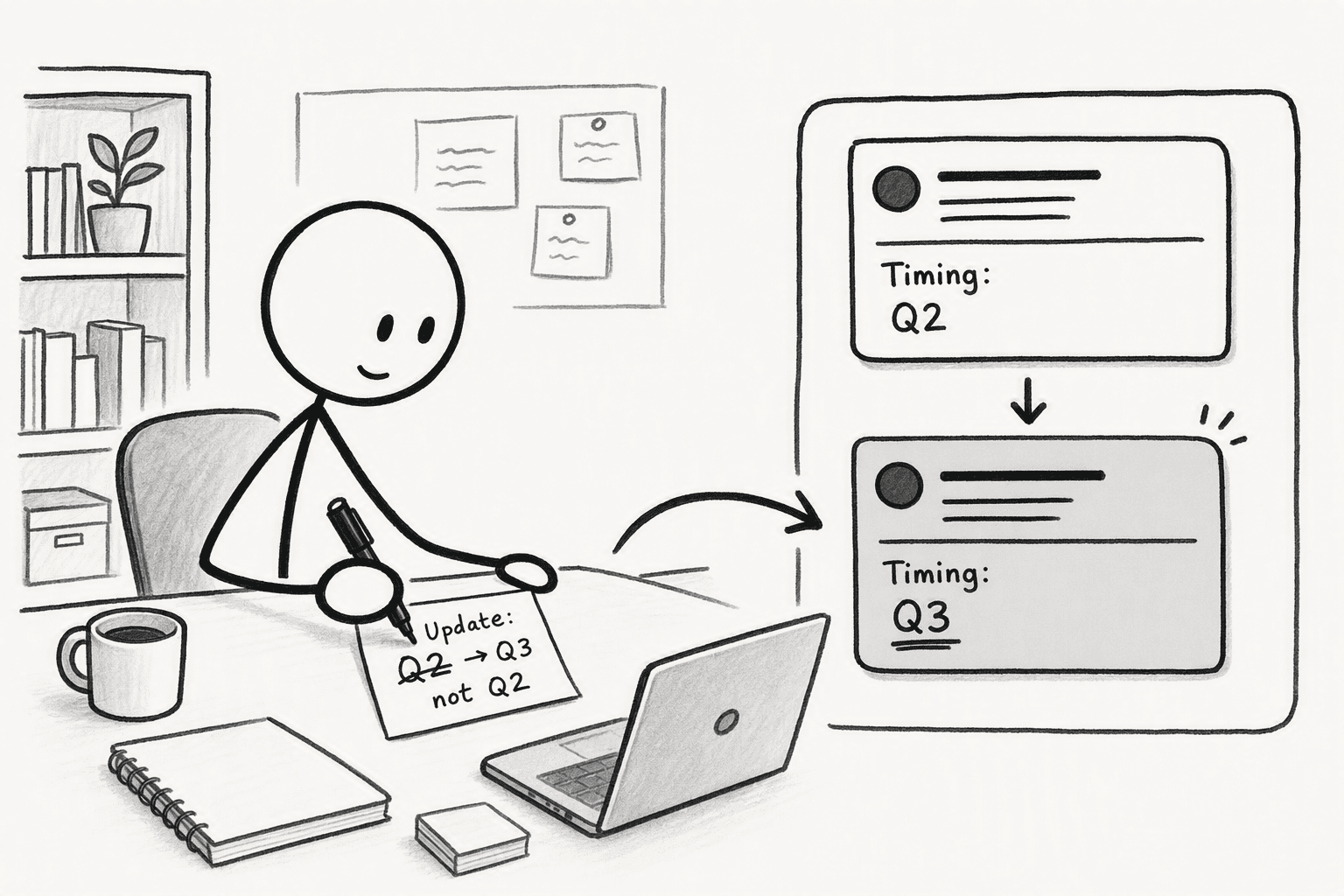
Step 5: Set up a way for people to correct and contribute context as they work
This is the step that's easiest to skip and the one that matters most over time. A context layer that's only ever populated once goes stale the moment your business logic changes.
Build in a simple way for someone to correct the system in the flow of their normal work, not as a separate documentation task nobody gets around to.
Corrections should update shared context permanently, the same principle covered in more depth in how to set up a Slack AI bot that learns from corrections.
Step 6: Point your existing AI tool at the context layer instead of raw data
This is the step that actually makes it "on top of" your existing tool rather than a replacement for it. Instead of your AI tool querying raw data directly or working off a static prompt, route it through the context layer, so every answer draws on the same shared definitions, permissions, and corrected context, no matter who's asking or which part of the tool they're using.
Signs your context layer is working
A few concrete signs to watch for once it's in place:
- Different people asking the same question get consistent answers
- Corrections stop repeating. Once something is fixed, it stays fixed for everyone
- Hallucinated fields or facts drop off, since the model has real definitions to draw on instead of guessing
- New team members get accurate answers faster, without needing to be walked through the same context manually
Build it yourself, or start from a layer that's already built
Building this internally is entirely possible, but it's a real engineering investment, not a quick add-on. It typically requires a semantic layer to hold your business definitions, a permissions system that enforces access at the point of retrieval, an ingestion pipeline that connects to your existing data sources, and ongoing maintenance every time a definition or a data source changes.
PromptQL is one example of a context layer built to be added on top of an existing setup rather than to replace it. It runs as an agentic semantic layer that adapts as business logic changes, rather than requiring someone to manually redefine terms every time something shifts, which is the same problem PromptQL's own research on semantic layers points to as the reason most "data readiness" initiatives never actually finish. Permissions are enforced at the point of execution rather than bolted on afterward, and a shared wiki captures context and corrections as the team works, so fixes compound instead of decaying. PromptQL's guide to semantic layers for AI goes deeper into what to actually look for in a layer built for this, if you're evaluating the buy side of this decision.
Conclusion
Adding a context layer isn't about replacing the AI tool you already have. It's about giving that tool something reliable to stand on: real definitions, enforced permissions, and context that compounds instead of resetting every time someone asks a new question. Start by auditing where your current tool actually fails, then build outward from there.
Frequently Asked Questions
What is an AI context layer and how does it differ from just using RAG?
A context layer sits between raw enterprise data and model output, capturing organizational knowledge at the point of inference. While basic RAG simply retrieves chunks and generates answers, a context layer includes semantic definitions, access controls, and versioned business logic that evolve with the organization.
How does an agentic semantic layer provide more accurate context than standard RAG?
Standard RAG follows a fixed query-retrieve-generate pipeline. An agentic layer has the LLM act as an orchestrator that decides which tools to use, when to iterate, and when retrieved information is insufficient. This iterative decision loop catches mismatches that a one-shot retrieval would pass through silently.
What are the practical steps to deploy a context layer in an enterprise environment?
Map your architectural components first, then prepare your corpus with semantic chunking and access-control tags. Build a small evaluation dataset, run a configuration sweep to maximize recall and MRR, and enforce row-level security before any user query hits the generator. Start with standard RAG and evolve.
How does PromptQL enforce access control in its agentic architecture?
PromptQL scopes hold end to end across retrieval, creation, and update. It runs on a data-access layer originally built for regulated environments at Meta, Apple, UnitedHealth, and JPMorgan Chase, tagging chunks with user permissions and applying query-time filters so no chunk reaches the generator that the user cannot see.
How can I optimize chunk size and retrieval settings for my specific data?
Create 20 to 30 real queries with known correct document chunks. Sweep configurations of chunk size, overlap, top-k, and search method while measuring context_recall and MRR. Target the configuration that maximizes both scores while minimizing average context words, keeping only what the model genuinely needs.
Why do 95% of enterprise AI pilots fail, and how does a context layer prevent this?
Pilots fail because the AI lacks access to the right information at the right time. A context layer turns tribal knowledge, metric definitions, and permission boundaries into machine-usable context, closing the gap between a model's generic training and the specific meaning of data inside your company.
Sources
- Is Agentic RAG worth it? An experimental comparison of RAG approaches - arxiv.org
- Why Context Is the Hard Problem in Enterprise AI – Communications of the ACM - cacm.acm.org
- What Is the AI Context Layer? - Iris.ai - iris.ai
- Context Layer for AI: The Missing Tier Between Data & Models - Atlan - atlan.com
- What strategies can organizations use to address the added compliance burden that comes with AI-enabled tools? How do you keep up with changes to both the vendor’s Terms of Service as well as various data privacy laws? | Gartner Peer Community - www.gartner.com
- Context overview - Docs by LangChain - docs.langchain.com
- AutoRAG: Optimizing RAG for small models | Red Hat Developer - developers.redhat.com




