
14 Aug, 2026
•
10 MIN READ
How to Build a Team Wiki
Key Takeaways
- Scope comes before anything else. "Document everything" isn't a plan, picking a few specific domains and tying them to a measurable outcome is what keeps a wiki from becoming a landfill of random edits.
- Permissions belong early, not late. Access should be scoped before content piles up and before any AI agent starts reading alongside people, not bolted on after the fact.
- Structure and ownership go together. A consistent template with an assigned owner and a last-reviewed date is what separates a page that stays current from one that quietly goes stale.
- Start with what people already ask for. The first content sets the tone for the whole wiki, real, repeated questions beat a wholesale dump of old documents.
- Staleness has to be surfaced automatically. Relying on someone to remember to review a page is how a wiki calcifies within a few months.
- Measure outcomes, not traffic. Repeat questions eliminated and time-to-answer matter more than page views.
- A defined audience: Whether it's for human colleagues, AI agents, or both should be decided before a single page gets written, since that choice shapes structure, tone, and formatting from the start.
- A defined scope: A wiki needs clear boundaries on what it covers, not an open-ended goal like "document everything," so there's always a clear answer to whether something belongs in it.
- Structure that holds as it grows: Consistent templates and organization keep new content usable instead of turning the wiki into a pile of one-off pages.
- Ownership and upkeep built in from the start: Someone responsible for each section, and a way for outdated content to get flagged, not an assumption that it'll get noticed eventually.
Step-by-step: how to build a team wiki
Step 1: Define your wiki's core purpose and audience
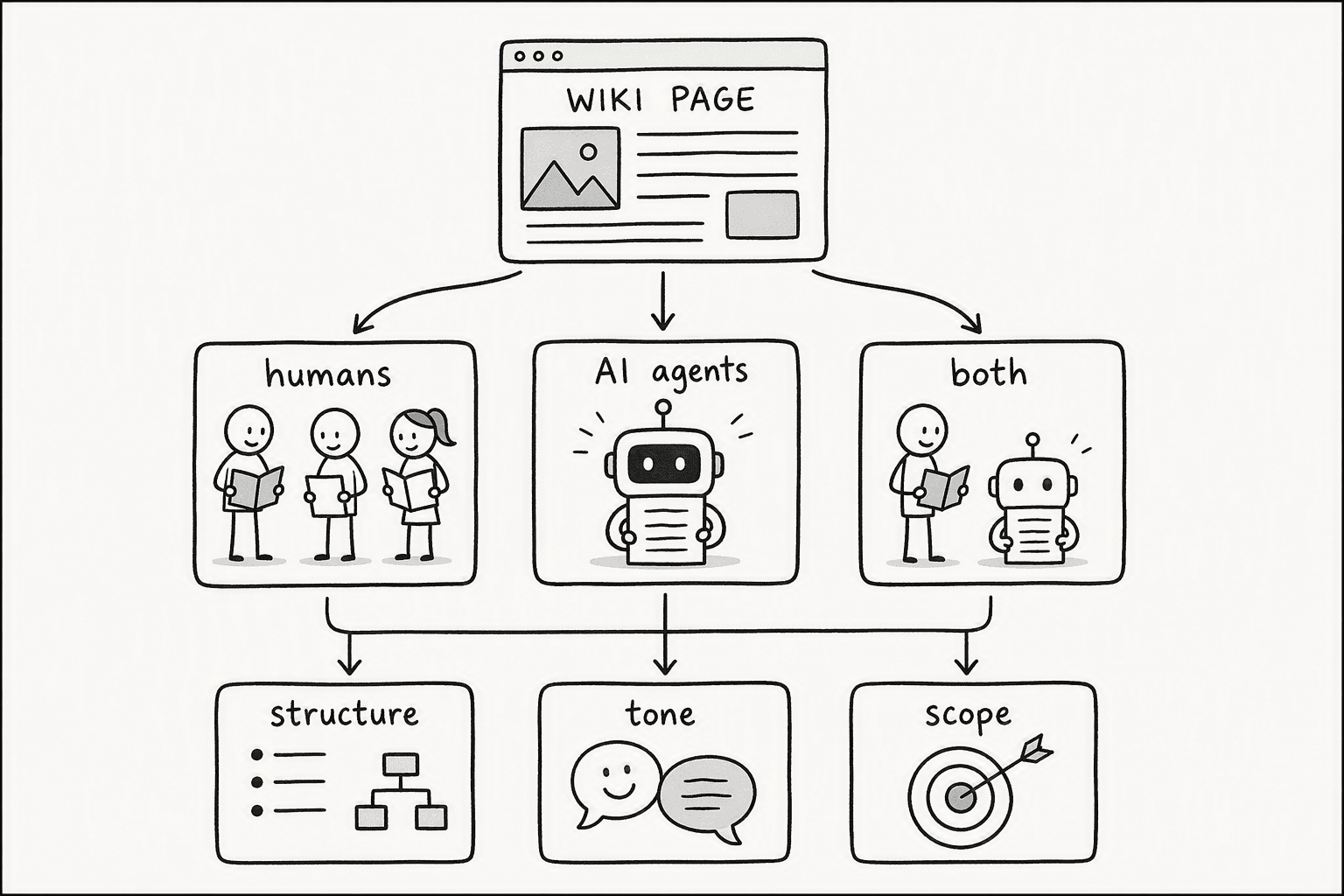
Step 2: Select a Platform Suited for Both Humans and AI Agents
- Audit your current stack for raw Markdown output. Traditional platforms like Notion and Confluence offer wiki features, but they wrap content in proprietary formats. Agents parsing that HTML or rich text get confused. Your litmus test is to ask: can you `curl` a page and get clean Markdown with metadata? If not, you're adding a heavy translation layer.
- Demand native `llms.txt` and freshness metadata. An agentic wiki doesn't just store words; it declares when it was last updated and what it knows. A solution like Agent Wikis compiles fast-moving sources into Markdown pages with sources and timestamps. This alone is the difference between an agent answering with confidence or hallucinating creatively.
- Evaluate agent-native platforms for dual use. Prioritize tools where humans browse like a wiki and agents read natively via Markdown. Each wiki built on this model is a curated set of pages covering concepts and syntheses, with a declared scope. You can also use a more flexible, programmable semantic layer via PromptQL, for instance, which builds a shared wiki as it works and includes revision history and an audit trail.
- Avoid the HTML-only trap on cost and speed. Platforms that make agent retrieval an afterthought will cost you in hallucination and manual correction time. On a fast-moving domain, agents using a compiled Markdown wiki are about 3× cheaper and faster per query than those scraping live web pages.
Step 3: Architect an Agentic Semantic Layer with Structured Markdown
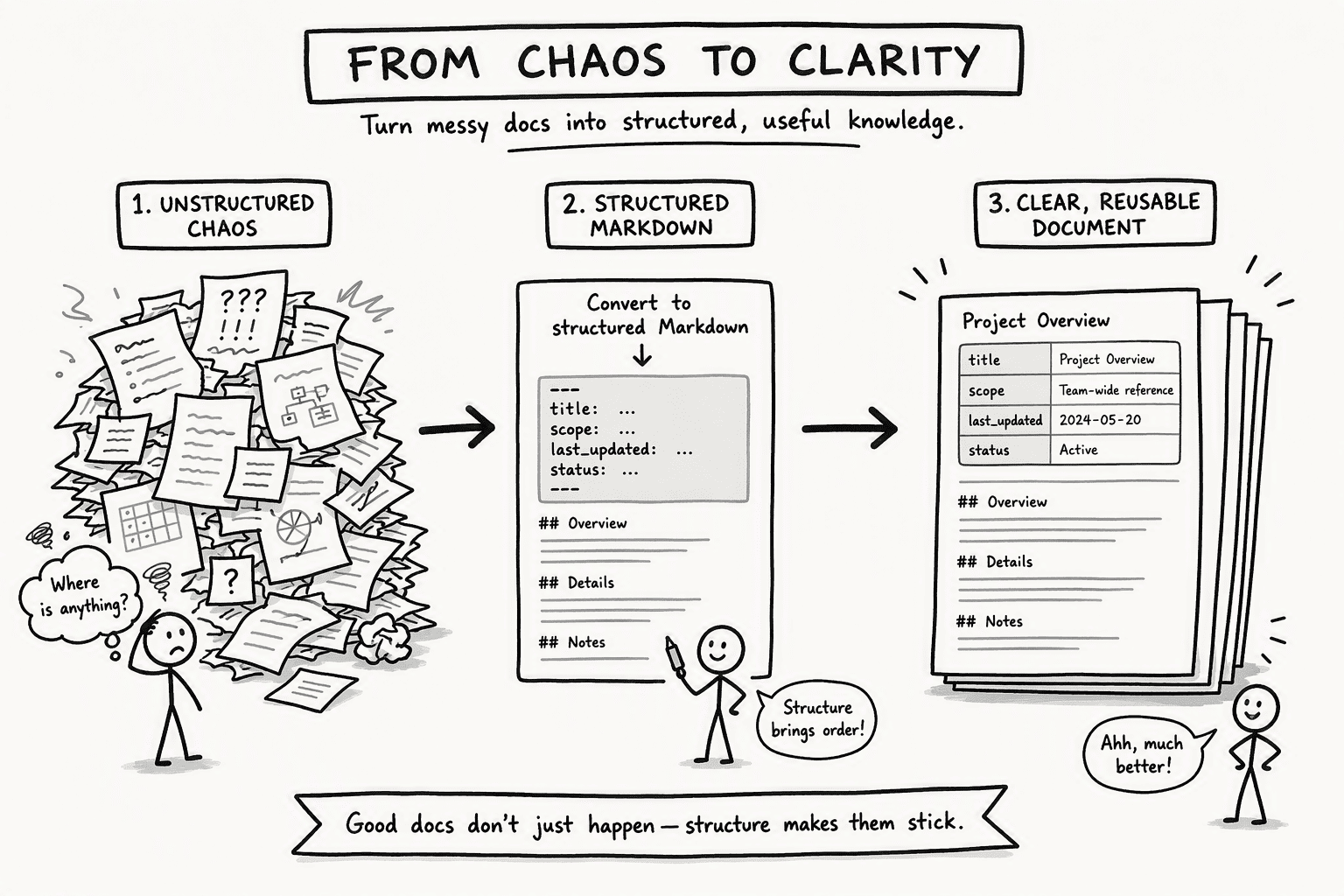
- Enforce plain Markdown with frontmatter: Every page must use plain Markdown with `title`, `scope`, `last_updated`, and `status` in the frontmatter. This tells an agent, "I am about this specific API, I was true as of last Tuesday, and I am stable."
- Create an `llms.txt` index file: Place this at the root, listing every page's path, a one-line summary, and its freshness timestamp. It is a table of contents written for an AI, letting it decide where to point its reasoning before generating a word.
- Declare knowledge boundaries in metadata: Explicitly declare each page's scope so the agent knows to stop if a question falls outside that scope, instead of stitching together a confident, wrong answer. That is the core difference between a document dump and a knowledge graph. A tool like PromptQL reinforces this with an agentic semantic layer, scoping end-to-end across retrieval, creation, and updating, so corrections stick for the whole team.
Step 4: Build a Living Information Architecture with Templates and Governance
- Design folder structures for parallel reading by humans and crawlers. Your hierarchy should be flat and logical, group concepts by domain, not by department. An `llms.txt` file at each level indexes its children, allowing both a new hire and an AI agent to scan the same way.
- Create rigid templates with mandatory metadata fields. Every page in the wiki uses the same template. This forces contributors to declare `title`, `author`, `lastreviewed`, `expireson`, and `scope` before the content. A page without a review date is a vulnerability; a page without scope is noise.
- Assign governance roles that are part of people's core jobs, not extra credit. Name an owner per section, a reviewer for periodic fact-checking, and open contribution up to anyone. In an asynchronous, high-trust remote culture, this written-down accountability is how you keep a wiki from turning into a graveyard.
- Enforce freshness with automated metadata checks. Don't rely on a human to remember to review a page quarterly. Use your wiki platform's freshness metadata and automation to flag pages that have passed their `expires_on` date, triggering a review alert in Slack or Teams.
Step 5: Populate, Embed, and Customize Your Wiki for Daily Use
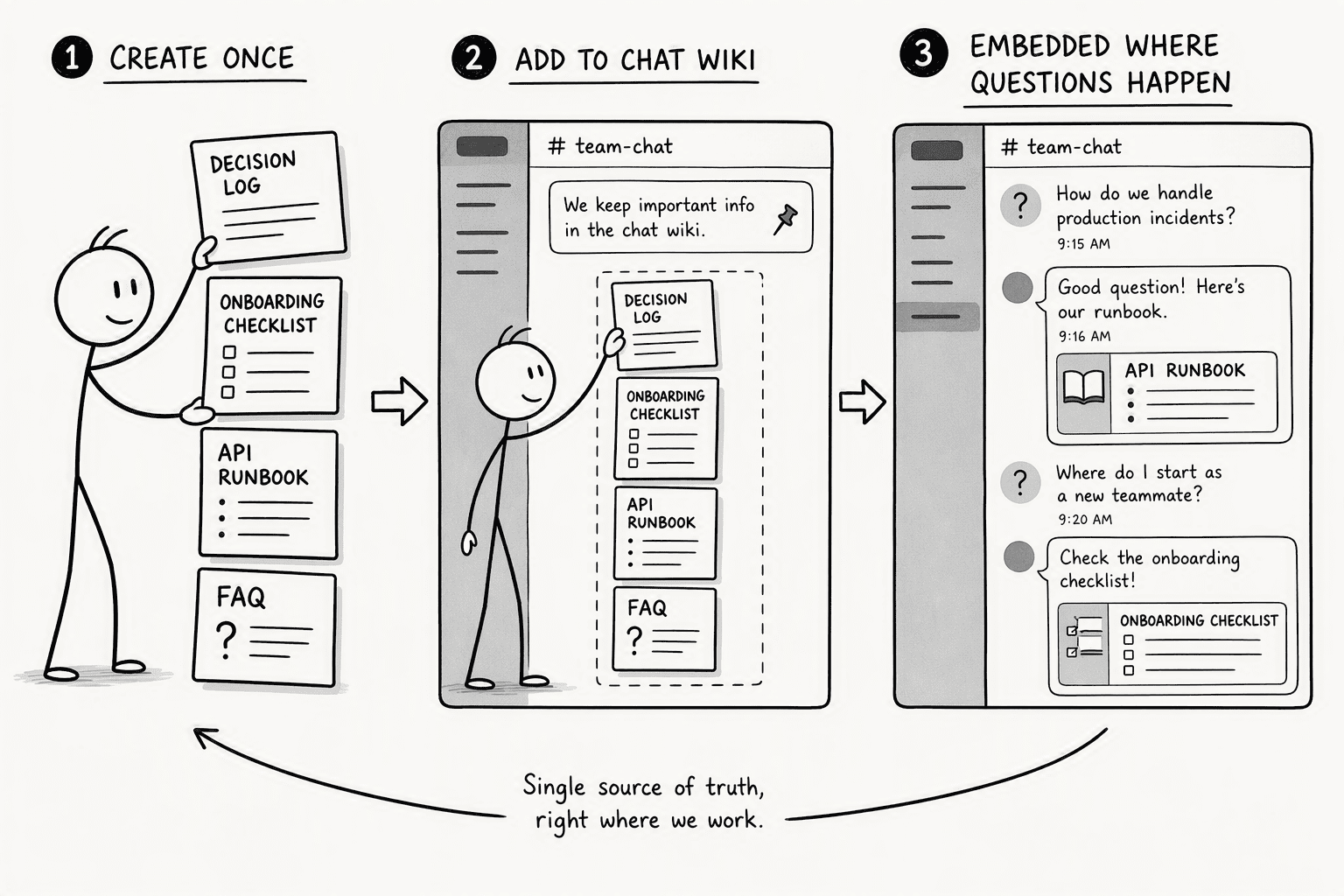
- Decision logs, onboarding checklists, API runbooks, and FAQs: Write each piece so an AI can pull it out as a snippet, with every paragraph carrying its meaning without the heading above it.
- Embed the wiki directly in communication tools: Drop the wiki link into Slack channels, pin it to the top of a project in your project management tool, and make it a tab in Teams.
- Customize views for different human audiences: Your operations team and your product team need to see different entry points, even if the same Markdown files serve both. Front-load the topics they each care about. This keeps the human interaction friction low while the agents consume the exact same structured text in the background, scoped and timestamped for accuracy.
Step 6: Automate AI-Driven Maintenance for a Self-Improving Wiki
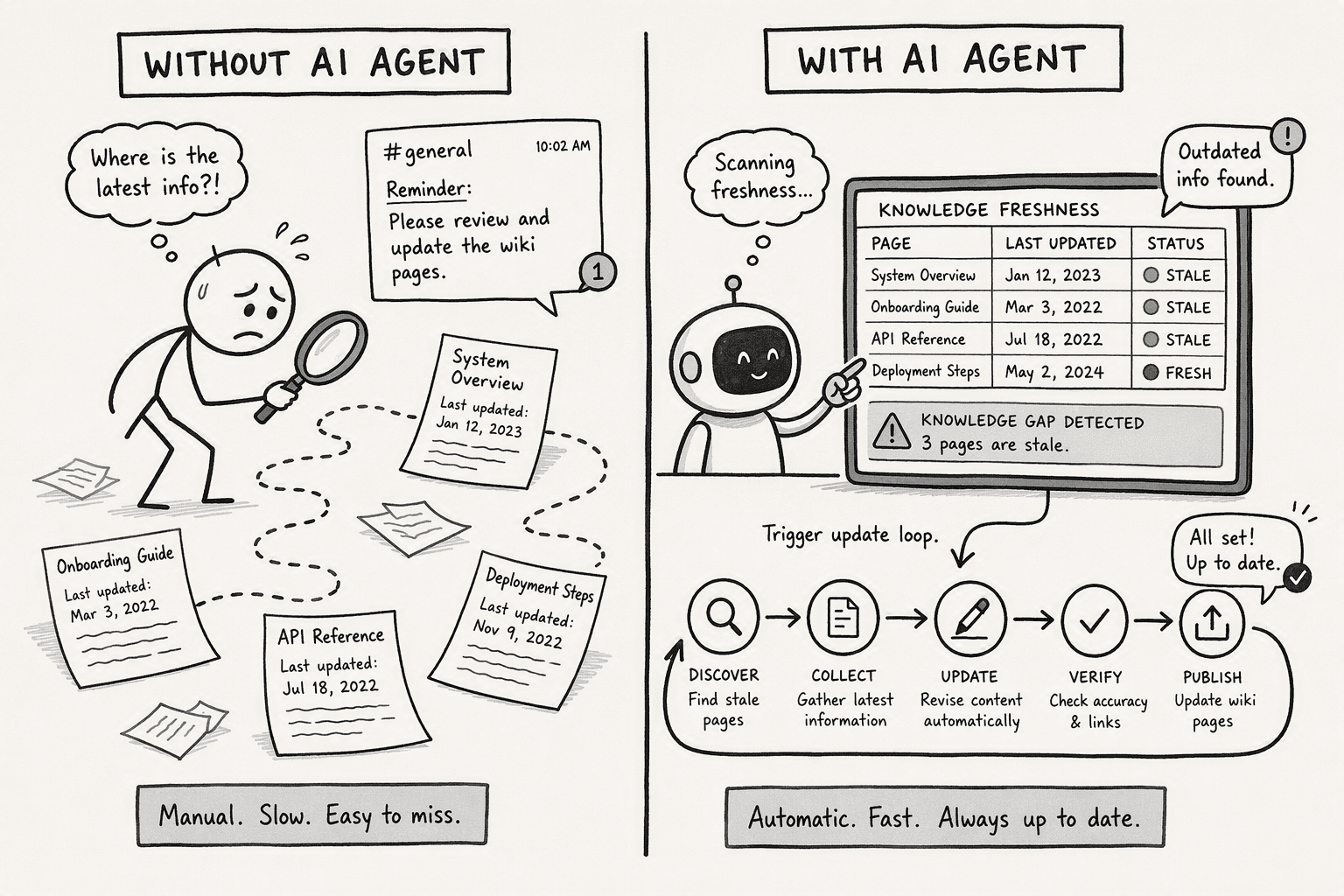
| Feature | Legacy Manual Wiki | Agentic Self-Improving Wiki |
|---|---|---|
| Stale Content Detection | A human remembers and sends a Slack reminder | Agent scans `last_updated` metadata; triggers an alert when a page passes its expiration date |
| Knowledge Gap Analysis | Team guesses what's missing based on gut feel | Agent analyzes failed queries and hallucination logs to identify undocumented concepts |
| Update Suggestions | Someone manually tracks a changelog and edits the wiki | Release tracking tools move to twice-weekly release notes, and an agent suggests the corresponding wiki edits |
| Changelog Generation | A changelog is written as an afterthought | An agent compiles page changes into a human-readable summary posted directly into Slack or a Teams prompt |
Step 7: Measure ROI and Optimize Your Wiki Deployment
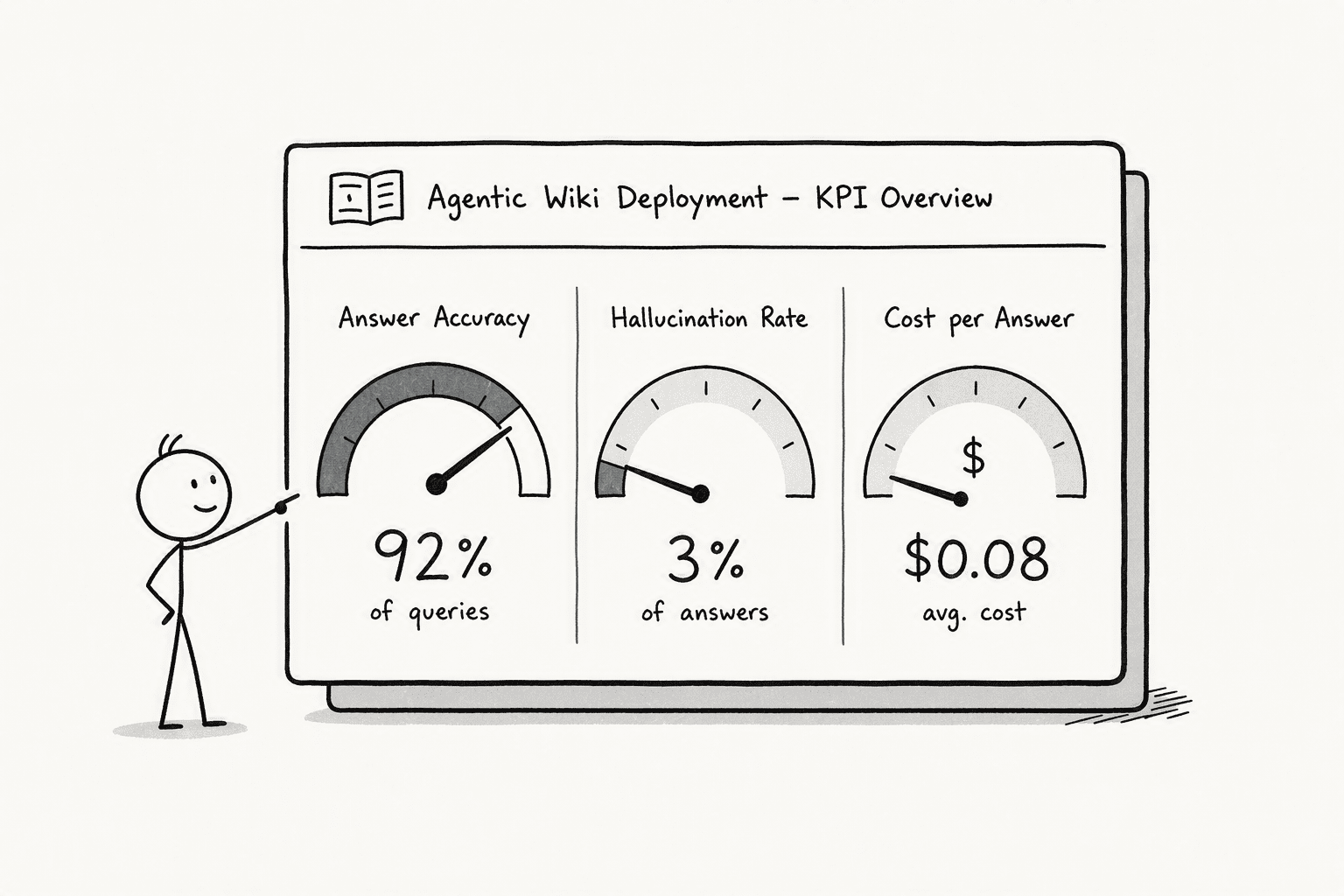
- Query answer accuracy: The baseline is what an LLM does on its own with live web search: roughly 48% correct answers. Your target with a well-curated team wiki is pushing accuracy to 89% or higher.
- Hallucination rate: The baseline hallucination rate is 48% with live web search. Your target is driving hallucination below 7%.
- Cost per query: On a fast-moving, complex domain, an agent retrieving from a compiled Markdown knowledge base is about 3× cheaper and faster per query than the same agent scraping the live web. This translates directly into less waiting and more trust in the answer. You can build a simple dashboard tracking failed queries and scope violations, feeding those back into your automated maintenance loop to close the content gaps.
The easier way to do it
Conclusion
Frequently Asked Questions
What's the difference between a team wiki and a knowledge base?
How do you keep a team wiki from going stale?
Who should own a team wiki?
Can a team wiki work for both people and AI agents?
Sources
- PromptQL | Multiplayer AI with shared context. - promptql.io
- Build a team wiki in Notion - www.notion.com
- Agent Wikis — Maintained knowledge bases for humans and AI agents - agentwikis.com
- Wikis and Knowledge Bases Release Notes - Releasebot - releasebot.io



