AI can answer a question about your business data in seconds, and it sounds just as sure whether the number is right or wrong. The costly failure isn't a crash or an obvious error. It's a plausible number that's subtly wrong: the wrong definition of revenue, a join that counts some customers twice, a table that stopped updating last month.
The good news is that most of these failures can be prevented before the AI answers. This guide gives seven things to do, from deciding what you're asking to feeding corrections back, so the answers you get are ones you can rely on.
Key Takeaways
- Be specific: A precise question with a stated metric, time window, and segment removes most of the guesswork.
- Give the AI your definitions: Words like revenue and churn mean different things in different companies, so write yours down.
- Make it calculate and show its work: A query you can read beats a number you have to take on trust.
- Test before you trust: Questions with known answers show where the AI goes wrong, and a second check protects the numbers that matter.
- Feed corrections back: Put each fix where the next answer will use it.
What to do to get accurate answers from AI on business data
Accuracy comes from seven things you do, most of them before the AI answers. The later ones are checks for when the stakes are higher.
1. Decide exactly what you're asking
Most wrong answers start with a vague question. "How's revenue?" leaves the AI to choose the metric, the period, and the segment, and it will choose something. Spell out the metric, the time window, the segment, and what the answer will be used for, for example: "Booked revenue by region for last fiscal quarter, excluding internal accounts, for the board deck."
2. Write down your definitions and give them to the AI
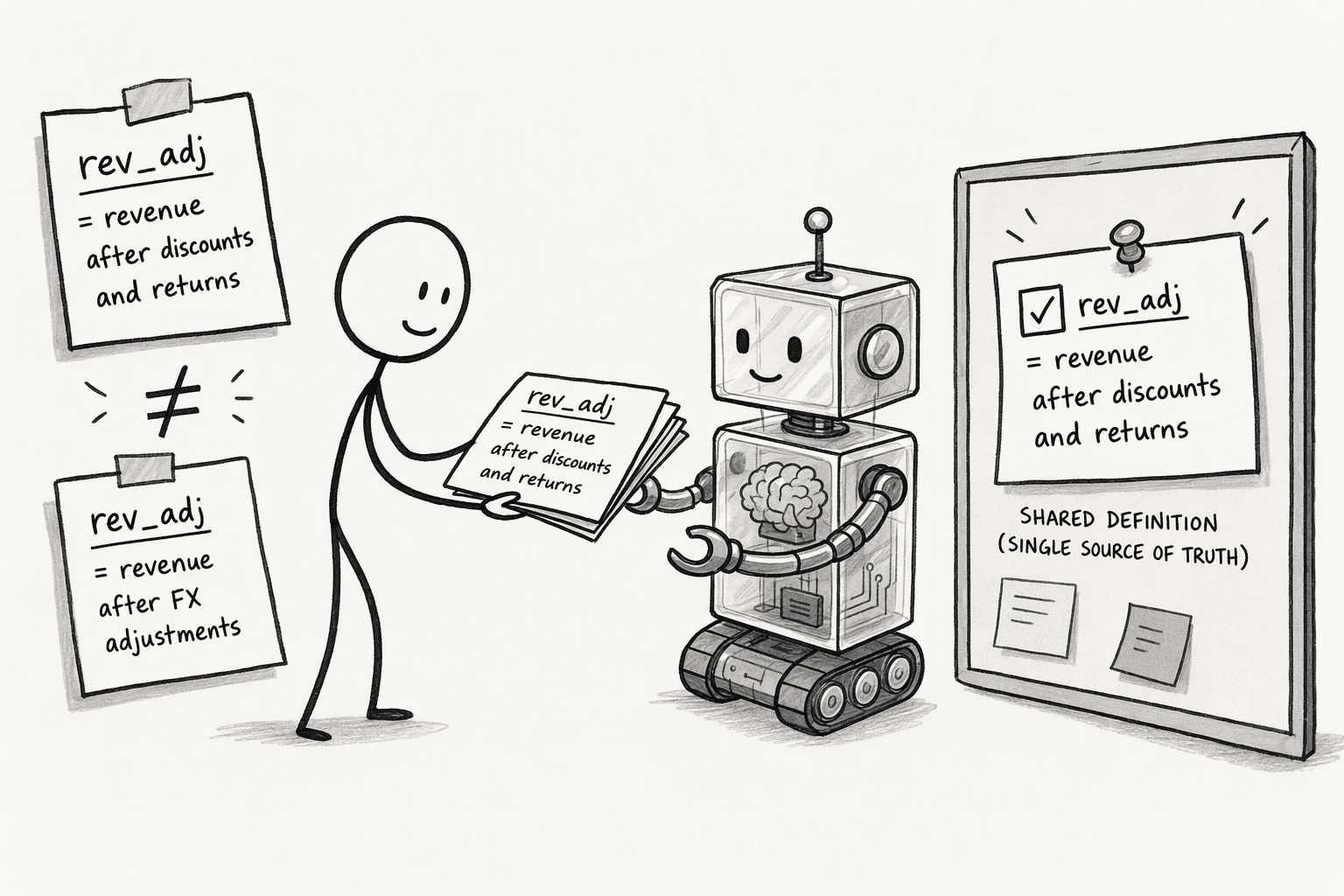
Terms mean different things in different companies, and sometimes in different teams. ThoughtSpot's post on semantic layers, for example, points to a column named rev_adj that could mean adjusted revenue or something else entirely, depending on the team, the region, or the fiscal calendar.
Metrics drift the same way: one team may compute churn over 90 days and another over 60, and a recent paper on shared agent memory describes how multiplayer AI memory can quietly carry one team's definition over to the other.
Gather the definitions that matter, such as revenue, active customer, churn, and the fiscal calendar, into one place and give them to the AI. When it misuses one, correct it so the fix is kept.
3. Point the AI at the right data
A well-asked question still gets the wrong answer if it runs on the wrong data. Before the AI answers, check five things about what it will draw on:
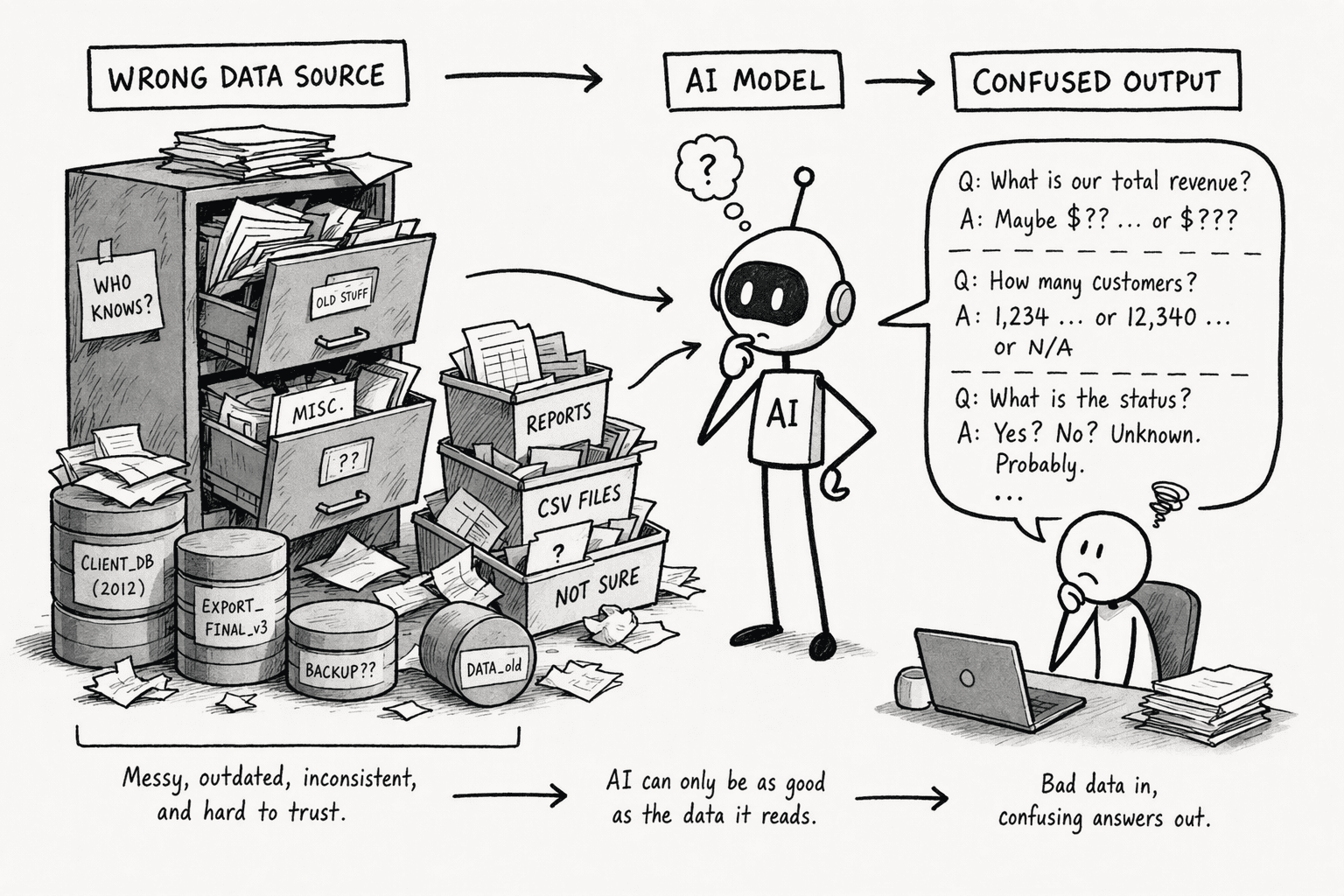
- Use the system of record: Ask it to work from the source the business trusts, such as the finance system or the warehouse, not a copy someone exported last quarter.
- Check how fresh it is: Confirm when the data was last updated, because a stale table gives a clean-looking answer about the past.
- Clean known problems first: Duplicates, test accounts, and internal users distort totals, so remove or flag them.
- Give it a narrow, well-chosen slice: An AI connected to everything can drown in irrelevant data and guess, while one connected to the specific, verified fields the questions need tends to do better, as one data-governance vendor's guide to enterprise copilots argues.
- Use the right access: The AI should work with the permissions of the person asking, not a shared service account. An AI limited to partial permissions returns partial totals, which is a correct answer to the wrong question.
4. Use a setup that calculates instead of guessing
The biggest trap with AI on business data is treating a business question like a creative writing prompt. Ask for ARR growth by region and let the AI generate the answer, and you get fluent text that may or may not match your data. What you want is for it to generate the query that finds the answer, run that query against the data, and report what comes back.
The difference matters because a written answer is a guess in confident prose, and the only way to check it is to redo the work. A query is a chain of logic you can read, rerun, and correct. So ask for the query or code along with the answer, then read the filters, the joins, and the time window, because a number you can trace beats one you have to take on trust.
It also keeps the arithmetic where it belongs: language models are good at plausible text, and arithmetic over large tables is a known weak spot, so the calculation should run in code against the data, not in the model's head. A query can still be wrong, so the checks in the next steps still apply.
5. Test it on questions you already know the answers to
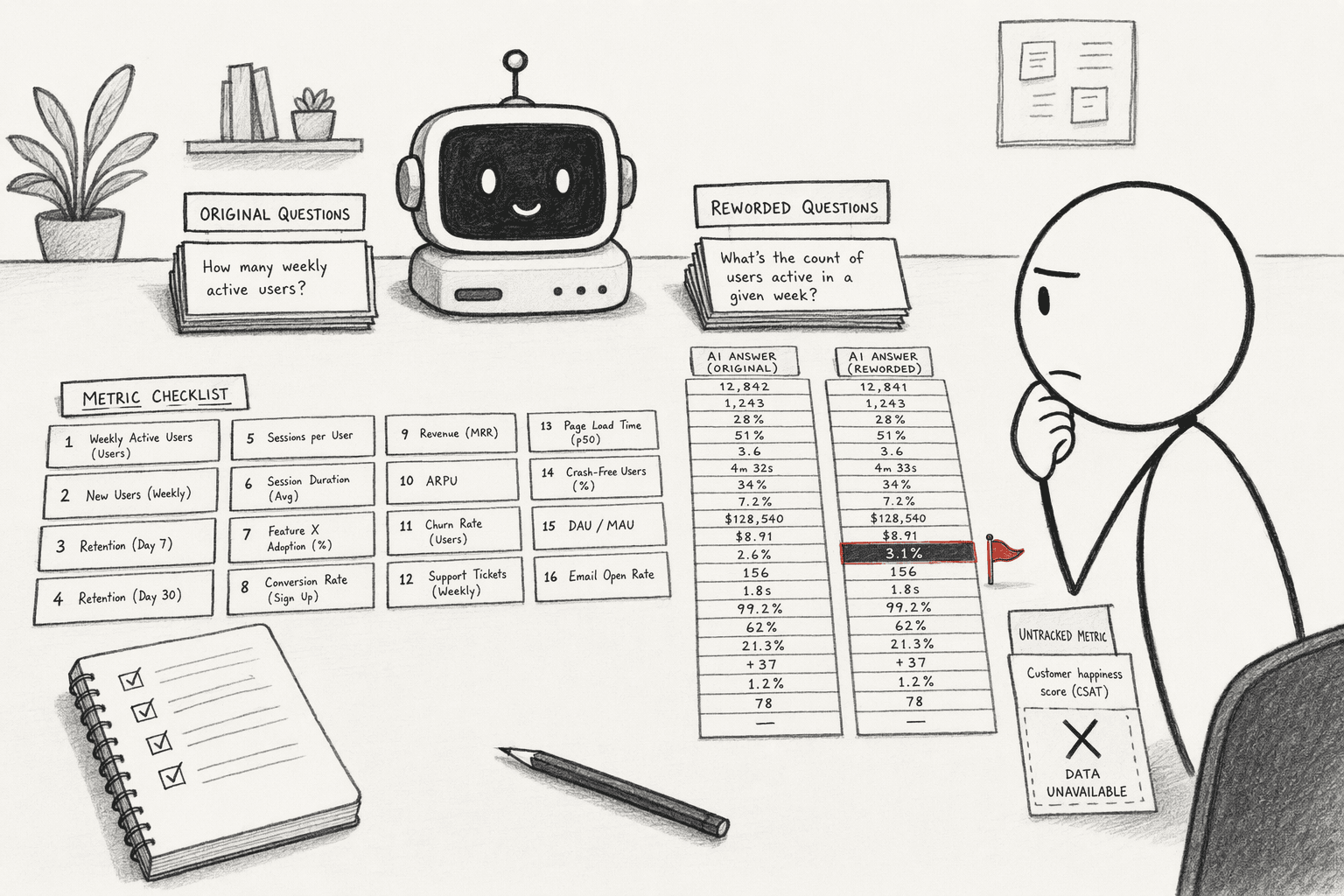
Before relying on the AI, build an eval, which works like a unit test for the AI: 10 to 20 questions whose answers you already know, covering your key metrics, and compare.
You must also include one the data can't answer, such as a metric you don't track. The right response to that should be that the data isn't available, and a made-up figure can be seen as a red flag.
Ask the same question twice, once reworded. Different answers are a red flag, though matching answers don't prove they're right, since a query can be consistently wrong. Re-run the set whenever the data or the definitions change, as evals for executives explains.
6. Add a second check for numbers that matter
A known-answer test shows how the AI performs in general, not whether today's number is right. For any figure that drives a decision, check it independently of the AI before it goes out:
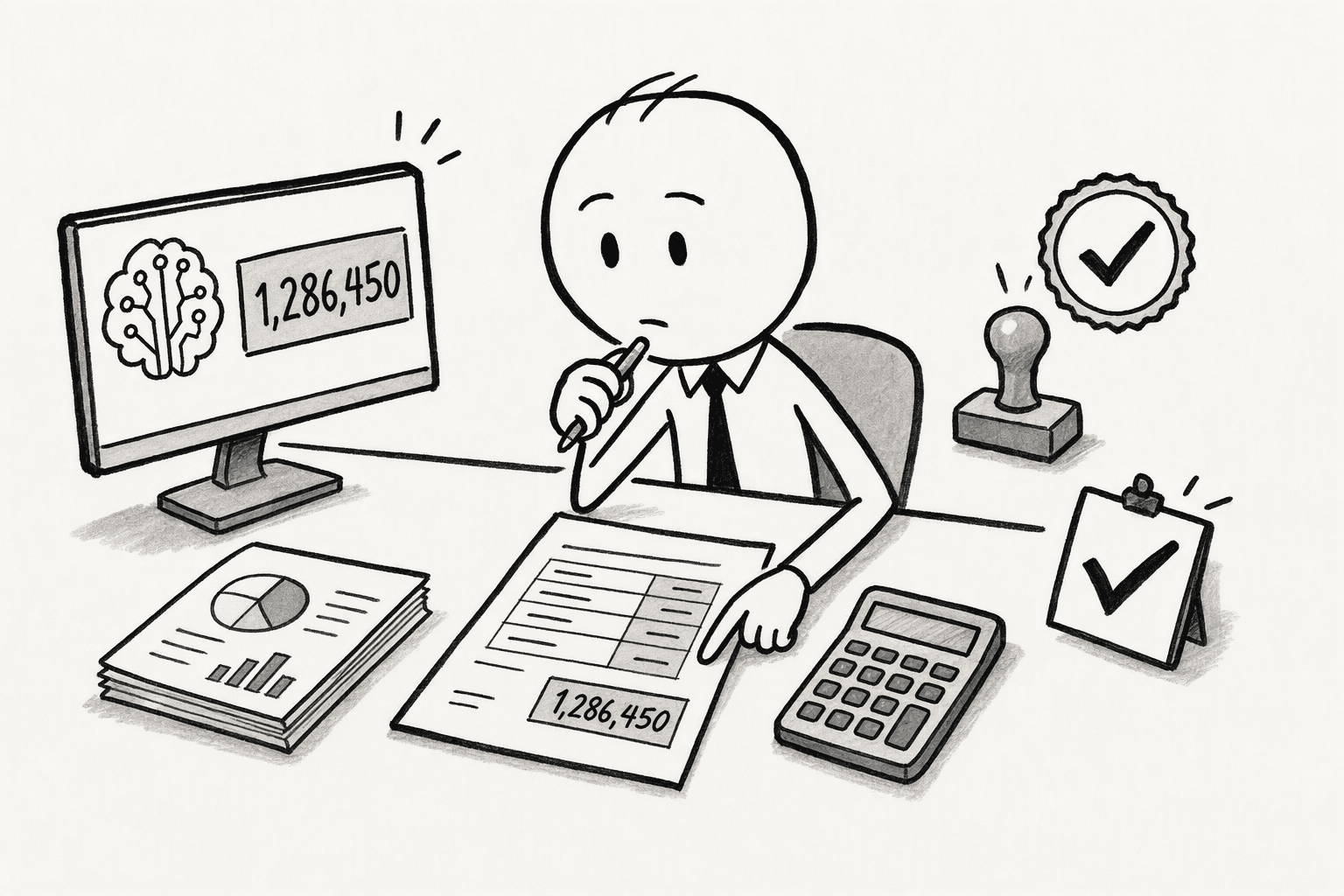
- Sanity-check the size: Compare the result to a number you already know. An answer that is off by 10 times, or exactly 2 times, often points to a join or a duplicate.
- Cross-check another source: Compare totals with the sum of the parts or with a trusted report. A dry run against numbers that have already been approved is the strongest version.
- Require sign-off for anything going out: Someone who knows the data should approve numbers headed to a board, a customer, or finance.
- Escalate when the work isn't visible: If the AI can't show the definition, the source, or the query behind a number, stop and ask someone who knows the raw data.
7. Feed corrections back so mistakes don't repeat
Every wrong answer is information. Put each correction where the next answer will use it, such as the definitions list or a shared wiki, instead of fixing a single result and moving on.
PromptQL, for example, works this way: when someone corrects the plan in a thread, the correction is captured as a cited wiki entry, so the next person who asks starts from the fix.
Review the misses monthly to see which definitions or sources keep causing trouble. Name one person who owns the definitions and sources, because accuracy decays when nobody keeps them current.
If your team has data engineers, keep definitions under version control with review and rollback, so a broken definition can be reverted and every change has an author.
How PromptQL helps keep answers accurate
Capturing corrections is one of several steps PromptQL makes easier. The question, the known-answer test, and the review of important numbers still stay with you, and it doesn't promise accuracy. What else it does:
- Connected data: PromptQL connects to warehouses, databases, and SaaS apps, so the AI can work from the systems of record instead of exports.
- Calculation on the data: The model plans, and code runs against the data in a secure sandbox, with the plan visible.
- Permissions and sharing: PromptQL accesses connected systems with the permissions of the person triggering the bot, and results shared in the bot are visible to its audience, so sensitive outputs need appropriate sharing controls.
Conclusion
Accurate answers from AI on business data aren't something to hope for. They come from a few deliberate habits: asking a precise question, sharing the definitions, making the AI calculate and show its work, testing it on known answers, adding a second check where the stakes are high, and keeping every correction. None of that makes an answer certain, but together it turns a number you have to take on faith into one you can trace, test, and defend.
Frequently Asked Questions
What does 'accuracy' actually mean when AI works with business data, and how is it different from a chatbot sounding correct?
Accuracy means the AI produces a deterministic result that matches an approved business definition. A chatbot gets judged on conversational fluency, but a business-data AI must return the same number for the same question every time. A plausible-sounding answer is worthless if it isn't traceable to codified logic, as hallucinations can look very convincing.
How should access control and data security be configured so AI answers don’t leak or cross permission boundaries?
Codify row-level and column-level security directly into the semantic model. The query engine must enforce these rules at generation time for the specific user making the request. Do not use a broad service-wide credential or apply security after the AI has already processed the data, as this creates a risk of cached exposure.
What are the practical signals that an AI answer on business data is trustworthy versus when to escalate to a human?
Trustworthy outputs cite their specific data sources and the business definitions used. If you ask the same question across different filters or cohorts and the AI cannot reproduce its logic or source definition, treat that inconsistency as an escalation signal. If an answer isn't traceable to a codified query, pull a human analyst into the loop.
Why does AI get numbers wrong when the data is right?
Usually because of a definition, a join, or a calculation. The AI may use a different meaning of revenue than your finance team, double-count rows through a join, or do arithmetic in the model instead of in code. Spelling out definitions and asking for the query or code catch most of these.
How often should you re-check?
Whenever the data, the definitions, or the AI setup changes, and on a regular schedule such as monthly even when nothing seems to have changed. Re-run the known-answer set and review the misses, because definitions and source systems drift quietly.
Sources
- Spotter Semantics—ThoughtSpot's Rosetta Stone for Agentic AI - www.thoughtspot.com
- Enterprise Copilot: Definition, Risks and Adoption Data [2026] - atlan.com
- Lineage-Aware Memory Governance: A Derivation-Gated Framework for Privacy-Preserving Column-Level Access Control in Enterprise AI Agents - arxiv.org




