Product feedback never arrives in one place. It lands in support tickets, sales call notes, Slack threads, survey comments, and app reviews, and it piles up faster than anyone can read it. Decisions then tend to follow whoever is loudest or most recent, while a quieter pattern affecting far more customers goes unnoticed.
The bottleneck is rarely the decision itself. It is reading and labeling every item consistently: which part of the product it concerns, how serious it is, whether it signals churn. That is the work Jev is built for. Jev is a decision-only model from TypeSafe AI that returns a choice, a score, or a yes/no probability for each item and never writes prose.
This guide covers what Jev can and can't do with product feedback, and how it helps prioritize it.
Key Takeaways
- Jev labels and does not rank: it returns structured answers for each item, and the priority order comes from your rules plus business data.
- Three question types cover most feedback labeling: Choice for product area, Score for severity or frustration, and Noul for yes/no flags.
- Ranking happens outside the model: labels are joined to revenue, plan tier, and request counts, then priority is computed in SQL or code.
- Confidence decides who looks: confident labels pass through automatically, and uncertain ones go to a named person.
What Jev can and can't do for product feedback
Jev answers closed questions about text, using three question types: Choice, Score, and Noul. What that means for feedback is specific, and so are the limits.
Here's what Jev can do with product feedback:
- Sort items into product areas: A Choice question picks one option from a list of up to 255 that a team defines, with a probability for every option.
- Rate severity or frustration: A Score question places an item on an ordered scale of 2 to 10 described levels, and the score can land between levels.
- Flag specific signals: A Noul question returns the probability of yes for a statement such as "mentions cancelling" or "reports a bug."
- Answer several questions in one pass: A single request can return a product area, a severity score, and every flag for the same item.
- Apply the same questions everywhere: Labels from support, sales, and surveys line up because every item faces the same questions.
- Show how sure it is: Each answer carries probabilities, so uncertain items can be routed to a person.
On the other hand, it's important to keep in mind what Jev can't do:
- Decide what to build: It has no view of revenue, roadmap, or engineering effort.
- Explain a label: It returns an answer and probabilities, not a reason.
- Read non-text feedback: Call recordings, screenshots, and videos have to be converted to text first.
- Propose new categories: It only chooses from options a team has already written down, so a general LLM is the better tool for discovering categories first.
- Resist wording written to steer it: Text inside the input can shift its probabilities.
How Jev helps prioritize product feedback
Jev does not produce the ranking. What it produces is the consistent, structured input a ranking needs, and it helps in five ways.
1. It labels every item the same way
Feedback from support, sales, and surveys arrives in different wording and different volumes, and the loudest source tends to win. Jev asks every item the same questions, so a complaint from a ticket and one from a call note end up with the same fields: product area, severity, and flags.
Because each field comes from a closed list, the lists carry the weight. Severity levels described in words keep the scale meaningful across items, and options need descriptive, distinct names, since one study of typed decision models, including Jev, reports that the model can follow an option's name rather than the definition attached to it.
2. It shows which labels to trust
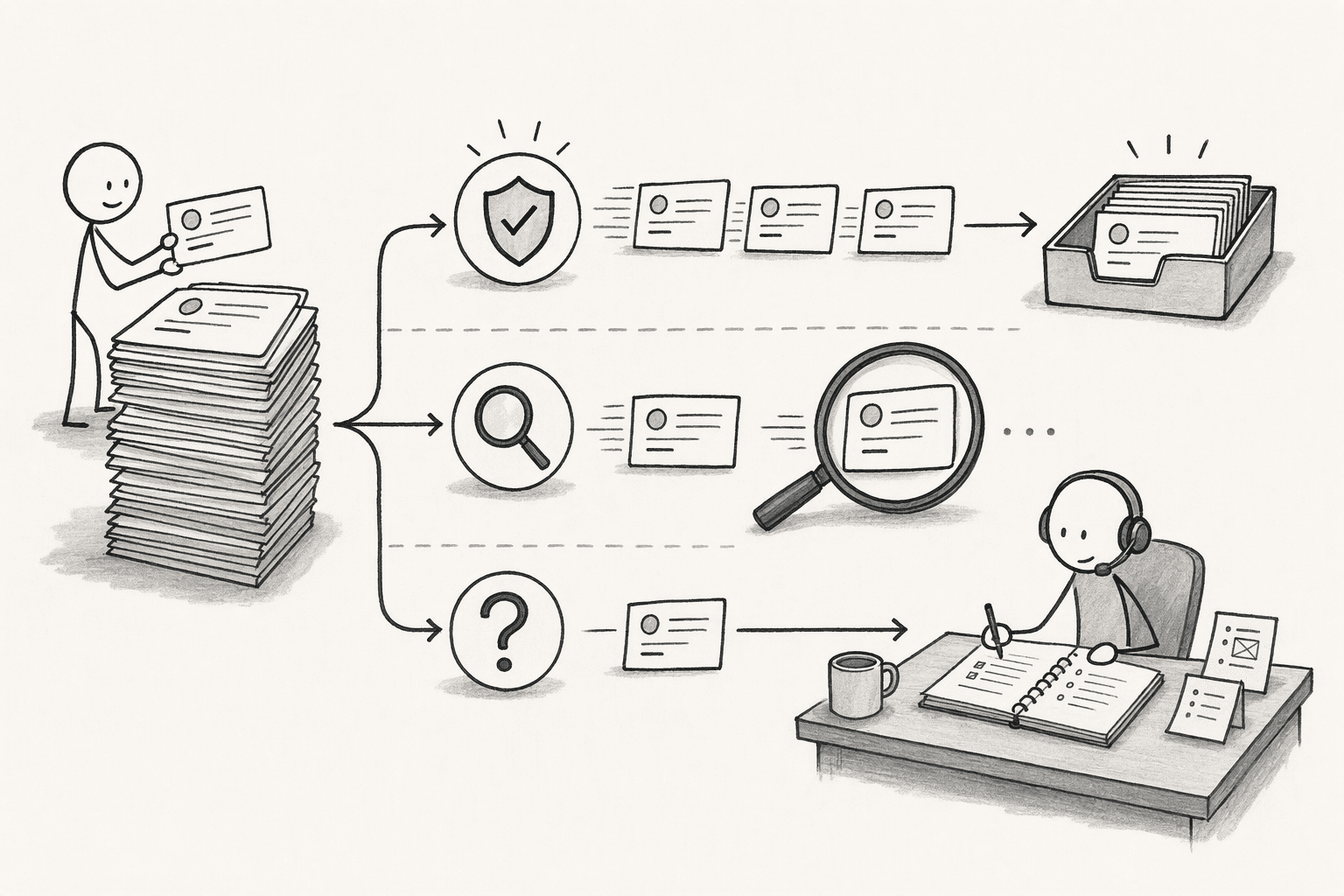
Each answer comes with probabilities, so labels can be sorted instead of trusted as a whole. A common split uses three tiers:
- High-confidence labels go through automatically
- Medium-confidence ones get a spot-check
- Low-confidence ones go to a named person, such as the product manager or support lead who owns that area
Jev returns the probabilities, and the application applies the thresholds. For yes/no flags, the probability itself is the signal, and a value near 0.5 means the model is split.
Before the labels drive anything, they are worth checking against a few hundred items labeled by people, pulled from every channel. Hard cases such as sarcasm and comments that raise several problems belong in the sample, along with a few items written to steer the label, like a minor complaint that insists it is "critical, top priority." Thresholds then come from that sample, stricter for fields that drive big decisions, such as a churn flag.
3. It gives feedback the keys to join business data
Labels describe the feedback, and priority also depends on who sent it and what that customer is worth. Product area and account become the keys for joining each labeled item to data from other systems:
- Revenue and plan tier: from the billing system or CRM.
- Request volume: a count of distinct accounts per product area, since 40 comments from one account are not 40 customers.
- Usage data: how often the affected feature is used, set against what customers say about it.
The verbatim quote stays attached to every row. A number shows how many people are affected, and the quote shows how it feels to them, which keeps a heavily used feature that customers merely tolerate from looking healthy.
4. It feeds a priority formula you own
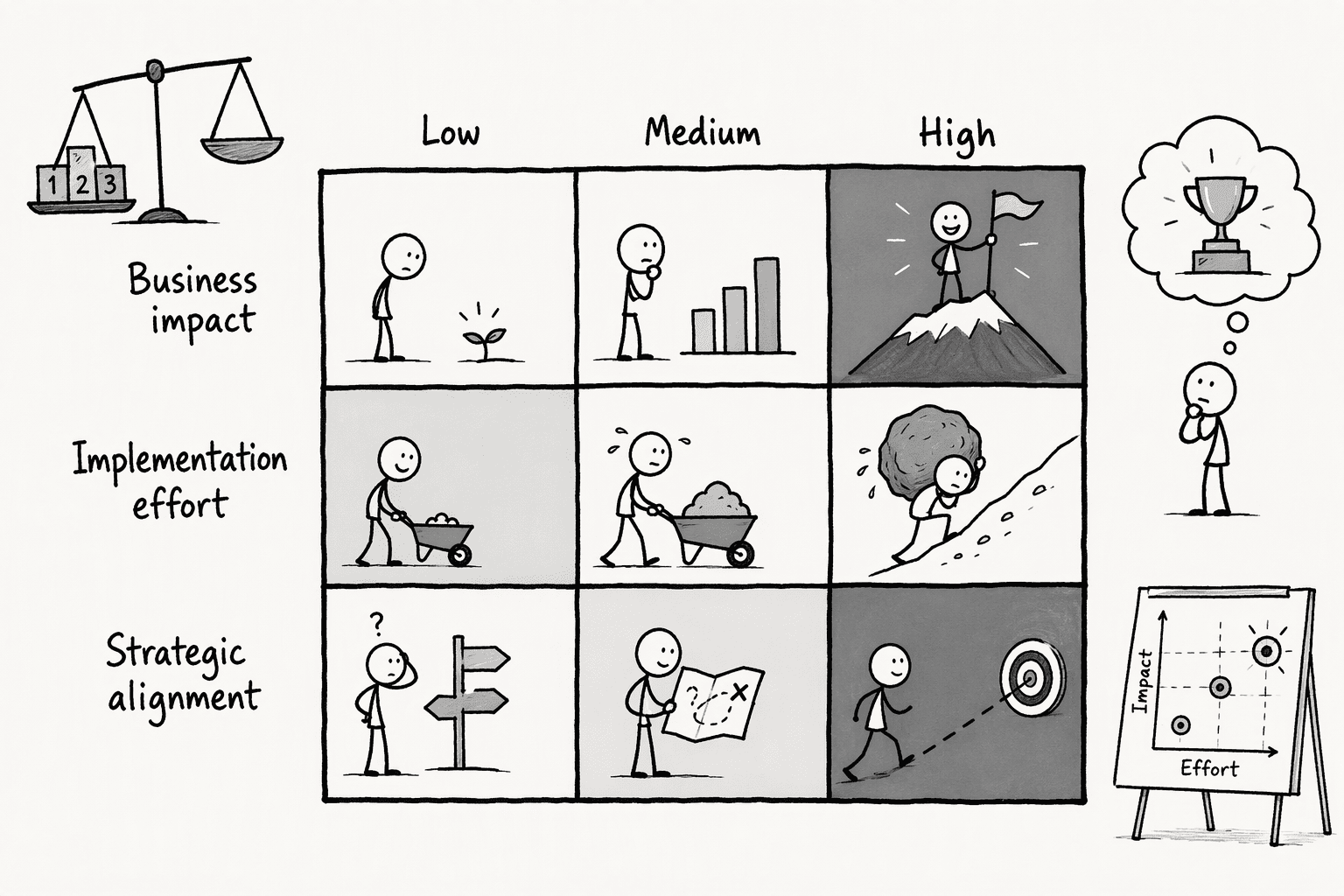
Ranking is arithmetic, and TypeSafe's own advice is to keep arithmetic in code, so it belongs in SQL or a script, not in a model prompt. Jev supplies two of the inputs, the severity label and the themes that make the counts possible. An illustrative weighting, with each factor scored 1 to 5, shows who supplies the rest. The weights are arbitrary and should be set to match current goals, like:
- Business impact (35%): the severity label combined with affected revenue from the join.
- Effort (30%): an engineering estimate, inverted so that low effort scores high.
- Strategic fit (20%): the product lead's judgment against current goals.
- Request frequency (15%): the count of distinct accounts raising the issue.
5. It makes trends visible
Once every item carries consistent labels, trends are a simple query: items per product area per week, or severity by account tier. Six differently worded complaints about slow loading, spread across a quarter and four channels, become one visible cluster instead of six low-priority tickets. The pattern comes from consistent labeling plus a query, not from Jev discovering anything on its own.
The easier way to do it
Labeling is the easy part. The manual work that remains is joining feedback to revenue and plan data across systems and ranking it with rules that stay consistent from one run to the next. PromptQL covers that part, and in workspaces where Jev has been provisioned it can also run the labeling, so one plain-English request covers the whole flow, as laid out in using Jev without writing code.
- Several systems in one plan: PromptQL connects to warehouses, CRMs, chat tools, and other SaaS apps, so feedback can be joined to revenue and plan data without moving spreadsheets between them.
- Rules run as code: The model plans, and the ranking executes in a secure sandbox against the actual data, so the same rules give the same order on every run. PromptQL's own benchmarks on ticket prioritization applied rules like plan tier and revenue this way.
- Access that follows the person: Feedback joined to revenue data is sensitive, so permissions are enforced at the data layer using the access of the person asking, and raw database credentials are never exposed to the AI.
- Criteria corrected in a thread: Teammates can be invited into the thread to correct the criteria, then reuse the setup for the next batch or turn the result into a dashboard.
Conclusion
Prioritizing feedback comes down to two separate jobs.
The first is turning scattered, inconsistent comments into consistent labels, which is cheap enough to do for every item.
The second is deciding what those labels are worth, which depends on revenue, effort, and strategy that no labeler can see.
Keeping the two apart makes the ranking easier to inspect, easier to change, and easier to defend when someone asks why a request landed where it did.
Frequently Asked Questions
Can Jev rank feedback on its own?
No. Jev returns a choice, a score, or a yes/no probability for each item it is given, but it has no view of revenue, effort, or strategy. Ranking comes from the labels combined with business data and a formula the team defines.
Can Jev explain why it labeled something a certain way?
No. It returns an answer with probabilities and no written reason. Teams that need an explanation keep the source text next to every label so a reviewer can check the original wording, and use a general LLM where a written rationale is required.
Can Jev handle call recordings or screenshots?
Not directly. Jev only reads text, so recordings need to be transcribed and screenshots converted to text before they can be labeled.
Can customers' wording distort the labels?
It can. TypeSafe's documentation warns that content written to steer the model can influence its answer. Including steering attempts in the test sample, and never letting a single label such as severity decide the ranking on its own, limits the damage.




