Every support ticket has to land with the right team, and every misroute costs a bounce between queues before anyone even starts on the actual problem. Routing is a repetitive judgment over short text, which is the kind of work Jev is built for.
Jev is a decision-only model from TypeSafe AI that returns a choice, a score, or a yes/no probability for each question and never writes prose.
This guide covers what Jev can and can't do in support routing, how it routes tickets, and where the routing gets reviewed afterward.
Key takeaways
- Three decisions per ticket: Team, urgency, and frustration come back from one request.
- Known facts stay in code: Account tier, SLA, and sensitive-data patterns are rules, with Jev's labels as inputs.
- Uncertain tickets go to people: Thresholds come from your own test results, not from a default.
- A failed call leaves the ticket safely queued: The customer never has to retype the message.
- Routing quality is tracked afterward: Every human re-route becomes a test case.
What Jev can and can't do for customer support routing
Jev handles customer support routing using three question types: Choice, Score, and Noul. Here, the limits matter just as much, because they mark where code and people take over from Jev.
Here's what Jev can do in customer support routing:
- Pick a team or queue: A Choice question selects one option from a list of up to 255 that a team defines, with a probability for each.
- Flag urgency or churn risk: A Noul question returns the probability of yes for a statement such as "the customer is asking to cancel."
- Flag possible sensitive data: A Noul question can estimate whether a ticket appears to contain personal or financial details, as a signal alongside code checks.
- Rate frustration: A Score question places the ticket on an ordered scale of 2 to 10 described levels.
- Answer several questions in one request: One call can return the team, the urgency, and the frustration level for the same ticket.
- Show how sure it is: Each answer carries probabilities, so uncertain tickets can go to a person.
On the flip side, these are the things that Jev can't do:
- See account data: It has no view of plan tier, SLA, or customer history.
- Read attachments: Screenshots and recordings have to be converted to text first.
- Write a reply or resolve the issue: It returns decisions, not prose.
- Explain a route: It returns probabilities, not reasons, so a written summary for the receiving agent needs a general LLM alongside it.
- Resist wording written to steer it: Text inside a ticket can shift its probabilities, so a customer's message is untrusted input.
- Handle every language equally: English is the primary language, and accuracy varies across others, so each language needs its own test.
How Jev routes customer support issues
Jev doesn't replace a help desk's routing. It supplies the judgment on the parts that need reading the ticket, and it does so in five ways.
1. It makes three decisions per ticket
A community guide to TypeSafe's documented support-ticket example shows three questions about the same message:
- which team should take it
- whether it is urgent
- how frustrated the customer sounds
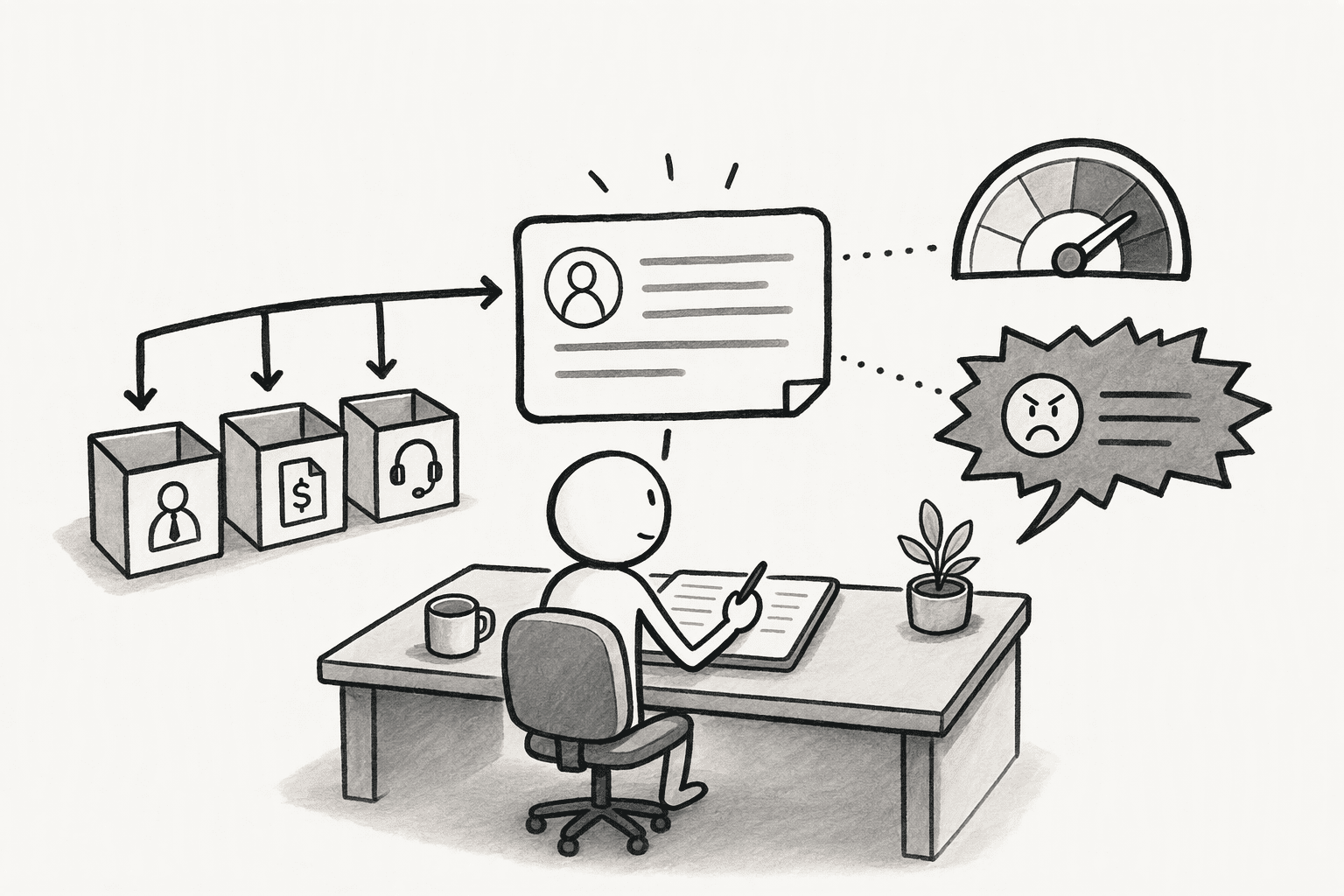
The team question is a Choice with a short, plain option list, such as a technical team for failures and integrations, a support team for account and usage help, and an "other" option for tickets that fit neither. Urgency is a yes/no flag, and frustration is a Score.
All three come back from one request, so a ticket gets a destination, a priority signal, and a tone signal together. Option names deserve care, since one study of typed decision models, including Jev, reports that the model can follow an option's name rather than the definition attached to it. A descriptive, distinct name helps, and a vague one like "team-2" gives the model nothing to work with.
2. It leaves known facts to code
Facts that a system already holds don't need a model. Account tier, SLA, whether the customer has an open incident, and the channel a ticket arrived on are fields in a database, so rules in code can decide on them. A ticket from an enterprise account can go to a priority queue whatever Jev says about its tone, and Jev's labels become inputs to those rules, not replacements for them.
Sensitive tickets show the split well. Patterns with a known format, such as card numbers or tax IDs, can be caught by deterministic checks in code, and a Noul question about whether a ticket appears to contain personal or financial details covers the cases a pattern misses. Either signal sends the ticket to a restricted queue, where the help desk's own permissions limit who can open it. Jev supplements the pattern checks without replacing them, since its answer is a probability, not a guarantee.
3. It hands uncertain tickets to people
Each answer reports how sure the model is, so tickets can be sorted instead of trusted blindly. A common split uses the following tiers:
- high-confidence tickets route themselves
- medium-confidence ones get a spot-check
- low-confidence ones go to a triage queue staffed by a person.
- A "none of these" option in the team list gives ambiguous tickets somewhere to land without being forced into the wrong queue.
The thresholds are application code, not Jev. The documented example sends a ticket to its team only when the team isn't "other" and the probability is at least 0.9, and otherwise sends it to review. That number is an example, and the right one comes from testing on a team's own tickets.
For yes/no flags, the probability itself is the signal, since Noul answers carry no separate confidence field, and a value near 0.5 means the model is split.

4. It fails safe and stays auditable
The routing call should never be the only copy of a ticket. A safer pattern saves the ticket first, asks Jev for a destination, and lets the ticket wait in a review queue if the call fails, so the customer never has to re-enter the message. A high probability still doesn't prove that an individual assignment is right, which is why sensitive routes keep a person in the loop.
Log each routing decision with the ticket, the answers, the probabilities, and the model version, so the question "why did this go to that queue?" has an answer later. Pin the model version instead of the alias, so a change in routing reflects the tickets and not a model update.
5. It gets checked and tuned on real tickets
Before it carries volume, the routing needs a test on past tickets whose correct routes are known:
- Cover the hard cases: Angry messages, tickets that raise several problems, tickets that fit no queue, and messages written to steer the route, such as a minor question that insists it is urgent and should go to an executive.
- Test each language: English is the primary language. An independent evaluation found accuracy on a reading-comprehension benchmark of 97.2% in English against a median of 91.1% across 122 language varieties, with 10 below 70%. One benchmark of Spanish and Catalan text found accuracy within 1.5 points of English when the questions stayed in English, so keep questions and option names in English and test each language before relying on it.
- Check the wiring: Make sure the integration exposes probabilities. One Python wrapper for Jev notes in its own documentation that the probabilities never reach the caller, and points to TypeSafe's SDK for confidence-gated routing.
- Track what happens after: Watch the share routed automatically, the share sent to review, and the re-route rate by queue, meaning tickets a person moved. Every human re-route is a new test case, so add it to the sample and adjust option descriptions and thresholds from there.
Reviewing the routing in one place using PromptQL
PromptQL isn't the router in the inbox. A help desk or workflow tool still makes the live call, and the method above stays the same. What is left is the review: seeing how well the routing works across tickets and account data, and acting on what turns up. PromptQL covers that part, and in workspaces where Jev has been provisioned it can also run the sorting itself, as laid out in using Jev without writing code.
- Routed tickets joined to account data: PromptQL connects to warehouses, CRMs, and other SaaS apps, so a misroute can be weighed by who it affected, not just counted.
- Routing quality as a visible plan: Re-route rate by queue and the share sent to review can be asked for in plain English. The model plans, code computes the numbers in a secure sandbox against the real data, and the result can become a dashboard.
- Corrections captured with reasons: When the support lead explains why a ticket was misrouted in a shared thread, the correction can be captured as a cited, versioned wiki entry, so the next review starts from it.
- Access that follows the person: Permissions are enforced at the data layer using the access of the person asking, so people only see the tickets and accounts they are allowed to see.
- A traceable record: Every query, result, and access is logged, so the review itself can be audited.
A hypothetical shows the payoff: a spike in re-routes from one queue, joined to account data, shows that most of the misrouted tickets belong to a handful of large accounts, which makes fixing that route the priority.
Conclusion
Routing a support ticket is two jobs: reading the message to decide where it should go, and applying everything the business already knows about the customer. Keeping them separate lets each do what it does well. The reading can be automated at volume, the known facts stay as plain rules, and the cases neither can settle reach a person with the original message intact. The result is a routing process that can be tested, tuned, and explained when a ticket lands in the wrong queue.
Frequently Asked Questions
Can Jev replace a help desk's routing rules?
No. Rules on known fields such as account tier, SLA, and channel are better kept in code or in the help desk itself. Jev handles the part that needs reading the ticket, and its labels feed those rules.
What happens when Jev is unsure?
The ticket goes to a person. High-confidence tickets route automatically, medium-confidence ones get a spot-check, and low-confidence ones go to a triage queue, with thresholds set from tests on real tickets.
Can customers' wording steer the route?
It can. TypeSafe's documentation warns that content written to steer the model can influence its answer, so a customer's message should be treated as untrusted input. Testing with steering-style messages and keeping sensitive routes under human review limit the risk.
Can Jev reply to the customer or resolve the ticket?
No. Jev returns choices, scores, and probabilities, not text. Drafting a reply or a ticket summary needs a general LLM, which can run after Jev has picked the destination.




