A green "connected" badge proves the credentials worked once. But it doesn't prove the integration returns the right data, respects permissions, or will keep working after the provider changes something. With an AI agent, that gap matters more, because an agent uses whatever the integration returns without a person looking at each call.
The fix is a short set of checks that runs by itself, so a new integration is tested and verified before the agent depends on it. This guide gives 6 checks, from the first connection call to a schedule that keeps testing after launch.
Key takeaways
- Check the shape, not just the status: Validate responses against the schema you expect, because a success code can hide a changed field.
- Test known answers: A few questions you can answer from the source show whether the data is right.
- Test permissions and failures: Use a different user, and test rate limits, timeouts, and bad responses.
- Automate and gate: Run the checks on every change and on a schedule, and keep the integration off until they pass.
6 checks that test and verify a new integration automatically
Each check builds on the one before it, from whether the integration connects at all to whether it keeps behaving after launch.
1. Check the connection and the credentials
Start with the smallest possible call: authenticate and make 1 read request.
Use a least-privilege test credential, such as a read-only token, and a sandbox with seeded test data when the provider offers one, so the check doesn't depend on live data or put anything at risk.
However, a passing connection only proves the credentials worked, so treat it as the first check and not the last.
PromptQL, for example, reads the docs, maps the API, and walks you through auth, then tests the connection and stores the credential securely, so the first check happens as part of setup.
2. Discover what the integration exposes
Next, list what the integration actually offers: the endpoints, tables, and fields. Compare the list with what you expected, and look for anything missing, renamed, or unexpectedly broad.
Discovery is also how you catch a schema change later, because the list changes when the source does, so re-run it after any schema change to make sure the integration, and the agent using it, sees the current schema.
3. Validate responses against a schema
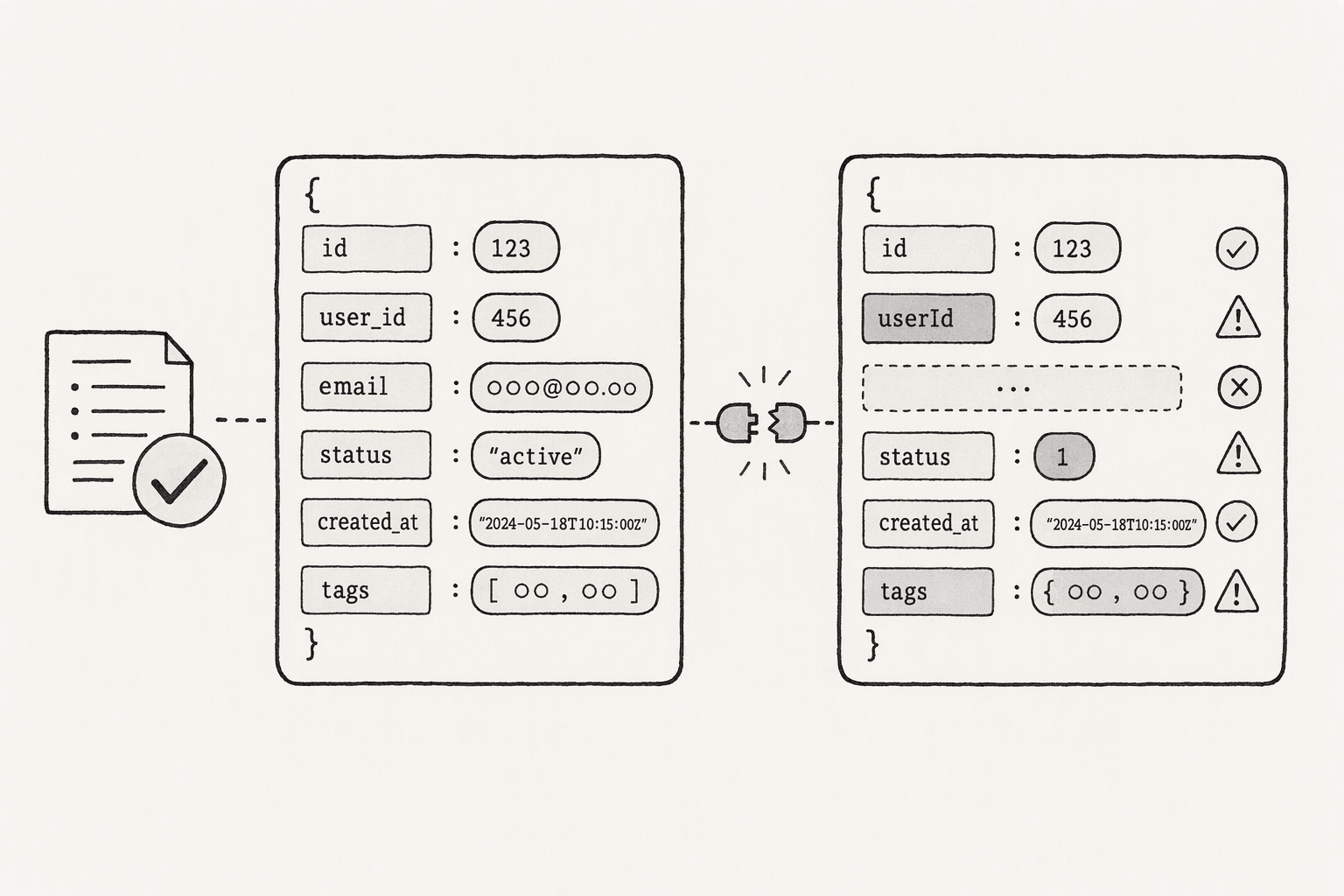
A response can come back with a success code and still be wrong in shape. It can be a renamed field, a changed type or a missing key.
Checking only status codes misses structural changes, so validate each response against the schema you expect.
That is the idea behind contract testing, which checks requests and responses against an agreed schema and fails the moment either side drifts.
For an agent integration, even a lightweight version is enough. Save the expected fields and types for the most-used calls, and compare each response with them.
4. Check a known answer
Ask 3 to 5 questions you can answer yourself from the source system, and compare. Also include a question the data can't answer, such as a metric the source doesn't hold.
Treat the set like unit tests for the AI, and re-run it whenever the integration changes. Make sure the test data was actually refreshed first.
Some sandboxes don't sync on their own, and Finch's, for example, needs a refresh run after you change test data, so a check can read stale data and give the wrong verdict.
5. Check permissions and failure paths
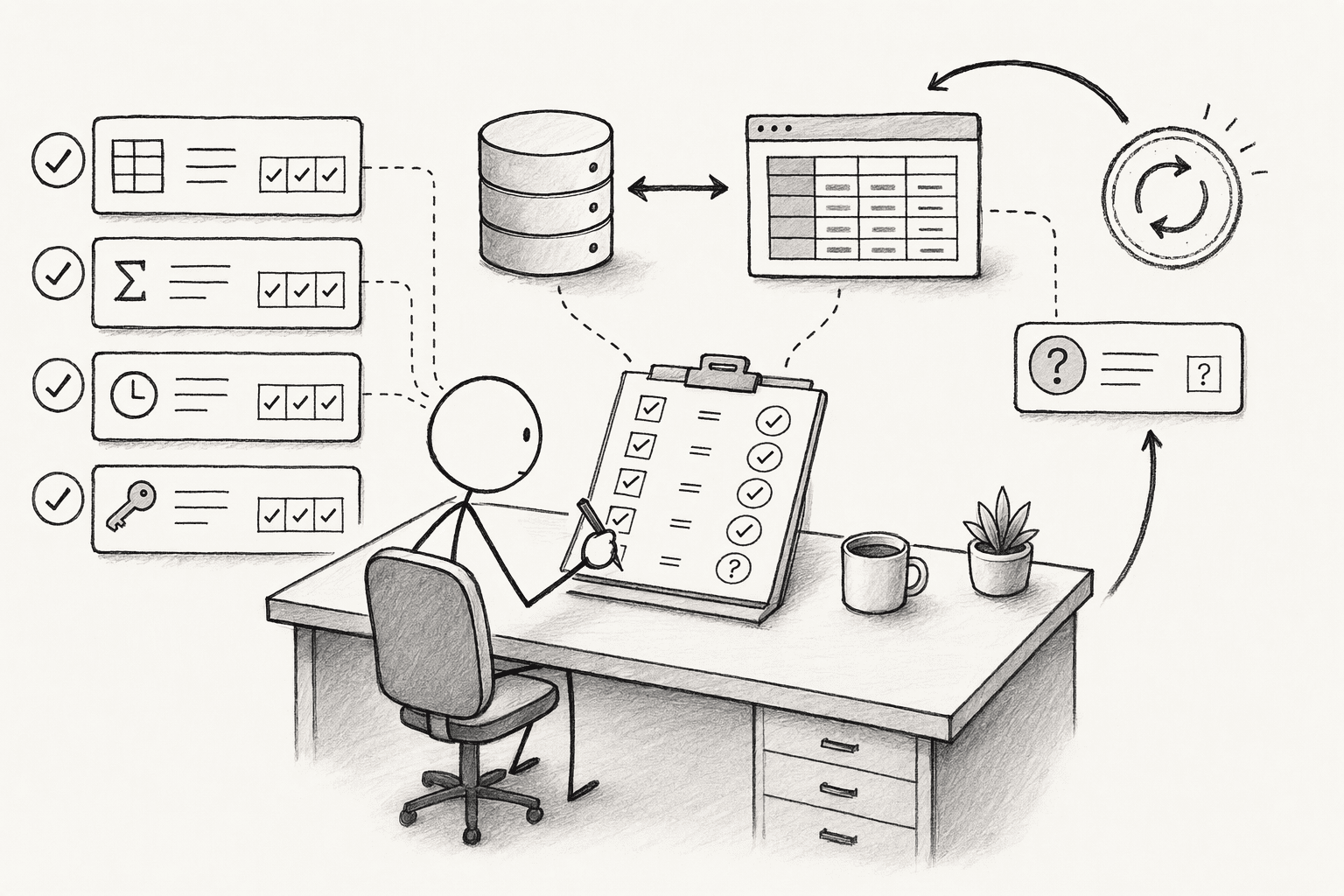
This check covers 2 things a happy-path test never exercises: whether the integration respects who is asking, and what it does when something goes wrong. Four checks cover them:
- Test as a different user: Use an account with less access than the person who set the integration up, and ask the same question. Testing this directly confirms permissions hold, instead of only checking that the agent responds. PromptQL, for instance, acts with the permissions of the person triggering the bot, so the answer should change with the user, and results shared in the bot are visible to its audience, so sensitive outputs need appropriate sharing controls.
- Test the failure paths: Try rate limits, timeouts, provider errors, and malformed responses, not only successful calls.
- Start read-only: Give the integration read-only access first, and enable write actions only after the read checks pass, because a write can change real data.
- Track retries: A check that only passes on retry is hiding a problem. So you must keep yourself aware of them.
6. Schedule the checks and block the integration until they pass
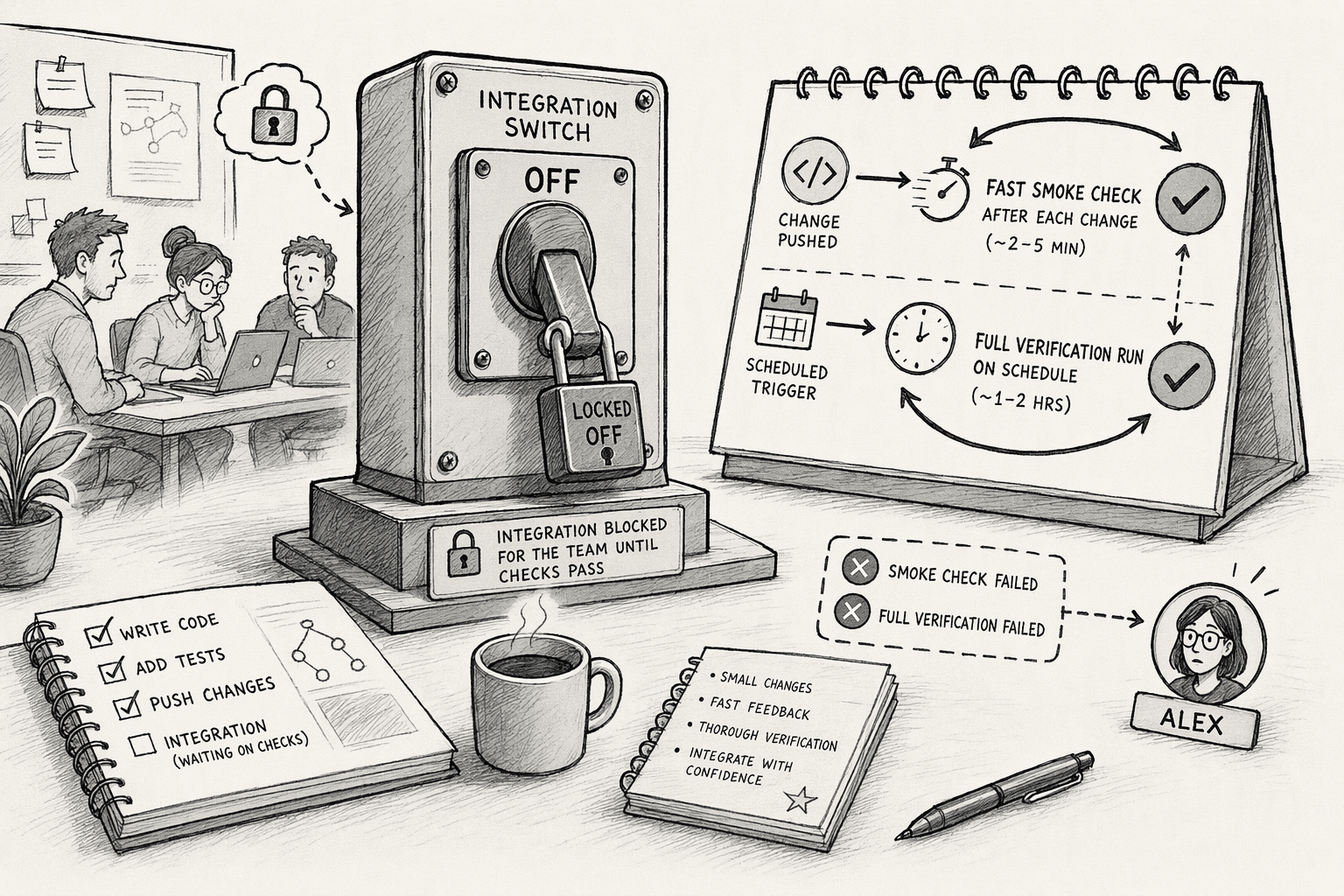
Run the checks without anyone having to remember them. A fast smoke check, such as the connection call and 1 known answer, belongs after every change, while the slower full set can run on a schedule, as an API testing guide recommends.
Send failures to a named person, and keep the integration switched off for the team until the checks pass.
Re-run the full set when the provider announces a change, and on a regular schedule even when nothing seems to have changed, because sources change without telling you.
Conclusion
Once you know what you need to do, pick one integration you are about to enable, or one that went live without being tested, and run the first four checks against it today.
Write down exactly what you ran, because that list becomes the schedule in the last check, and the first time it fails you will know what changed.
If you are connecting something new to PromptQL, tell the agent what to connect and let it handle the setup, then run the known-answer questions yourself before the integration is switched on for the team.
Frequently Asked Questions
What is an integration test, and how does it differ from unit tests or end-to-end tests?
The three types of tests differ by scope and dependencies:
- Integration test, verifies that two or more separate system components (such as your API and a third-party service) interact correctly at their interface.
- Unit test, isolates a single function in memory with no external dependencies.
- End-to-end test, exercises the entire assembled stack from user action to database and back.
What is the minimum test for a new integration?
A connection call with a least-privilege credential, a check that the response has the fields you expect, and 1 known answer from the source. Those 3 catch most setup problems in a few minutes, and the other checks build on them.
How can tools like Postman, contract testing, or sandbox environments simplify automatic integration verification?
Postman collections can chain API calls but do not enforce strict contract shapes. Contract testing with Pact locks method, path, headers, and body into a pact file that fails on any drift. Sandbox environments provide stable, pre-seeded data so your tests run against a controlled mirror, cutting out rate limits and live-auth flakiness.
How do you test without touching production data?
Use a sandbox with seeded test data if the provider offers one, and a read-only, least-privilege credential if it doesn't. Check write actions separately, and only against data you can afford to change.
What is the difference between a test connection and verification?
A test connection shows that the credentials work and the service is reachable. Verification goes further: the integration exposes what you expect, returns responses in the right shape, gives correct answers on known questions, respects permissions, and fails safely.
Can an AI agent test an integration for you?
Partly. An agent can read the docs, map the API, walk through auth, and test the connection, which is what PromptQL's Tag page describes. Whether the data it returns is correct still needs a known-answer check by a person who can confirm the right answer.
Sources
- Pact Spring/JUnit5 Support | Pact Docs - docs.pact.io
- Finch Sandbox - Quickstart - developer.tryfinch.com
- Best Test Automation Practices to Follow in 2026 | BrowserStack - www.browserstack.com
- CI/CD Integration for API Testing | Keploy - keploy.io
- 5 principles for deploying your API from a CI/CD pipeline | Red Hat Developer - developers.redhat.com
- Introducing Spring Cloud Contract :: Spring Cloud Contract - docs.spring.io




