•
Put Your Workforce Data to Work: 3 easy ways to use AI for HR
All without replacing your system of record.
Your workforce data is everywhere. The answers shouldn’t be so hard to find.
Employee records in Workday. Training progress in a learning platform. Open roles in a recruiting tool. Each holds part of the picture, but your workforce questions rarely stop at one system.
Who still needs mandatory training? Where are we losing experienced people? Do we have the skills for the work ahead?
Getting an answer sometimes means pulling reports from different tools, matching records, and piecing the story together.
PromptQL helps you bring those pieces together, so getting an answer takes less time and less manual work.
HR, People Analytics, and business leaders can ask questions across connected workforce data in one multiplayer AI workspace. Explore the results, ask a follow-up, and work through what to do next together. Less time assembling reports. More time using the answers.
One connected view. The systems you already use.
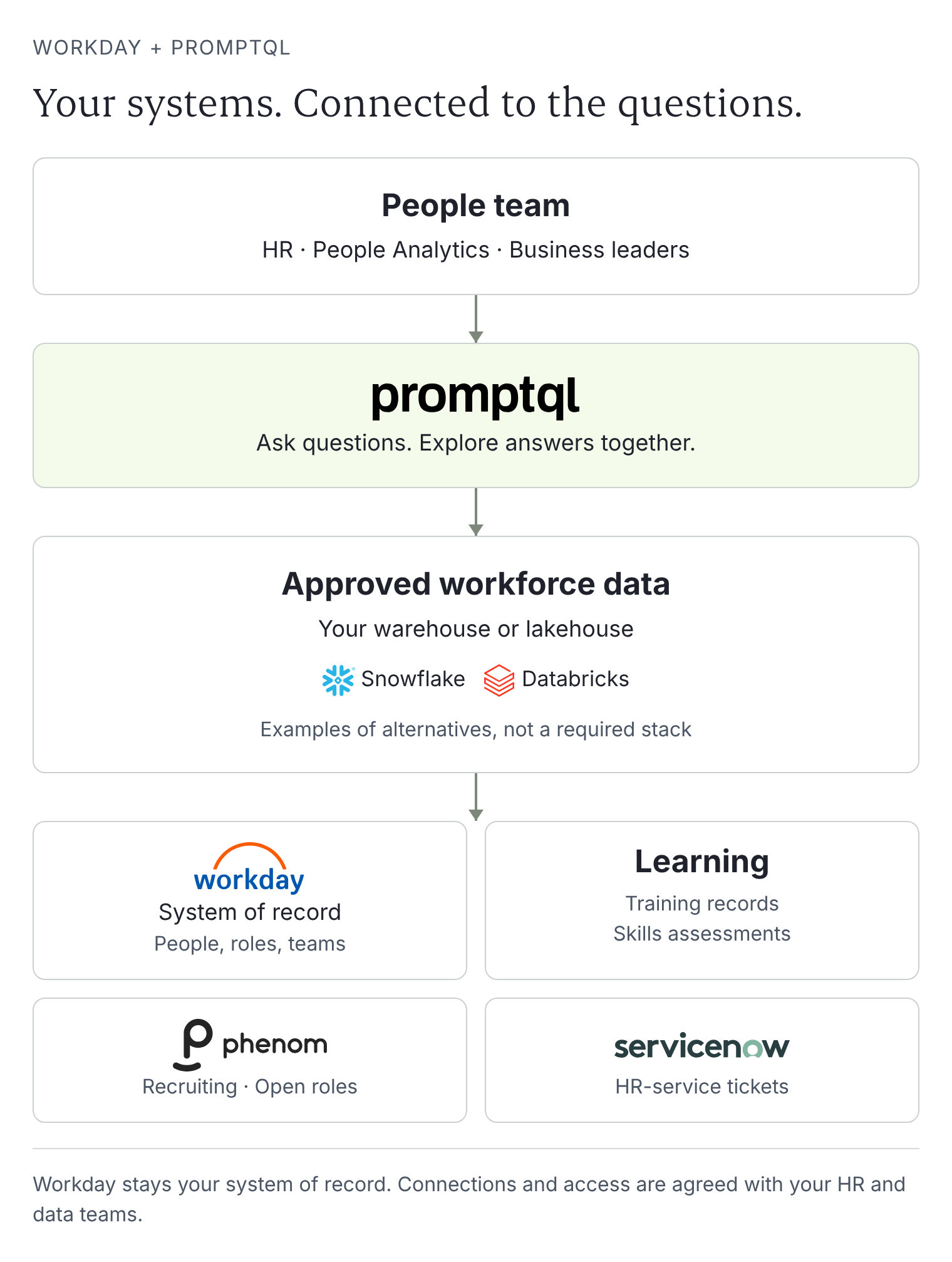
Workday remains your system of record. PromptQL works across your approved workforce data, including Workday-derived records in your warehouse or lakehouse and connected learning, recruiting, and HR-service data.
Your HR and data teams set the access rules and give PromptQL the context behind the numbers. Does headcount include contractors? What counts as voluntary attrition? Shared definitions stay in the wiki, so each new question builds on what your team already knows.
3 ways to put AI to work for your workforce data
1. Build a workforce briefing that can handle the follow-up
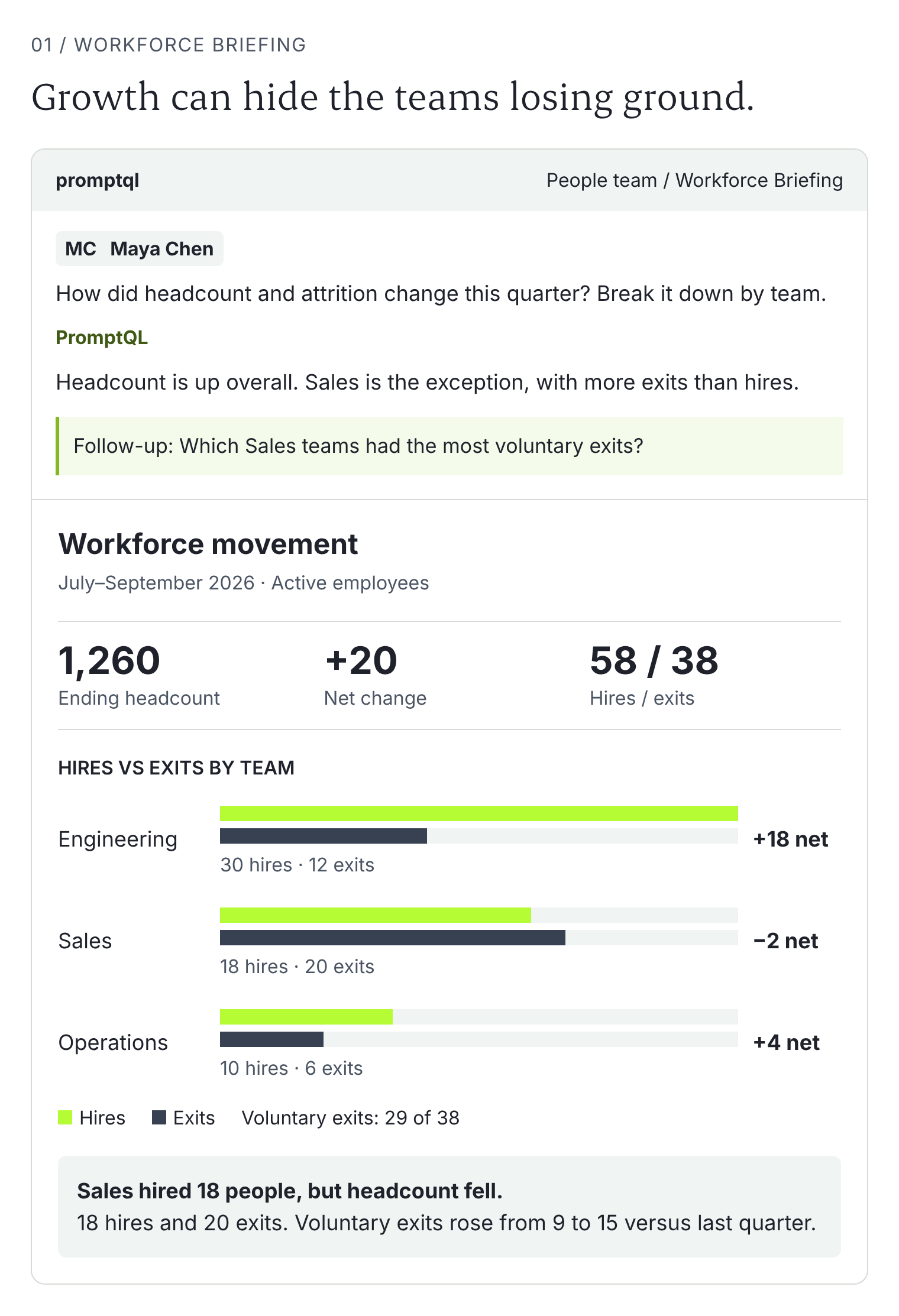
“What changed in our headcount, attrition, and team structure this quarter?”
PromptQL can turn connected records into a briefing by region or business unit. Then keep going: separate voluntary departures, compare exits with open roles, or look at how manager spans changed.
The follow-up stays with the analysis. Your team can check the numbers and add context without rebuilding the briefing for every new question.
2. Turn mandatory-training reports into follow-up lists
A completion percentage does not tell a manager who needs help.
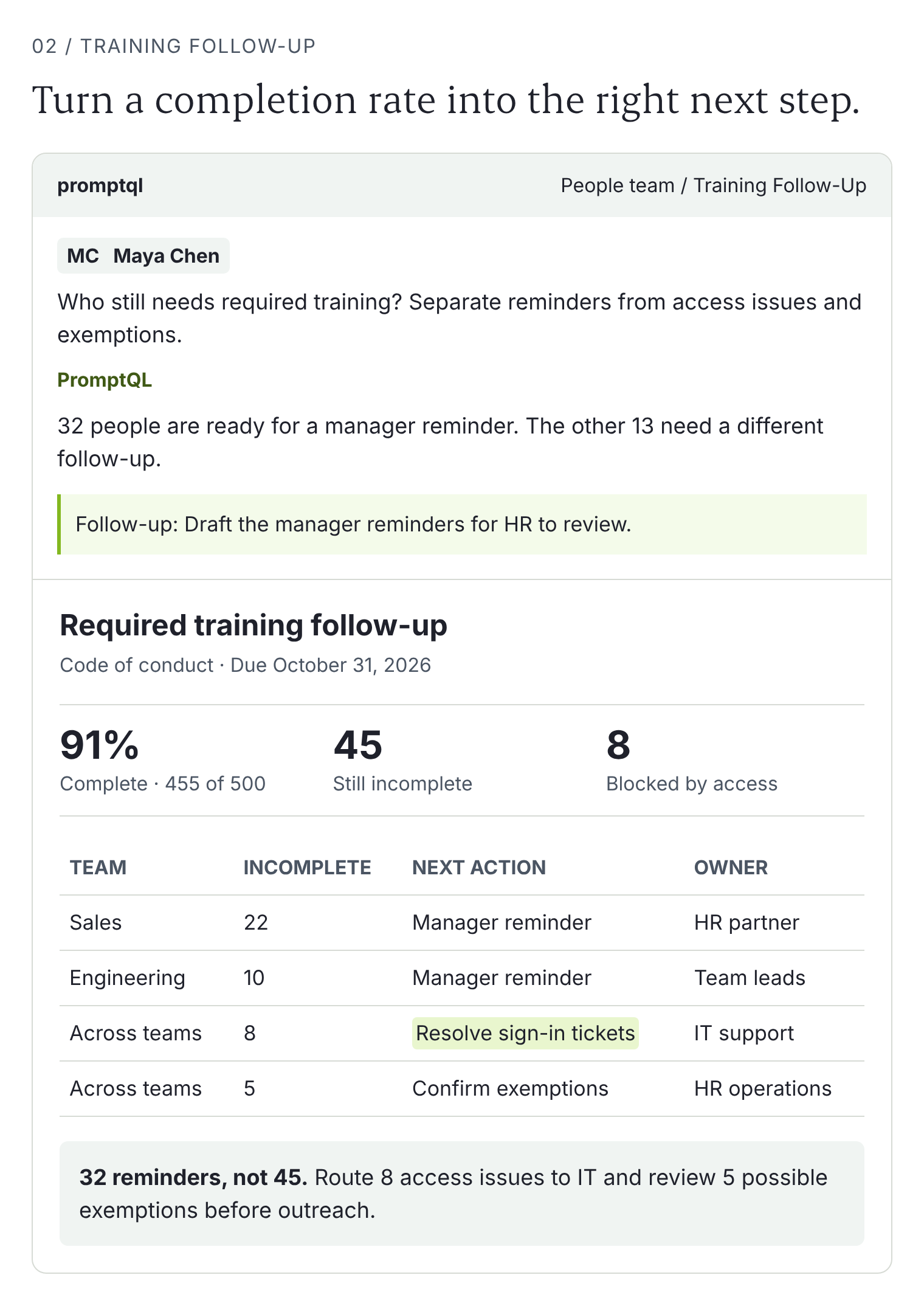
Ask: “Which active employees still need required training, and who should follow up?”
PromptQL can combine learning records with team assignments, deadlines, and exemptions to prepare a follow-up list. Relevant HR-service tickets can surface people blocked by a sign-in issue, so they get help instead of another reminder.
HR reviews the list, then managers get a clear next step.
3. Make skills gaps useful for hiring and development
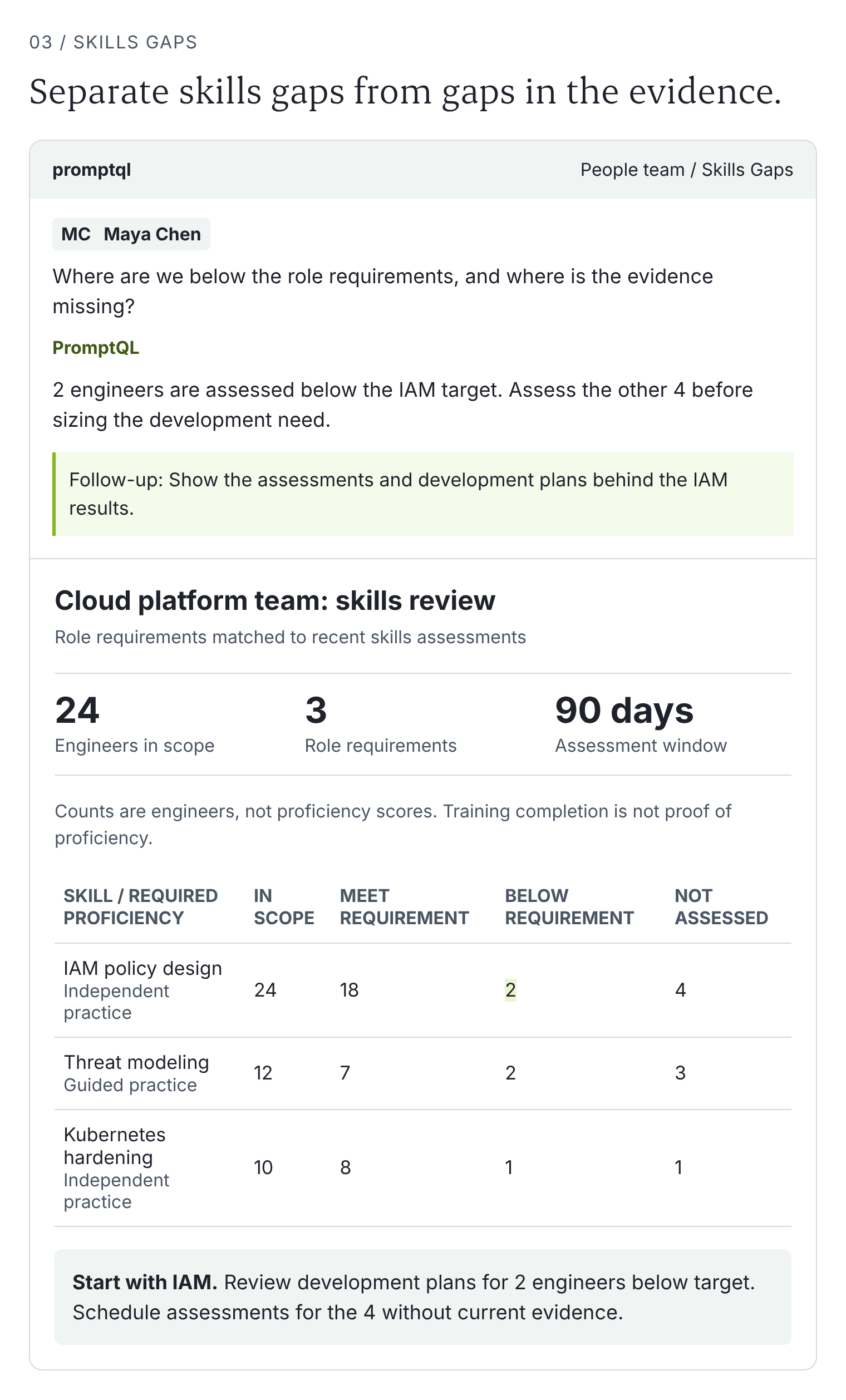
“Do we have the skills for the work ahead?”
Bring role requirements, documented skills, learning history, and open roles into one analysis. PromptQL can help flag where development programs might address a gap and where hiring deserves a closer look.
Use the analysis to plan development and hiring. Managers and HR check the underlying skills evidence before deciding what to do next.
See more examples. Try these prompts for yourself.
What makes PromptQL different from other AI
True multiplayer AI
Stop forwarding AI answers between separate chats. In PromptQL, HR can tag a People Analytics colleague into the same bot’s chat to dig into a rise in departures. A manager joins, asks how their team compares, and helps shape the next step. Everyone works with the same analysis and the same AI, together.
Keep sensitive data out of random AI chats
When people need answers fast, the shortcut can be copying employee data into an AI tool the company has not approved. Picture a spreadsheet with salaries, performance notes, and employee names uploaded from a personal account. Not great.
Give people an approved place to do the work instead. With PromptQL, your team chooses which sources to connect and sets who can access which data. A bot uses the permissions of the person asking.
Collaborate in a shared room, or keep sensitive work in a private one. Share only the results that everyone in the room should see.
We’ll build it for you
Pick a task you have to do more than once in any given week or a question you keep getting asked…
Bring it to us. We’ll connect your approved data sources and automate the workflow, so your team can use it without building it. Keep Workday. Skip the repeat report-building.
Book a demo to explore your workforce workflow.
See how Cisco’s People & Communities team is approaching workforce analytics with PromptQL.