A team that uses AI daily rarely uses 1 tool. According to the Work AI Index, a 2026 survey by the work AI vendor Glean, 77% of AI users juggle multiple AI tools every week, and 33% use 4 or more. Each extra tool means moving between windows and rebuilding the same context from scratch.
This guide covers where that switching comes from and 6 ways to cut it, from giving each task a default tool to keeping shared context in one place that every tool reads.
Key takeaways
- Switching costs time and context: People lose time moving between tools, and the context has to be rebuilt in each time they move.
- Give each task 1 default tool: Overlapping tools cause much of the avoidable switching.
- Bring the AI to where the work happens: An AI in Slack, Teams, or the editor beats having a separate tab.
- Keep shared context in 1 place: A brief, a glossary, and a decision log that every tool reads end the copying and pasting loop.
- Measure switching and review it: A 1-week log and a short regular review show where switching still happens, so you can work on it.
Where context switching comes from when teams use multiple AI tools
Switching rarely comes from 1 tool. It comes from how a team's tools overlap and where they sit. 4 patterns are worth looking for:
- Overlapping tools: 2 or 3 tools cover the same job, so people pick by habit and move between them when 1 falls short. Each move means copying the work across and starting all over again.
- AI in tabs: The AI lives in a browser tab or app away from where the work happens, so every question means leaving the document, the tracker, or the chat.
- Context reloaded each time: Each tool starts blank, so people paste the same background, definitions, and instructions into every one.
- Scattered results: Outputs end up in different chats and accounts, so finding last week's answer means remembering which tool produced it.
How to reduce context switching between AI tools
Reducing context switching comes down to 2 things: using fewer tools for the same job, and making sure the context travels with the work instead of being rebuilt in each tool. The 6 actions below do both, in the order a team can put them in place:
1. Inventory the AI tools and what each is used for
List every AI tool the team uses, who uses it, for which tasks, and how often, and look for tasks served by 2 or more tools.
Then ask everyone to keep a 1-week log of which AI tool they used for which task and how often they had to move or re-enter context.
The log is self-reported, so it shows patterns and not exact costs, but it quickly shows where the overlap and the repeated copying sit.
2. Give each task 1 default tool
Write a 1-page rule that names a default tool for each common task, such as drafting, research, code, and data questions, and retire the tools that only duplicate another.
People can still choose a different tool for a good reason, but the default removes the daily decision and the habit of trying 2 tools on the same job.
Review the list whenever a new tool arrives, so the overlap doesn't return.
3. Bring the AI to where the work happens
Every trip to a separate tab is a switch, so put the AI where the work already is: in the chat tool, the editor, or the tracker.
For code, a coding assistant inside the editor beats pasting between a chat window and the editor. For team questions, an agent in Slack or Teams keeps the question, the answer, and the discussion in the same place.
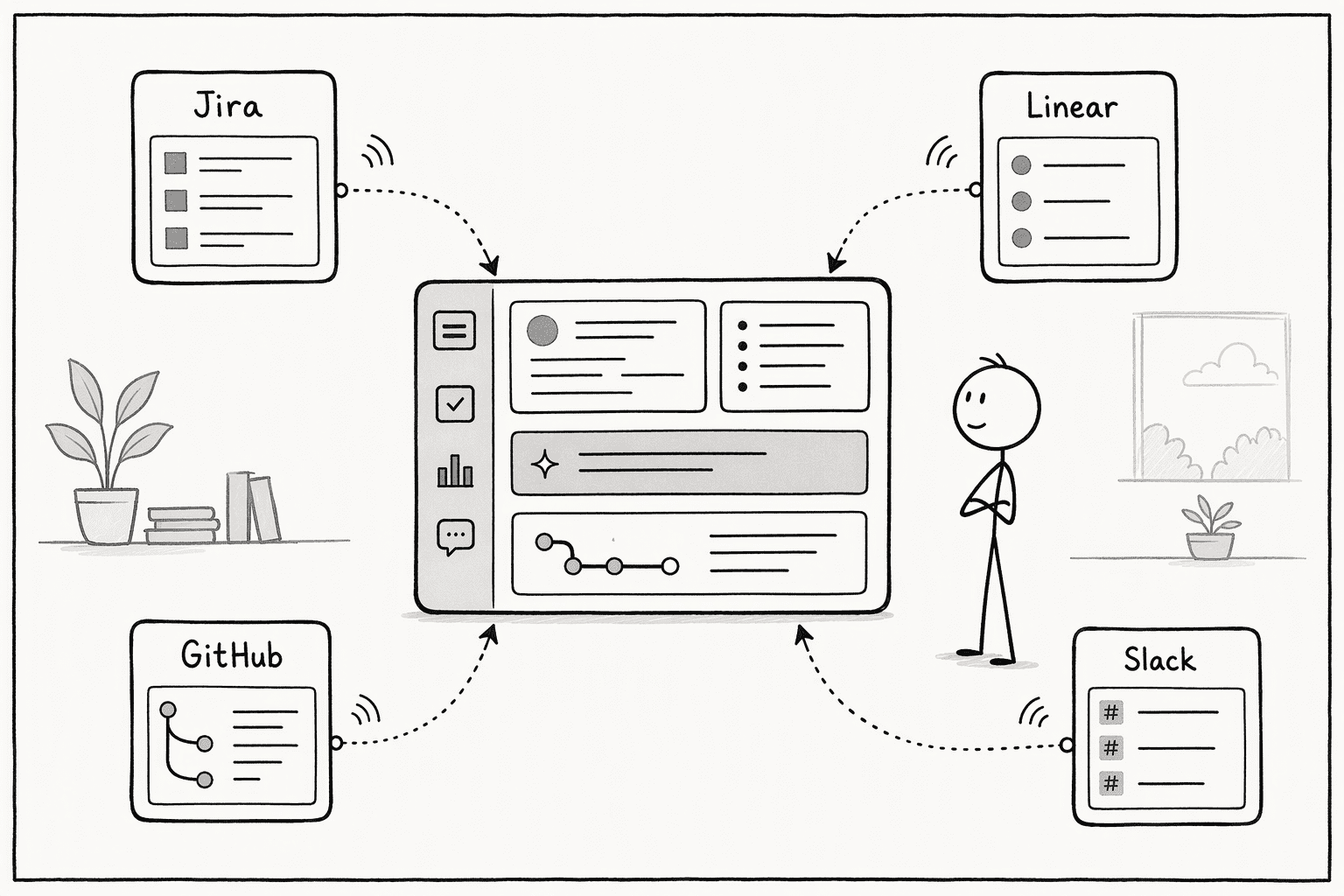
PromptQL's Tag agent, for example, works in Slack and Microsoft Teams, lets a team choose and switch between models, and keeps the work in a shared thread that everyone can see.
4. Keep shared context in 1 place that every tool reads
The second cost of switching is rebuilding context. Instead of pasting the same background into each tool, write it once: a brief of what the team is working on, a glossary of the terms it uses, and a log of decisions, kept in 1 shared place that the tools can read through their connectors.
Memory inside each assistant won't do this job, because every assistant keeps its own separate silo.
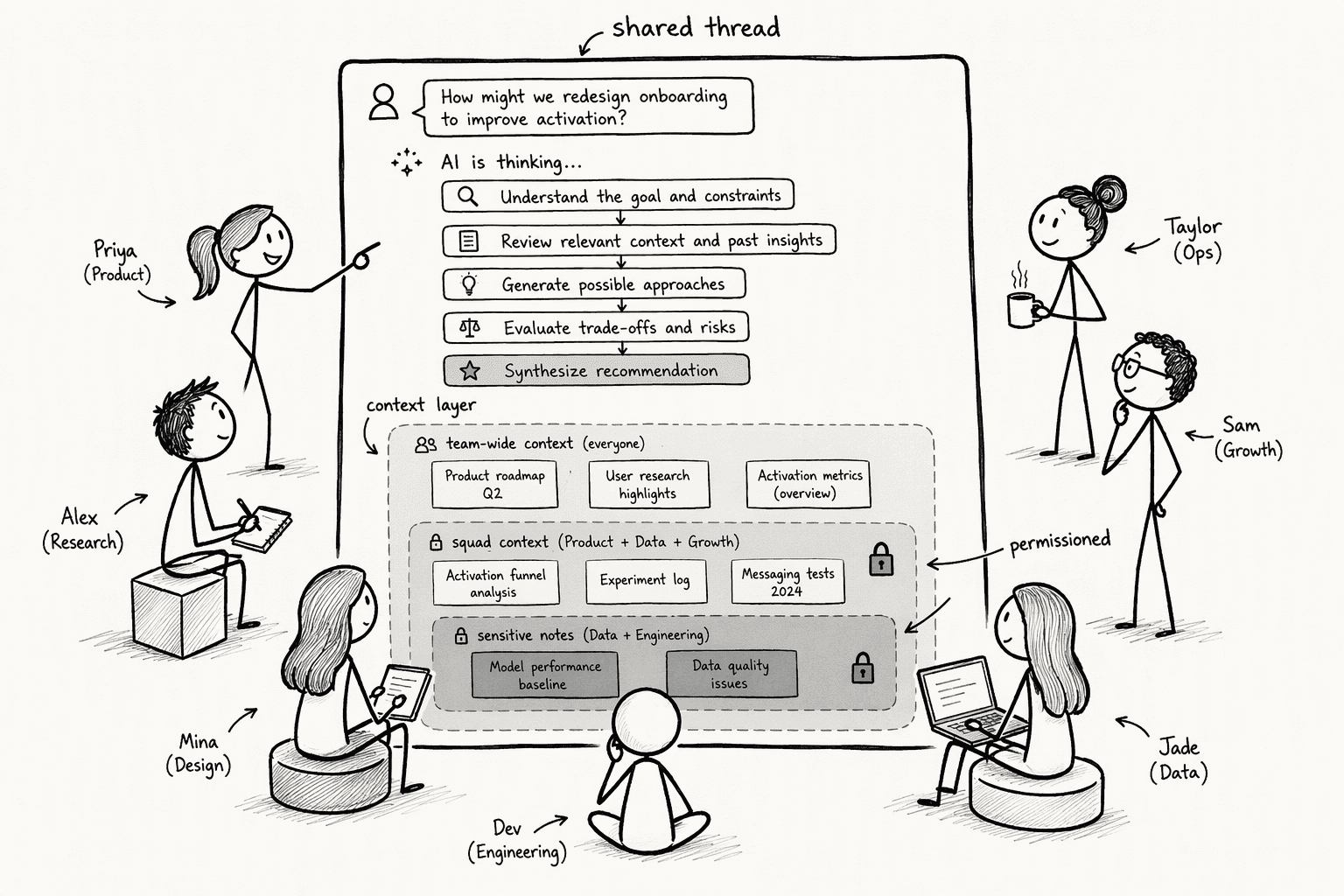
PromptQL, for instance, keeps a team's context in a shared wiki, where a correction made once is captured with citations and revision history, so the next question starts from it, whichever model answers.
5. Share prompts and outputs, not just chats
A prompt that works in 1 person's chat is lost to everyone else, and the same task gets re-prompted from scratch in the next tool.
Keep a shared library of the prompts the team reuses, with a note on which tool each works best in, and save finished outputs in a shared place with a link, not inside a private chat.
Both turn 1 person's work into something the next person can pick up without switching tools to find it.
6. Measure switching and review it regularly
Switching creeps back unless someone checks. Track 3 simple measures:
- The number of tools used per task
- The times someone re-enters the same context
- The time to a usable
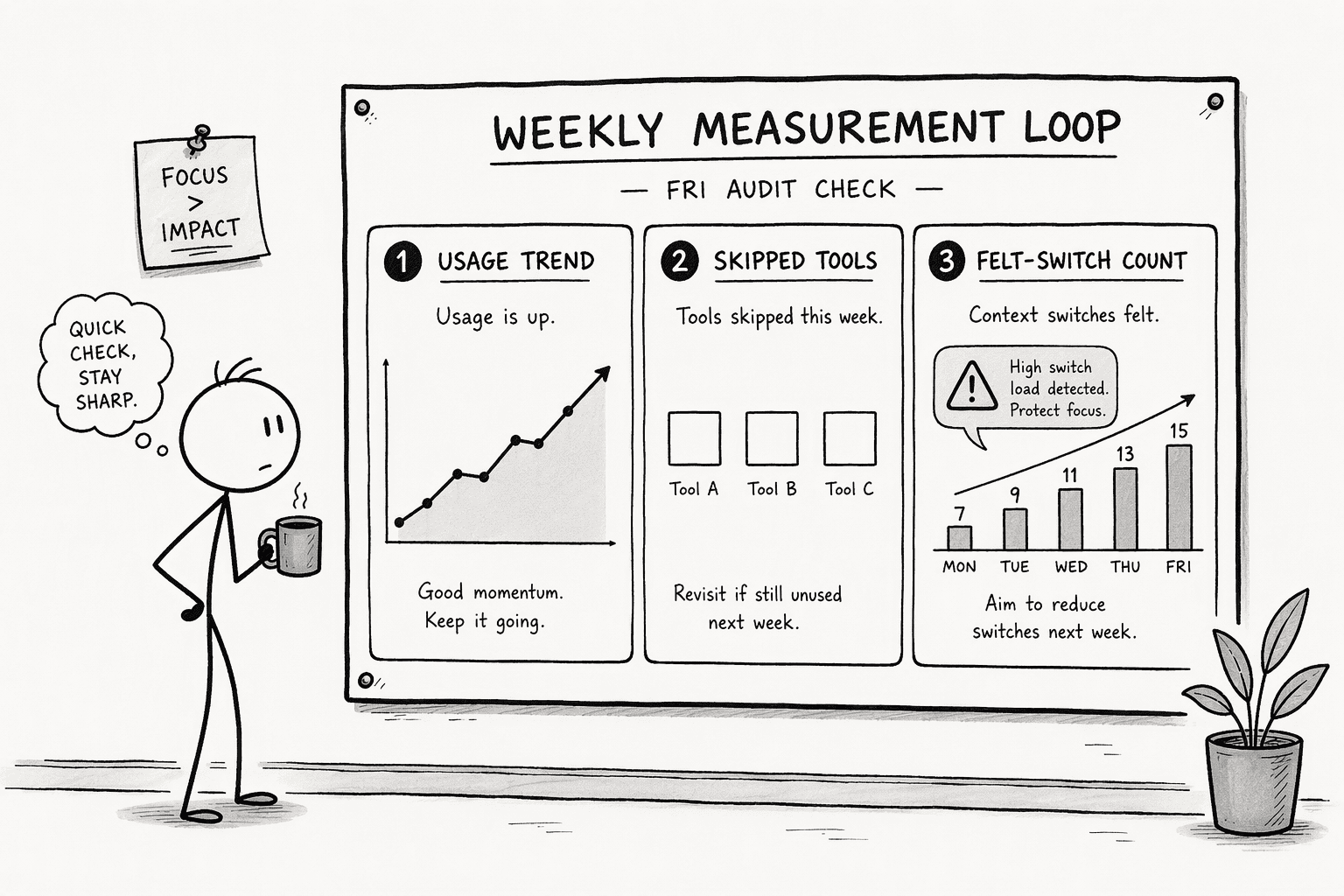
Once a week or once a month, spend 10 minutes on a review of which tools got used, how many switches people felt, and whether any half-connected integration still forwards things by hand.
Add 1 standing question for the team: which handoff between tools cost you the most this week? The answers show what to fix next.
Conclusion
Moving forward, treat the number of AI tools and the place where context lives as design choices, not accidents.
Keep an up-to-date inventory, give each task a default tool, and keep shared context in 1 source that every tool reads. Review the switching measures regularly so the overlap doesn't return.
For teams that work in Slack or Microsoft Teams, PromptQL can be that shared place: tag it in a channel, use the model that fits the task, and let the wiki keep the team's context. It works alongside the AI tools a team already uses, so the ones that earn their place can stay.
Frequently Asked Questions
Is it better to standardize on 1 AI tool?
Not always. Different tools suit different tasks, such as code, research, and images, so forcing 1 tool can make some work worse. Standardize on a default for each task, and bring the AI and the shared context to where the work happens.
How can teams consolidate multiple AI tools into a single platform to minimize context switching?
Choose a platform that integrates with your existing stack and reads signals rather than requiring manual updates. By centralizing daily task views and embedding AI capabilities directly into tools like Slack or the IDE, you eliminate the need to open separate applications for every query.
How do you stop copying context between AI tools?
Write the context once in a shared brief, glossary, and decision log, and connect the tools to it instead of pasting it into each one. Corrections should go into that shared source, not into a single chat.
How does a shared, multiplayer AI workspace with permissioned context reduce the overhead of tool fragmentation?
It moves multiple people into a single reasoning thread where the AI’s plan, code, and output are visible to all, so teammates do not each have to restart the same conversation. Permission layers ensure sensitive information stays restricted, making collaboration faster without compromising security.
Do connectors like MCP reduce switching?
They help by letting an AI read the tools a team already uses, so people don't paste content between them. They give access to what is written down, so the shared brief and decision log still need to exist.
Sources
- Introducing the GenAI Assessment Framework (GAF): A 3×3 Matrix to Map Enterprise AI Needs - promptql.io
- AI Tools for Developer Productivity | Software Development Companies - www.microsoft.com
- PromptQL: multiplayer AI for product teams - thehuman2ai.com
- Reduce Context Switching for Engineering Teams | SignalsAI - orgsignals.com
- 6 Effective Strategies and Tools to Manage Multiple Jobs | Saner.AI - www.saner.ai




