
23 Nov, 2026
•
6 MIN READ
Google Docs for AI Agents: Work With AI as a Team
Introduction
Is There a Google Docs for Working With AI Agents?
Key Takeaways
- One shared place: Teammates work with the same bot in the same thread, and they see the same work.
- Sharing settings that hold: The AI acts with each person's own permissions, enforced at the data layer.
- Comments that stick: When someone corrects an answer, the correction can become a cited wiki entry that a person approves, edits, or rejects.
- A record of changes: The wiki keeps revision history and an audit trail.
- More safeguards, because AI acts: Unlike a document, an AI agent runs code and touches data, so you can read its plan first and writes need approval.
What Makes Google Docs Work for Teams?
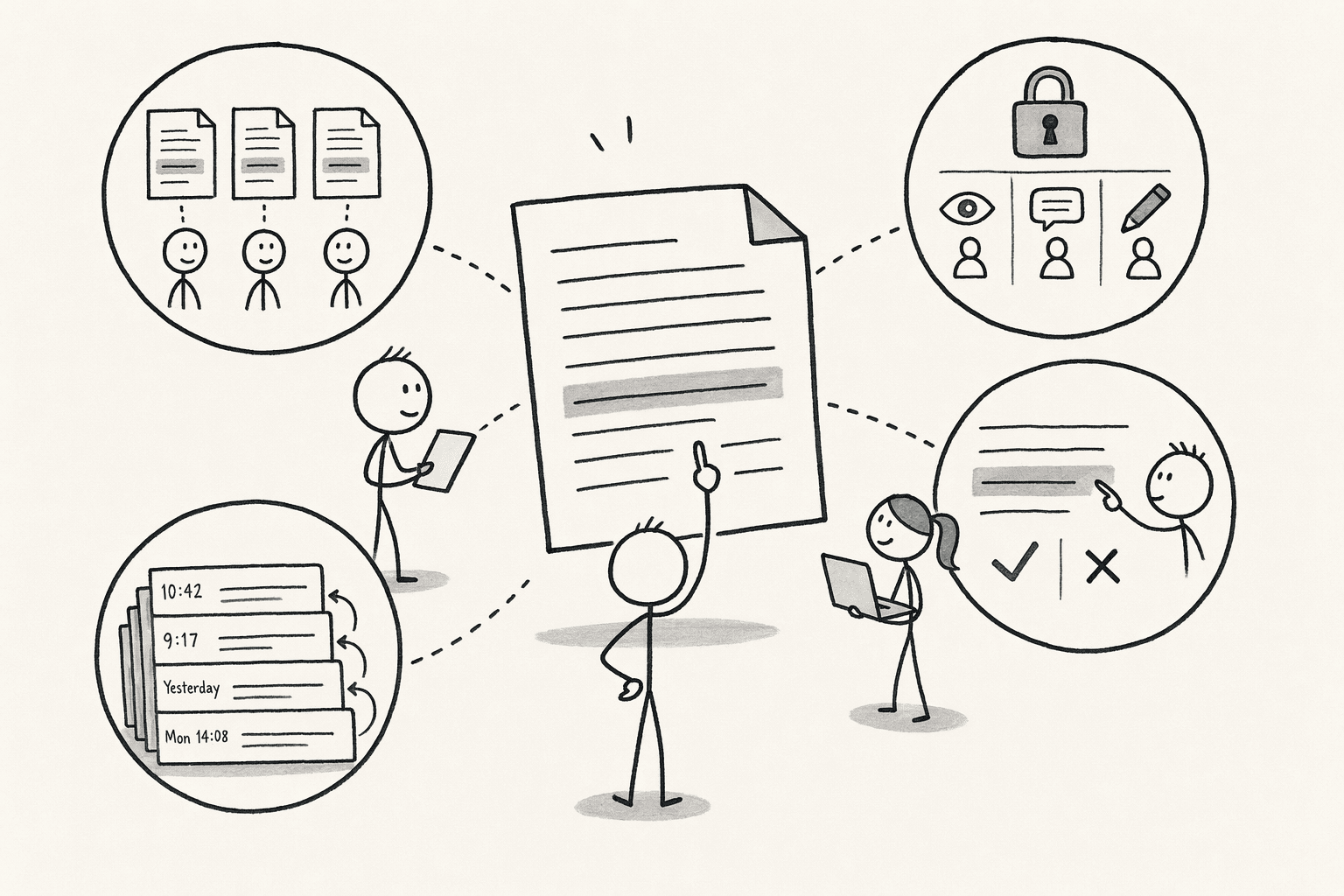
- Shared by default: One file lives in one place, and everyone you invite sees the same version.
- Sharing permissions: You decide who can view, comment, or edit, and those settings stay with the file.
- Comments and suggestions: A reviewer points at the exact spot that is wrong, and the owner accepts or rejects the change.
- Version history: You can see what changed, who changed it, and when.
How Does That Map to Working With AI Agents?
| Capability | Google Docs | PromptQL |
|---|---|---|
| Shared workspace | One file in one place. You invite people, everyone sees the same version, and several people can edit at once. | One shared bot and thread. People are invited into the same bot, not a copy, and several people can work with it at the same time. |
| Permissions | The owner sets viewer, commenter, or editor access for each person, and the settings stay with the file. | The AI acts with each user's permissions, and users cannot ask it to reach another person's data. Permissions travel with saved artifacts. |
| Feedback | Reviewers comment on a specific spot, and suggested edits are accepted or rejected by the owner. | Reviewers correct assumptions in the thread. A correction can become a cited wiki entry that a person approves, edits, or rejects. |
| History | Version history shows who changed what and when, and you can restore an earlier version. | The wiki keeps revision history and an audit trail, and it notifies you when pages you follow change. |
| Where you open it | In the browser or app, or from a link shared in email or chat. | PromptQL Tag runs in Slack and Microsoft Teams, so you can tag it in a thread. |
| The finished output | A document you can share, export, or publish. | Dashboards, trackers, apps, and decks built from the thread, owned by the team, saved and rerunnable on a schedule. |
- Shared by default. Invite a colleague into the same bot. They see the same work and correct the assumptions they know are wrong, instead of starting from a screenshot.
- Sharing that holds. PromptQL Tag acts with each user's permissions, so a teammate only gets what they were already allowed to see.
- Suggestions you can accept or reject. When someone corrects an answer, PromptQL can capture the correction as a cited wiki entry. A person approves, edits, or rejects it, much like accepting or rejecting a suggested edit. The next answer starts from that entry.
- Shared output. Dashboards, trackers, and other interactive tools can be built together in a conversation and owned by the team, not by one person.
What Does PromptQL Add Beyond the Google Docs Model?
- Permissions sit outside the model. Access decisions don't depend on the LLM following instructions. They are enforced deterministically at the data layer, and credentials are injected at runtime, so they are never exposed to the model.
- You can read the plan first. PromptQL generates a human-readable plan, so you can read what the AI proposes before you approve it.
- Risky actions need approval. Writes and external calls require approval, with a plain-language summary of what is about to happen.
- Code runs in a sandbox. The agent writes and runs code in a secure cloud sandbox.
How Do You Get Started?
- Connect your identity provider. PromptQL Tag syncs its user directory and privileges over SCIM from Microsoft Entra ID, Okta, or Google Workspace. Deactivate someone there, and their access is revoked everywhere.
- Connect your data where it lives. PromptQL queries data where it lives, with no copying into a warehouse, and per-user permissions apply at the data layer.
- Invite your team into one bot. People can use PromptQL through its app or as an AI agent inside Slack or Teams.
- Write down the definitions people argue about. Put what counts as an active customer, or a closed deal, into the wiki, so the AI starts from your agreed answer.
- Turn a thread into a shared output. When the work is ready, build a dashboard, tracker, or deck from the thread and share it.
Conclusion
Frequently Asked Questions
Is there a Google Docs for working with AI agents?
How is a multiplayer AI workspace different from a personal AI chat?
Can several teammates work with the same AI agent at once?
Does everyone see everything the AI can access?
Can it work in Slack or Microsoft Teams?
What happens when someone corrects the AI?
Sources
- Bots | Docs | PromptQL - promptql.io (2026)
- PromptQL | The AI for teamwork. - promptql.io (2026)
- PromptQL Tag | The company-wide AI agent for your workspace - promptql.io (2026)
- User-authorized Multiplayer AI — how access works — PromptQL - promptql.io (2026)
- Approve and collaborate | Basics | PromptQL - promptql.io (2026)
- How to Build Dashboards and Apps Inside a Multiplayer AI Thread - promptql.io (2026)
- The world's first multiplayer AI coworker you can @-tag in Microsoft Teams. - promptql.io (2026)
- Overview | Docs | PromptQL - promptql.io (2026)