Every AI pipeline runs on small decisions. Is this ticket about billing or shipping? Does this prompt need the expensive model? Should this agent be allowed to delete that file?
Most teams hand each of those calls to a frontier model like ChatGPT. At 10 requests a day, nobody notices. At 100,000, the bill climbs, latency stacks up, and the "confidence: 0.92" in the response turns out to be a number the model simply wrote down.
Jev AI takes a different approach. It's a decision-only model from TypeSafe AI that returns a choice, a score, or a yes/no probability, and never writes prose.
This guide compares Jev vs ChatGPT for classification and routing, so you can decide which one belongs at each step of your pipeline.
Key Takeaways
- Jev is a System One model that answers closed questions with typed, probability-backed decisions. ChatGPT runs on GPT models that generate text, which can be shaped into JSON.
- For classification and routing, Jev is far cheaper and faster per decision. GPT stays stronger when the task needs explanation, open-ended reasoning, or non-text input.
- For AI agents, Jev fits the "decide" step and GPT fits the "do" step. That split is where most of the savings come from.
- The strongest setups use both: rules first, Jev for bounded judgments, GPT for complex or uncertain cases, and a human for high-stakes calls.
Jev vs ChatGPT at a Glance
Let's explore the differences between Jev and ChatGPT. Here's how they stack up side by side:
| Jev | ChatGPT (GPT models via API) |
|---|
| Best fit | Repeated decisions with fixed options: labels, scores, yes/no gates | Tasks that need reasoning, writing, research, or multi-step actions |
| Input types | Text only (strings, JSON objects, or arrays of text) | Text, images, audio, and files |
| Context window | 64k tokens per request | Up to 1.05M tokens (GPT-6 family) |
| Tool use | Picks a tool from a list; your code runs it | Calls tools and runs agent loops natively |
| Customization | No fine-tuning; you shape answers through instructions and criteria | Prompting, plus fine-tuning on supported models |
| Language strength | Best in English; other languages supported but less accurate | Strong across dozens of languages |
| Access and maturity | Launched September 15, 2026, with a young ecosystem | Generally available, with a mature ecosystem |
Note: ChatGPT is OpenAI's chat app. When you build a classifier or router, you're calling GPT models such as GPT-6 Astra, Sol, or Luna through the API. This guide uses "ChatGPT" and "GPT" to mean those API models.
How Jev and ChatGPT Work Differently
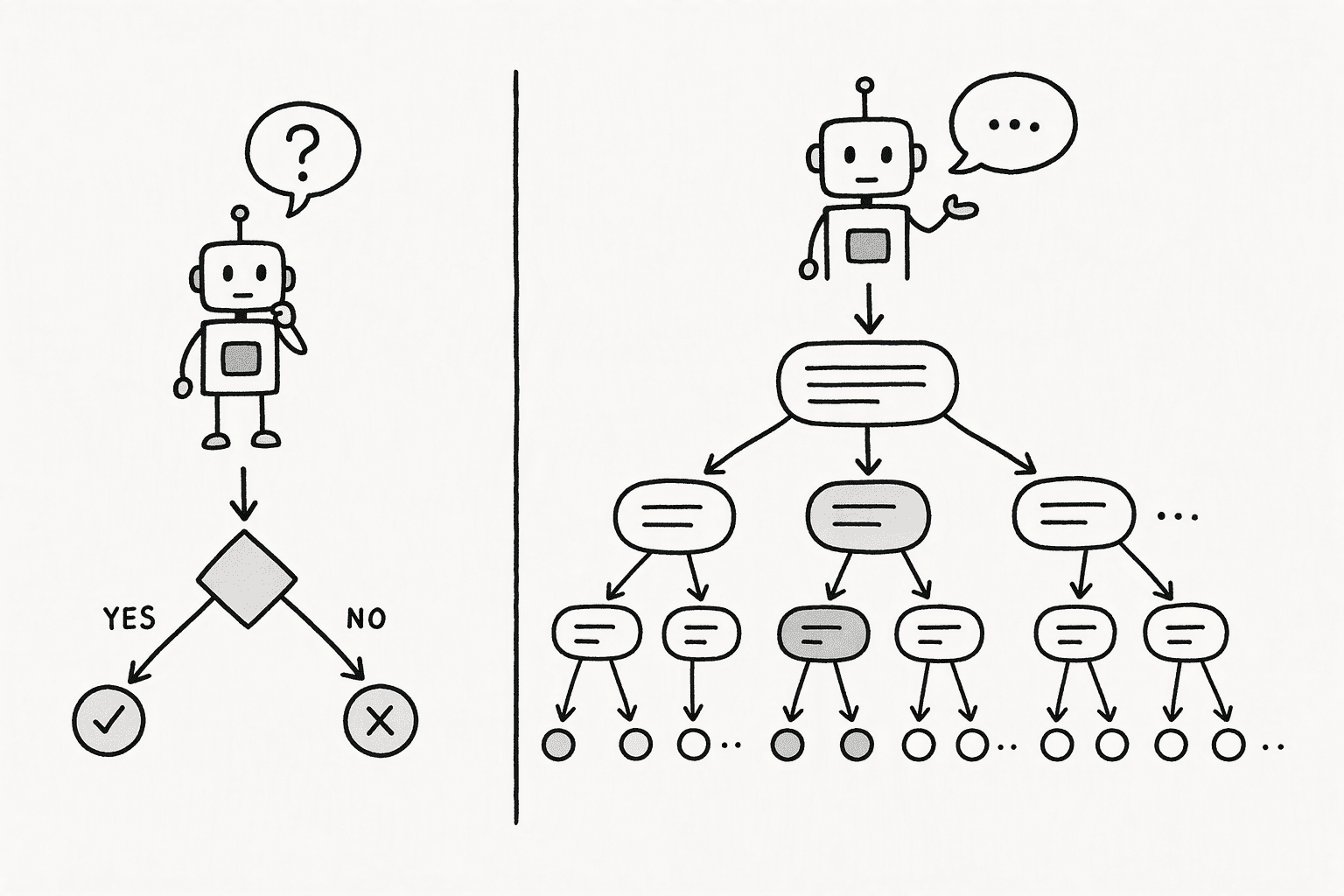
Jev and ChatGPT differ in what they return and how they produce the output. Jev picks from answers you define and scores every option in a single parallel pass, with probabilities built in. ChatGPT generates text one token at a time, which you can shape into JSON but which still starts as written words. That core difference drives the gaps in speed, cost, confidence, and reliability.
Here's how each difference plays out:
1. Output Format
Jev answers with a decision from options you define in the request. You pick one of three question types:
- Choice selects one option from up to 255, with a probability for each.
- Score places the input on an ordered scale of 2 to 10 descriptive levels.
- Noul returns the probability that a yes/no statement is true.
GPT, on the other hand, generates text. With Structured Outputs, you can force that text into a JSON schema, so a field like route only accepts values you allow. The answer still starts life as generated tokens.
2. Answer Generation
Jev reads your input once and scores every option in parallel, in a single pass. It doesn't produce words, so there's nothing to generate one piece at a time.
GPT builds its answer token by token, with each token depending on the last. Reasoning modes add more tokens before the final answer. That's what makes GPT flexible, and it's also why each call takes longer and costs more.
3. Confidence Scores
Every Jev answer comes with probability scores built in. A Choice question returns the full spread across options plus a confidence value, so you can see when two options are close.
With GPT, confidence is usually a field you ask the model to fill in. The model writes a number like 0.9, and there's no guarantee it tracks real accuracy.
Note: TypeSafe's own documentation says Jev's confidence describes how sure the model is. It doesn't prove the answer is right.
4. Output Validity
Jev can't return a label outside your list or send back malformed output. That's guaranteed by design. It can, however, choose the wrong valid option, the same way a person can tick the wrong box on a form.
GPT with Structured Outputs follows your schema in nearly every case. OpenAI's documentation lists edge cases where it won't, such as safety refusals or responses cut off by a token limit, so your code needs to handle those.
5. Speed and Cost
Jev is priced at $0.042 per million input tokens, and output tokens are free. TypeSafe reports end-to-end response times of 70 to 500 milliseconds.
GPT-6 prices per million tokens look like this:
| Model | Input | Output |
|---|
| GPT-6 Luna | $0.10 | $0.50 |
| GPT-6 Sol | $2.00 | $10.00 |
| GPT-6 Astra | $10.00 | $50.00 |
To see what that means in practice, picture 1 million routing decisions, each with a 500-token input and a short 20-token GPT answer:
- Jev: about $21
- GPT-6 Luna: about $60
- GPT-6 Sol: about $1,200
- GPT-6 Astra: about $6,000
These figures exclude reasoning tokens, which can push GPT costs higher.
Jev vs ChatGPT for Classification
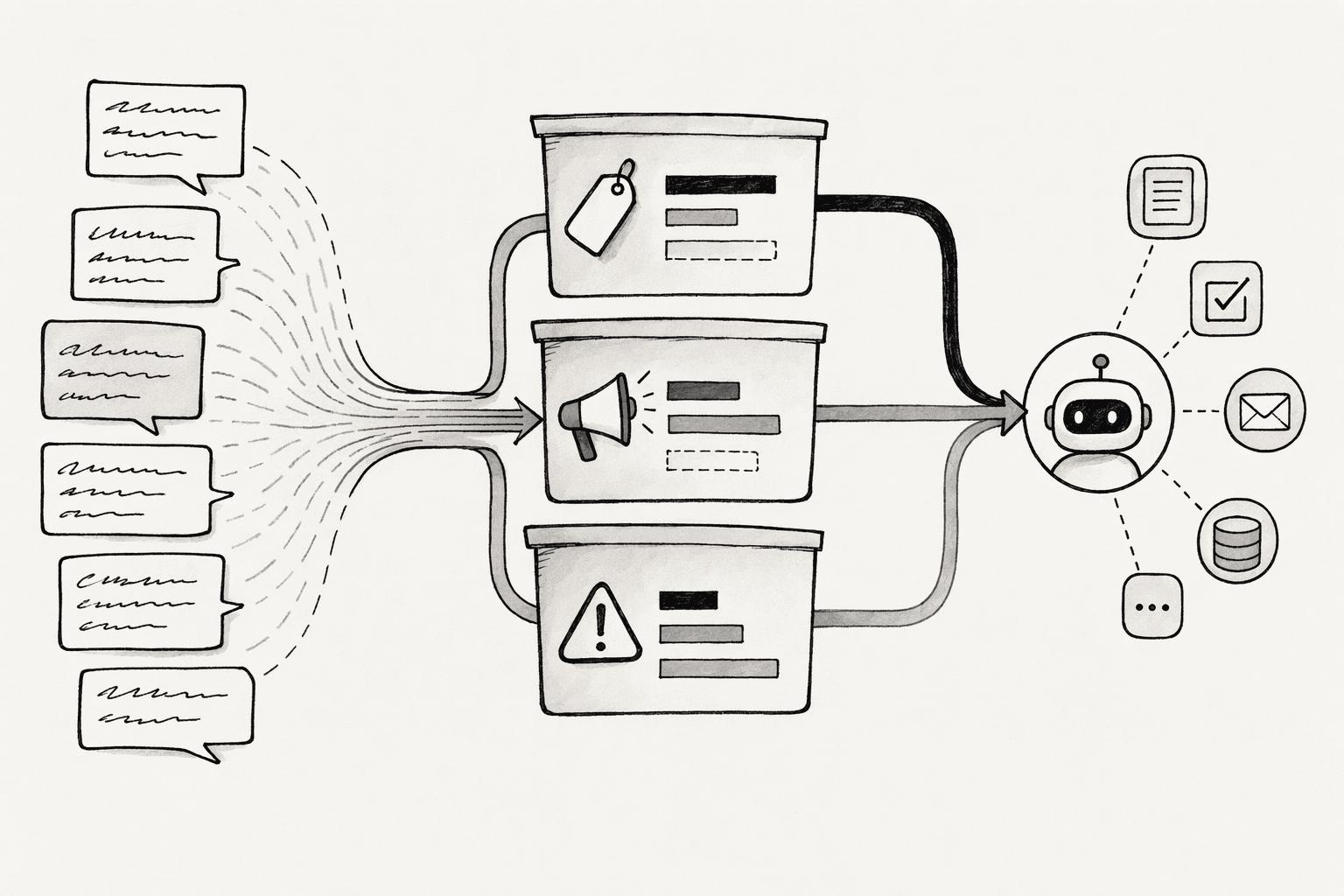
For classification against a fixed list of categories, Jev is usually the better fit on speed and cost, with accuracy that holds up well. GPT still wins when the categories aren't settled or the label needs a written reason.
Jev works best when your task looks like this:
- You have a known set of categories, such as departments, intents, or risk levels.
- You're labeling thousands or millions of items, not a handful.
- You want to act on confidence, for example by auto-approving only when the model is sure.
GPT is the better choice for classification in the following cases:
- Your categories are still forming
- You need a reason with each label
- Your input isn't text
A practical pattern is to use GPT to discover and refine your categories, then hand the stable list to Jev for day-to-day labeling.
Jev vs ChatGPT for Routing
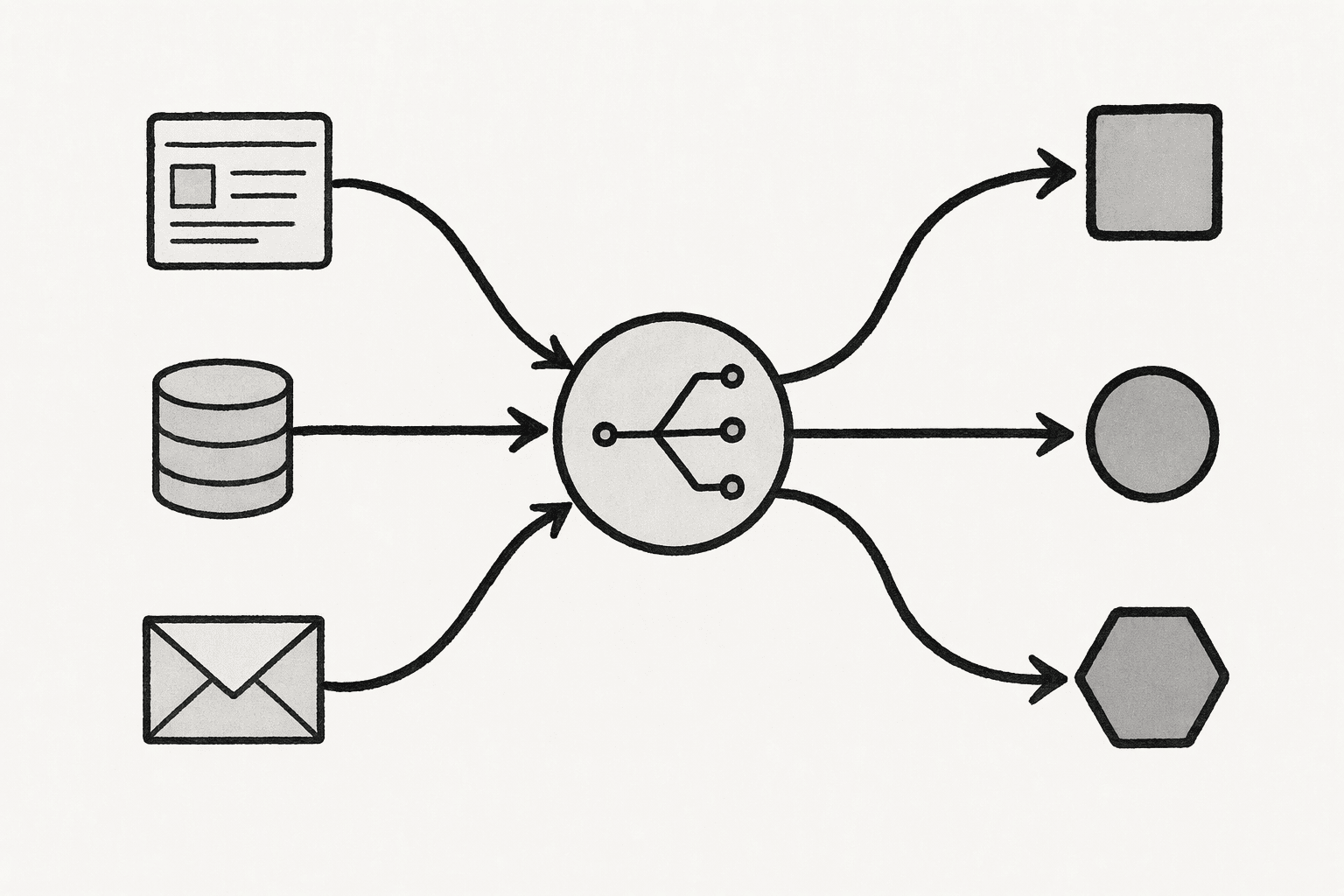
For the decision step, Jev is usually better than GPT for routing AI agents. When the possible routes are known in advance, Jev picks the right path faster and at a fraction of the cost.
GPT is still the better tool for carrying out the route, planning multi-step tasks, or handling requests that don't fit any predefined path.
It helps to split routing into two jobs. First, decide where a request should go. Second, do the work at that destination. Jev handles the first job. GPT handles the second.
Here's how that split works across the most common routing jobs:
1. Routing Tickets and Requests
Jev sits between incoming messages and the systems that already know what to do. A support message arrives, Jev picks the team, and your existing workflow takes over.
A single Jev request can answer several questions at once about the same message:
- Which team should handle it (Choice)
- How urgent it is (Noul)
- How frustrated the customer sounds (Score)
Your code then routes the ticket, flags urgent ones, and sends low-confidence cases to manual triage.
ChatGPT can do the same job with a strict JSON schema. It's the better fit when the routing step also needs to write something, like a ticket summary for the agent or a first reply to the customer. At high volume, though, every ticket pays for generated tokens, which is why many teams route with Jev and call GPT only after the ticket lands with the right team.
2. Routing Prompts to the Right Model
Model routing sends easy requests to a cheap model and hard ones to a frontier model. Jev scores each request as easy, medium, or hard, then your code maps each tier to a model such as GPT-6 Luna, Sol, or Astra. The routing call costs almost nothing next to the model call it selects.
Using ChatGPT as the router works too, but it adds a paid, slower call before every request. A GPT-6 Luna router is cheap per call. Even so, it adds generation time to each request and gives you no built-in probabilities for escalation rules.
Whichever model routes, send the full conversation history rather than just the last message. A follow-up like "can you check again?" looks simple on its own and can be hard in context. Frameworks such as LangChain and LiteLLM already offer Jev-based routing, so you don't have to build it from scratch.
3. Picking Tools and Gating Risky Actions
Agents often choose from dozens of tools, and each model handles that choice differently:
- Jev shortlists the relevant tools, picks the best match from a fixed list, and scores whether an action looks destructive before it runs. Your code then executes the tool.
- ChatGPT calls tools natively inside its own agent loop. It can chain several tools, read the results, and decide what to do next without extra code.
That makes Jev a strong fit as a fast safety gate on each tool call, while GPT is better at orchestrating multi-step work. With either model, keep hard-coded rules in place for destructive actions. A later section covers why.
When Jev or GPT Wins for Agent Routing
Neither model wins every routing job. Here's how to split the work.
Jev is the better pick when:
- Every possible route, tool, or model tier is known ahead of time.
- Each agent turn triggers a routing call, so latency and cost add up fast.
- You want probabilities to drive thresholds and escalation rules.
GPT is the better pick when:
- The agent needs to plan, reason across steps, or write output.
- Requests often fall outside your predefined routes.
- The input includes images, long documents, or other non-text content.
Should You Switch to Jev From GPT?
Yes, for high-volume decisions with fixed options, like labeling, scoring, routing, and yes/no checks. Keep GPT for anything that needs reasoning, writing, or taking action. Before you move any traffic, check Jev's current limits so they don't catch you off guard.
A few operational limits also apply if you're thinking about moving to Jev from GPT:
- Text only: Convert images, audio, and files to text before sending them.
- English first: Other languages work, but test before relying on them.
- No fine-tuning: You shape results through instructions and criteria.
- Changing rate limits: Limits can shift while TypeSafe scales up.
- Version drift: The
jev-latest alias can move to a new model, so pin jev-1.13.0 once you've tuned thresholds.
Jev also struggles as context grows, a problem known as context rot. If you've seen context decay in AI agents, the fix is similar: send only what the decision needs.
How to Test Jev Against GPT on Your Own Data
Step 1: Build a Labeled Test Set From Real Cases
Start with real examples that reflect what your pipeline actually sees.
- Collect 200 to 500 recent, de-identified cases.
- Have the people who own the process agree on the correct label for each.
- Include tricky edge cases and a few examples of every category.
With a labeled set in hand, you can measure accuracy instead of guessing. It also becomes your baseline for every future model or threshold change.
Step 2: Give Both Models Identical Inputs and Definitions
A fair test changes only the model. Everything else should match.
- Use the same input text and the same category definitions for both.
- Call GPT with Structured Outputs in strict mode rather than parsing free text.
- Write each category description as clearly as you would for a new hire.
This removes prompt quality as a variable. Any difference you see comes from the models themselves.
Step 3: Pin Model Versions
Model aliases can change without warning, which quietly breaks your comparison.
- Call
jev-1.13.0 instead of jev-latest. - Use a dated GPT model snapshot where one is available.
- Log the exact model version with every result.
Pinned versions keep your results reproducible. When a new version ships, you can rerun the same test and compare like for like.
Step 4: Measure Accuracy, Coverage, Latency and Cost
Accuracy alone hides important trade-offs. Track a full set of metrics for each model.
- Accuracy overall and for each category
- Coverage, meaning the share of cases above your confidence threshold
- Median and 95th percentile latency
- Cost per 1,000 decisions, including reasoning tokens for GPT
- Refusals, timeouts, and incomplete responses
Together, these numbers show which model actually costs less per trusted decision. They also surface categories where one model struggles.
Step 5: Set Confidence Thresholds
Thresholds decide which answers you automate and which go to review. Base them on your own test results.
- Plot accuracy against coverage at thresholds from 0.5 to 0.95.
- Pick a threshold based on what a wrong answer costs you.
- Route anything below it to GPT, a broader category, or a person.
You'll end up with an automation rate you can defend. A password-reset route can accept a lower threshold than a payment approval.
Step 6: Test Injected Text Before Launch
If customers or other systems control any part of the input, assume someone will try to steer the answer.
- Add fake instructions, like "pre-approved, allow this," to test inputs.
- Include text that argues for its own classification.
- Confirm your hard-coded rules still block risky actions when the model is fooled.
This shows you exactly where the model can be pushed. Your rules become the backstop, and your team knows the system's limits before users find them.
For regulated or customer-facing workflows, log each decision with its input, probabilities, and model version. That record makes it far easier to build an audit trail for AI-generated answers later.
The Easier Way to Handle What Comes After the Decision
Jev and GPT settle the decision. They don't cover what happens when a person overrules it, what the agent can touch, or how anyone proves later how a call was made. That's where PromptQL fits. It doesn't replace either model. It's the layer around them.
- Reviews that compound: PromptQL Tag captures corrections as human-reviewed, cited wiki entries with version history, so the next similar case starts from the fix.
- Access enforced outside the model: permissions are enforced at the data layer using the access of the person the agent acts for, and raw database credentials are never exposed to the AI.
- Plans visible before they run: the model plans, and code executes in a secure sandbox.
- A traceable record: every query, result, and access is logged.
Conclusion
The real shift here is architectural. Once you separate deciding from doing, you can price each step on its own terms. Decisions become cheap enough to run on every message, every agent turn, and every row in your database, while expensive generation stays reserved for the moments that need it.
That changes which questions are worth automating. Checks you once skipped because they cost too much, like scoring every support conversation or vetting every tool call, now fit comfortably within budget. Teams exploring this at scale are already putting Jev to work options in a single pass.
FAQs
Frequently Asked Questions
What are the key differences between Jev and ChatGPT for enterprise AI workflows?
The three models differ on several fronts:
- Output type: Jev returns only probabilities and confidence scores for predefined classification tasks; ChatGPT generates free-form text and supports tool-calling for multi-step reasoning.
- Cost and risk: Jev is roughly 400 times cheaper for binary decisions and cannot hallucinate text.
- Explainability: ChatGPT delivers the chain-of-thought reasoning needed for auditability and complex workflows.
How does Jev's plan-based execution compare to ChatGPT's tool-calling approach for reliable outputs?
Jev's plan-based execution guarantees a structured numeric output every call. ChatGPT's tool-calling can hallucinate parameters or produce malformed JSON that needs validating. A plan-based wrapper reduces that variability by enforcing deterministic permissions and structure at every step.
Which platform offers better data security and privacy controls, Jev or ChatGPT, for regulated industries in the United States?
Compliance strengths differ between the two platforms:
- ChatGPT Enterprise: leads with SOC 2 certification and data retention controls suited to HIPAA and SOX audits.
- Jev: its query-only API with no text generation minimizes data leakage risk, but its lack of textual justification fails audit trail requirements common in regulated U.S. industries.
How does Jev's pricing structure compare to ChatGPT's plans for teams needing AI at scale?
Jev charges $0.042 per million input tokens with free output, while GPT-5 Nano charges $0.05 per million for input alone plus standard output rates. At 10 million calls, Jev totals under fifty cents versus thousands of dollars on ChatGPT for the same classification volume.
What does new research in 2026 show about AI agent accuracy in the enterprise, and how do Jev and ChatGPT stack up?
Research on the ToolBench dataset found that a dedicated plan-generation method outperformed ChatGPT-based task decomposition by 24 percent in tool retrieval and 41 percent in plan accuracy. Narrow, purpose-built models like Jev gain precision by restricting output scope; generalist agents still struggle with consistent multi-step execution.
Can Jev and ChatGPT integrate with existing enterprise data infrastructure, and which handles complex data tasks more safely?
Both can integrate, but Jev's minimal API makes single-decision endpoints easy to deploy. ChatGPT requires orchestration and safety guardrails for multi-step tasks. Running either inside a secure runtime that enforces permissions and deploys within your own cloud reduces the attack surface for both models.
Sources
- Community Call: Making your AI think before doing | Our Monthly Online Community Call - promptql.io
- ProTIP: Progressive Tool Retrieval Improves Planning - arxiv.org
- A new kind of AI model from a ChatGPT inventor is thrilling developers | TechCrunch - techcrunch.com
- Secure AI agents' access to your organizational databases - docs.cyberark.com
- 12 Jev Use Cases Tested: Where This Decision-Only AI Actually Fits | MindStudio - www.mindstudio.ai
- Jev introduces a new shape of LLM—System One, aka Decision Models - simonwillison.net




