
25 Nov, 2026
•
6 MIN READ
Private AI Bot vs Shared Team Thread: When to Use Each
Introduction
Key Takeaways
- Use a private bot for sensitive or unfinished work: Customer data, rough drafts, and half-formed ideas belong where only you can see them.
- Use a shared thread when others need to see, review, or correct the work: Everyone who works with the same bot sees the same work and can fix wrong assumptions.
- Ask one question first: Would you be comfortable with everyone who can see this bot seeing the result? If not, keep it private.
- You can use both: Do the sensitive work in a private bot, then send only the results you choose to the shared bot.
What Is the Difference Between a Private Bot and a Shared Thread?
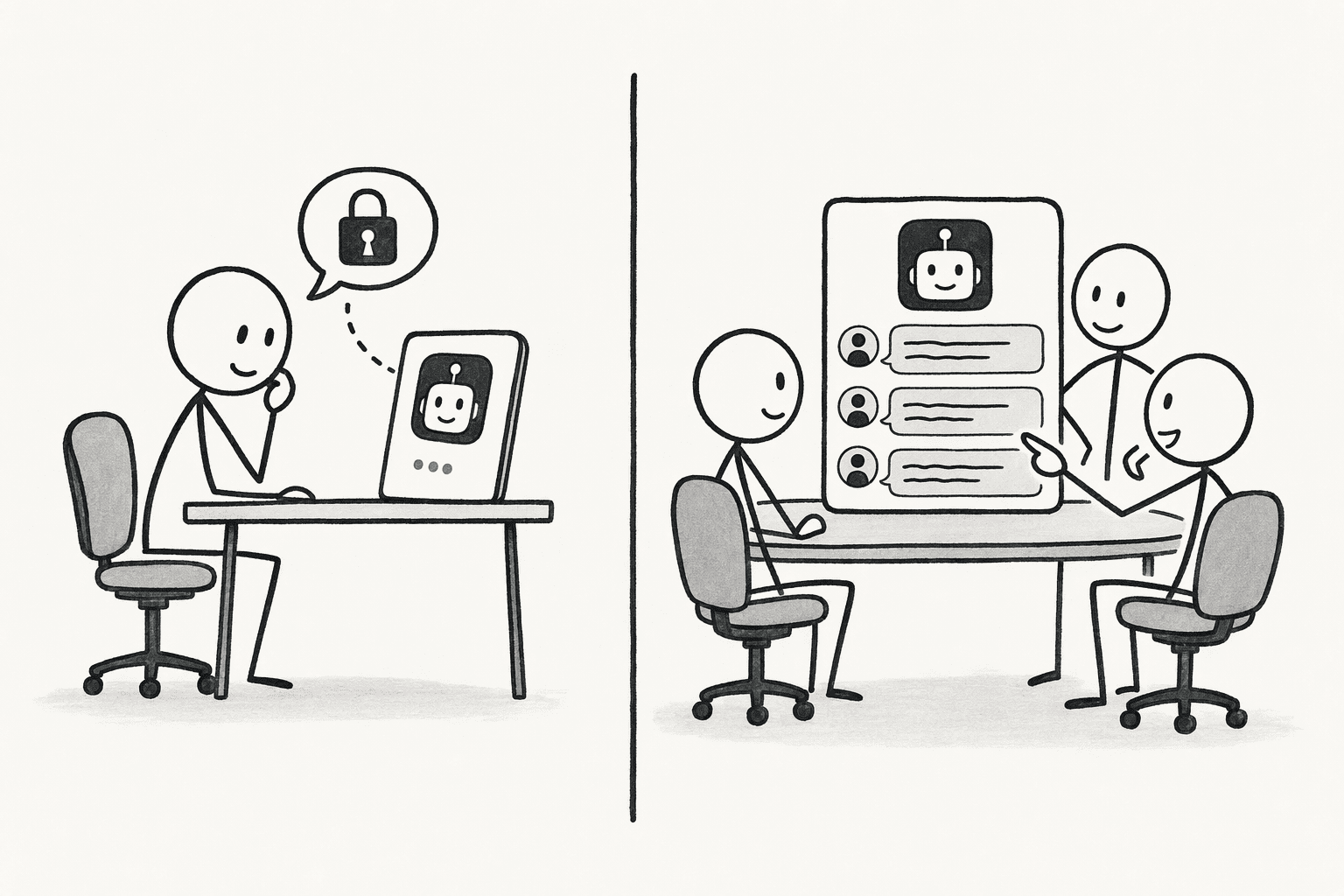
- A private bot is one you keep to yourself. You use it for work you are not ready to share or should not share.
- A shared bot is one you invite teammates into. They work with it in a shared thread, and everyone who can see the bot can see what it shares.
| Private bot | Shared thread | |
|---|---|---|
| Who works with it | You | You and the teammates you invite |
| Best for | Sensitive data, drafts, unfinished ideas | Coordination, reviews, onboarding, and corrections |
| How the AI's access works | Acts with your permissions | Acts with the permissions of the person who triggered it |
| What teammates see | Nothing, unless you send results to a shared bot | The same work, including every question and decision |
| What to watch for | Your team misses context you could have shared | Anything the bot shares is visible to everyone who can see the bot |
- Access follows the person. The AI acts with the permissions of the person who asked, and users cannot ask the bot to access another user's data.
- Code runs in a sandbox. Python runs in a WebAssembly sandbox with no access to the host filesystem, network, or system calls.
- Credentials stay out of the model. They are injected at runtime and never exposed to it.
When Should You Use a Private AI Bot?
- Working with sensitive data: Customer lists, contracts, HR material, or anything you would not paste into a group chat.
- Drafting something you are not ready to defend: A rough plan or a first version you want to improve before anyone sees it.
- Exploring an idea: You want to test a hunch, make mistakes, and change direction without an audience.
- Preparing to share: You want to clean up and organize the work first, so the team gets something clear.
When Should You Use a Shared Team Thread?
- Coordinating a project: Everyone sees the same plan and the same progress, so nobody has to ask for an update.
- Reviewing output: A teammate who knows the data can correct the assumptions they know are wrong, and the bot keeps going.
- Onboarding someone new: They can read back through the thread to see how decisions were made.
- Building something the team will reuse: When someone corrects an answer, PromptQL can capture the correction as a cited wiki entry that a person approves, edits, or rejects. The next answer starts from it.
How Do You Decide Which to Use?
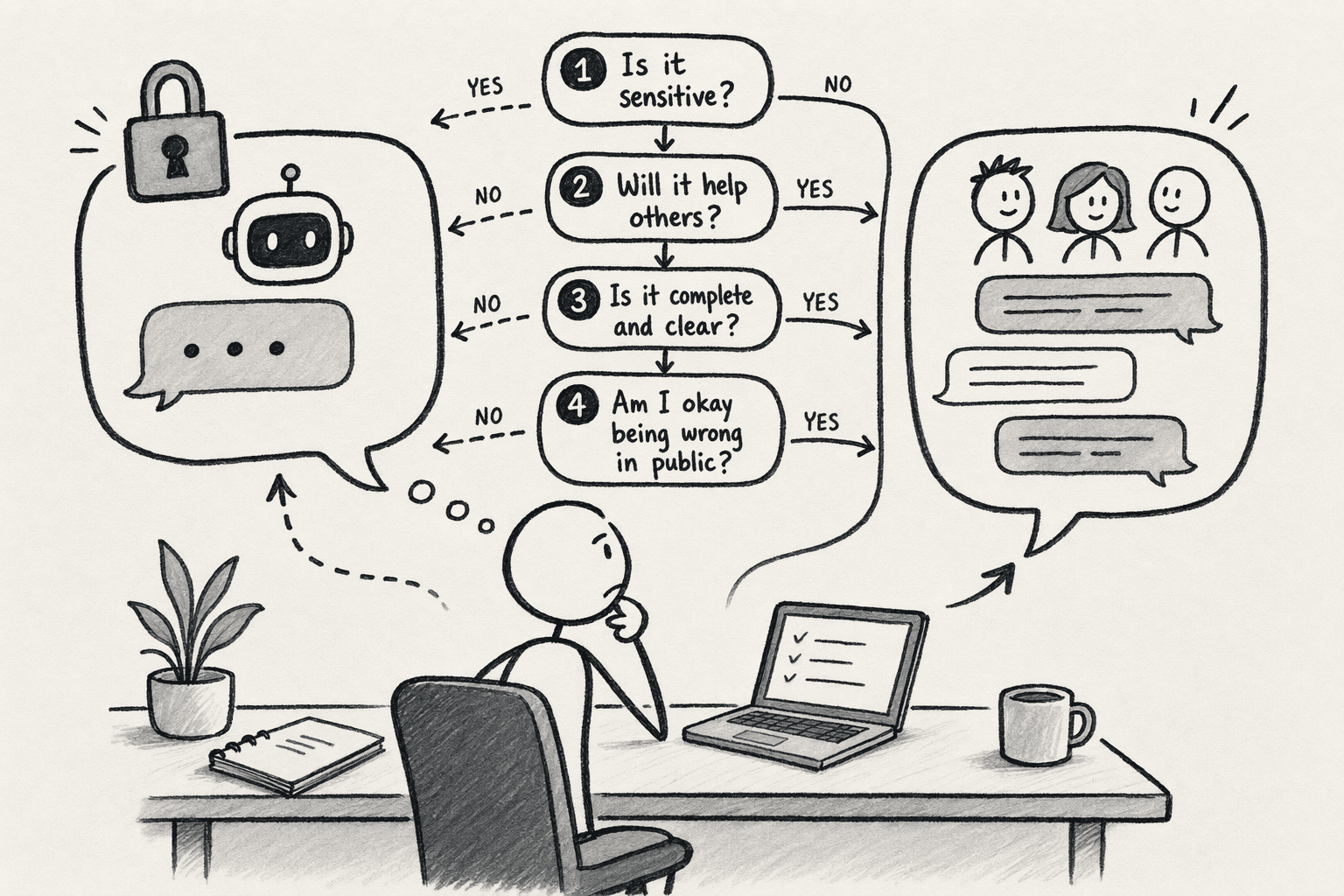
- Would you be comfortable with everyone who can see this bot seeing the result? If the answer is no, start in a private bot. The AI acts with the permissions of the person who asked, but anything the bot shares is visible to everyone who can see it.
- Is the work finished enough to show? If it is still rough, keep it private until you can say what the deliverable is.
- Does someone else need to review, correct, or build on it? If yes, move it to a shared thread when it is ready.
- Are you asking in a Slack channel? Channel membership is a conversation boundary, not a permission boundary. A reply in a shared channel is visible to everyone in it, so sensitive questions need a private bot or a direct message.
How Do You Use Both Together?
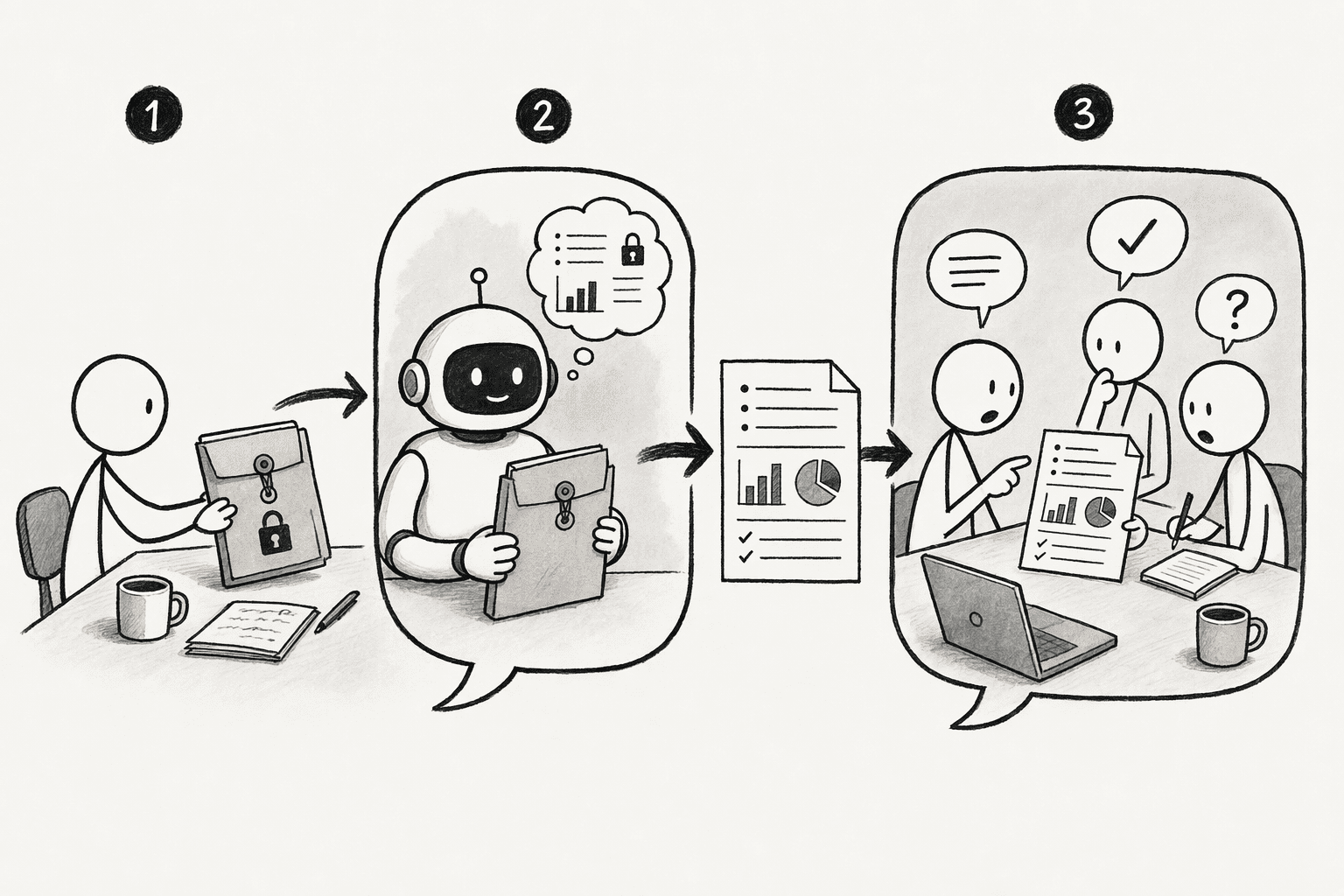
- Start in a private bot. Give it the raw or sensitive material and work through the analysis.
- Decide what the team needs. Pick the findings, not the source data, that others should see.
- Send those results to the shared bot. Tell the private bot what to pass along.
- Let the team review. Teammates ask questions, correct assumptions, and build on the result in the shared thread.
Conclusion
Frequently Asked Questions
What is the difference between a private AI bot and a shared team thread?
When should I use a private bot?
When is a shared team thread the better choice?
Does the AI use my permissions in a shared thread?
Can I use a private bot and a shared bot together?
Sources
- What Is Multiplayer AI and Why It Matters - promptql.io
- Overview | Docs | PromptQL - promptql.io
- Threads: Work with AI and Your Team | Type.com Docs - docs.type.com
- New Threads features 2026: every update, test and leak - geekout.mattnavarra.com