
04 Oct, 2026
•
9 MIN READ
How To Build a Jev Decision Workflow With No Engineering Help?
Key Takeaways
- A Jev workflow is one repeated decision, a few narrow questions and rules for acting or asking a person.
- Jev handles judgment, while spreadsheets and built-in filters handle math, dates and counts.
- Confidence bands and a human review path make the workflow safe to trust.
- Test on examples you have already labeled before you turn anything on.
What Is a Jev Decision Workflow Made Of?
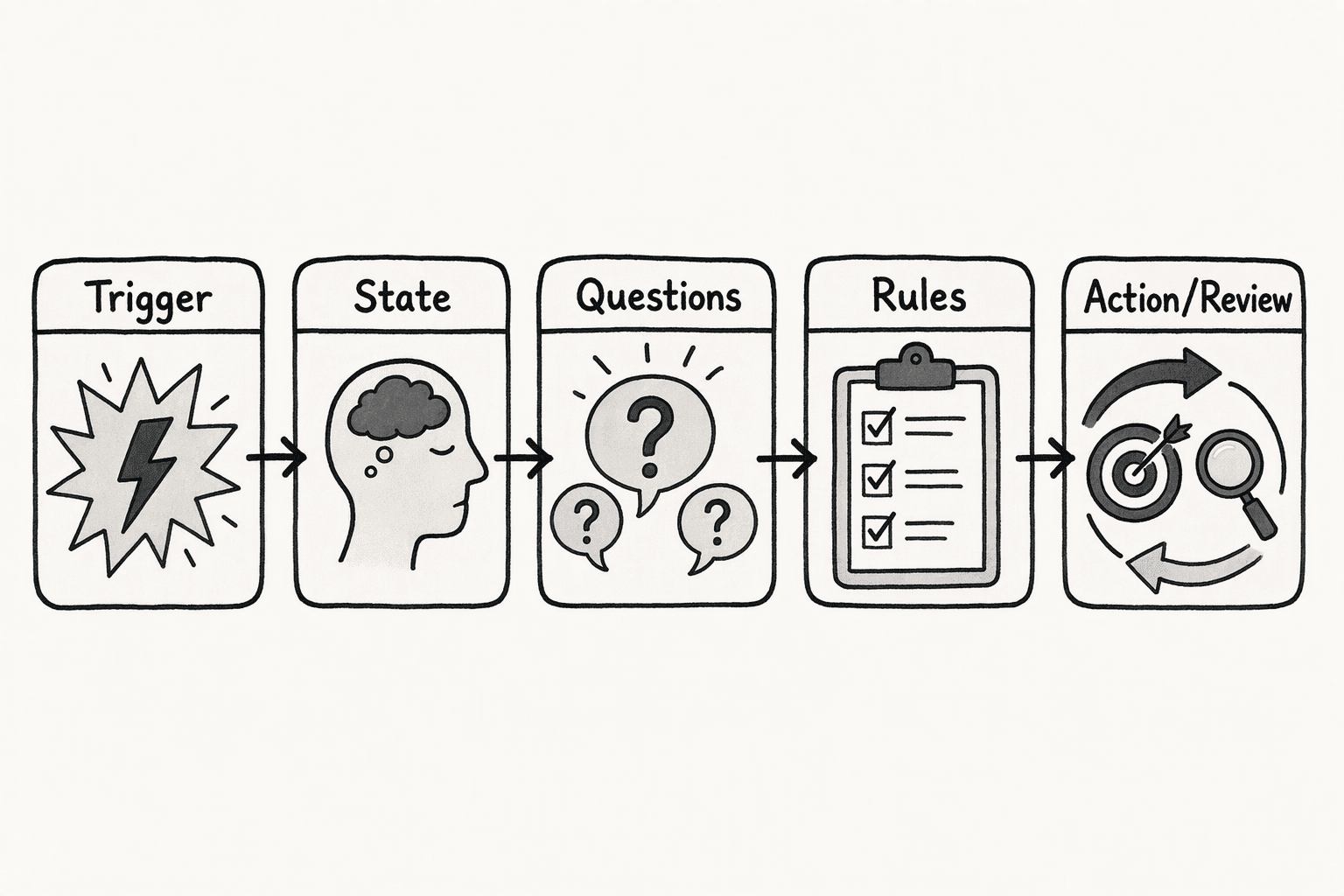
- Trigger: A new ticket, form answer, row or message arrives.
- State: The text and fields Jev reads.
- Questions: A few narrow Choice, Score and Noul questions.
- Rules: Thresholds on probability and confidence decide the next action.
- Action or review: The item is routed automatically or sent to a person.
- A decision you repeat often.
- A few dozen past examples where you know the right answer.
- Written criteria for each outcome.
- Someone who can review the uncertain items.
How to Build a Jev Decision Workflow Without Engineers
Step: 1. Pick One Repeated Decision and Split Out the Rules
- Pick a decision that repeats: It should have a fixed set of outcomes and lead to a clear next action, such as routing a message to Billing, Bug, Sales or Other.
- Start with low risk: Tagging and routing are good first picks. Leave payments and approvals for later.
- Keep rules out of Jev: Amounts, dates, counts and status checks belong in formulas or filters. TypeSafe's own notes say Jev is not a calculator, and it struggles with counting and with reading dates as ordered values.
Step: 2. Define the State Jev Will Read
- Include only what the questions need: For the inbox example, that is the message text and the customer plan.
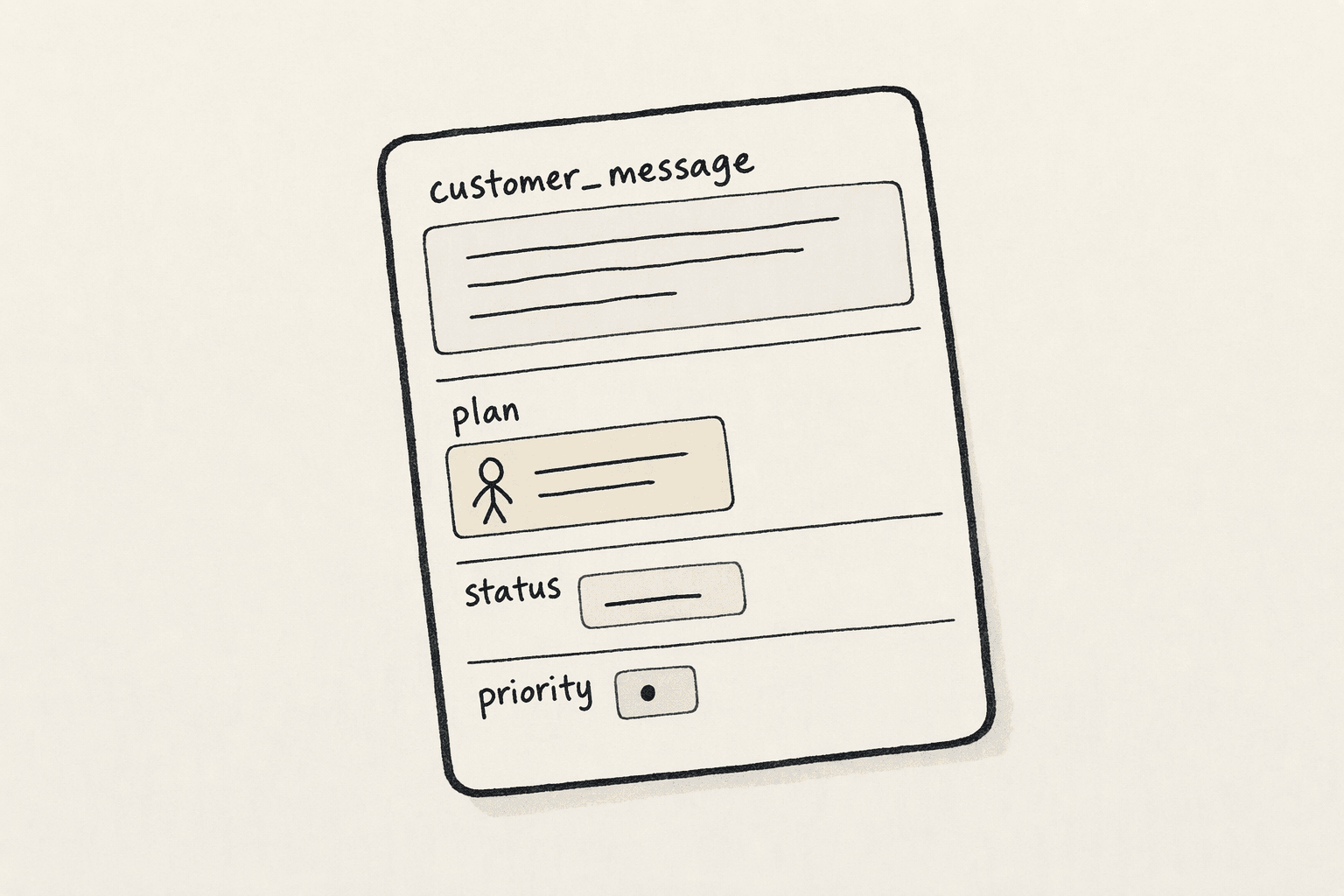
- Name fields clearly: Use labels like
customer_messageandplanso each field is easy to point to. - Leave out unrelated detail: TypeSafe notes that Jev can be distracted by irrelevant context, so skip old tickets and extra history.
- Convert other formats to text: Jev accepts a string, a JSON object or an array of text. Images, audio and video are not supported, so transcribe or extract text first.
Step: 3. Write Narrow Questions With Clear Options
- Split vague judgments: Instead of one "is this spam?" question, ask separate yes/no questions, such as whether the message asks for credentials, offers an unexpected reward or comes from a mismatched sender.
- Match the type to the need: Choice fits categories, Score fits ordered ratings such as frustration level and Noul fits yes/no checks.
- Define each option: For every Choice option, write what it covers, what belongs elsewhere and two or three example messages.
- Add an escape option: Include "Other" or "Not enough information" so Jev is not forced into a bad match.
- Ask together: Questions over the same state are evaluated independently and in parallel, so you can send them all in one request.
Step: 4. Set Confidence Bands for What Happens Next
| Confidence | What happens | Example in the inbox |
|---|---|---|
| Above 0.85 | Act automatically | Route the message to Billing |
| 0.6 to 0.85 | Check first | Add it to a "Check First" list |
| Below 0.6 | Send to a person | A teammate decides |
- Raise the bar for risky actions: The harder an action is to undo, the higher the confidence it should need.
- Handle yes/no differently: Noul questions return a probability and no separate confidence score. Treat a middle range, such as 0.4 to 0.6, as uncertain and send those items to review.
Step: 5. Build the Review Path
- Pick a landing spot: Use a sheet tab, a channel or a thread for "check first" and "send to a person" items.
- Show the full picture: The reviewer should see the record, Jev's answer and its confidence.
- Log every correction: Use a fixed format with three columns, the record, Jev's answer and the right answer.
Step: 6. Test Before You Go Live
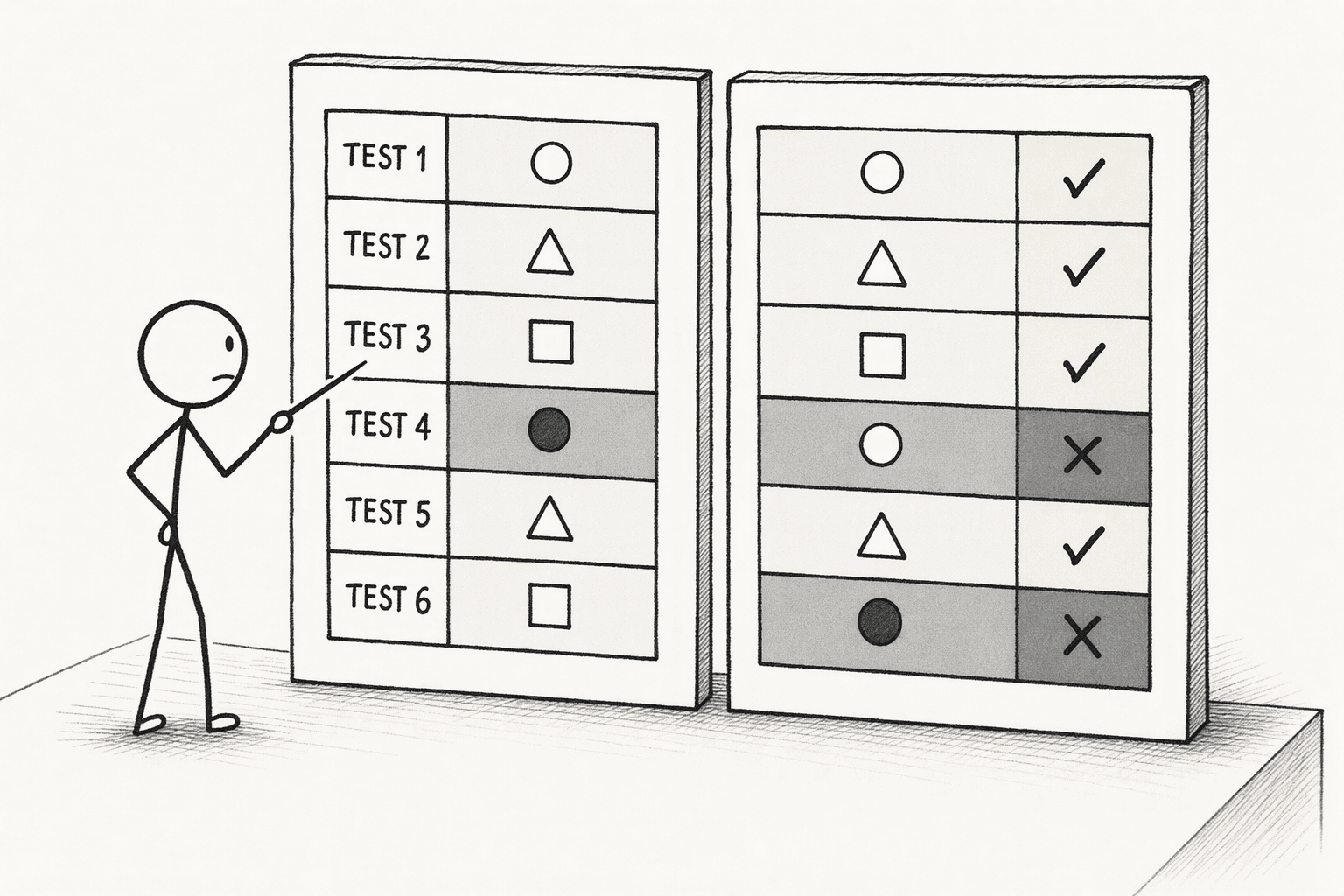
- Run a labeled sample: Use past records where you already know the right answer, and compare Jev's output with your labels.
- Check confidence against accuracy: TypeSafe suggests plotting confidence against accuracy on your own data. If answers above 0.85 are often wrong, raise the bar from Step 4.
- Try tricky wording: Include sarcastic, vague and mixed-topic messages.
- Rerun after every change: Any edit to a question or option needs a fresh test.
Step: 7. Launch and Monitor
- Start with a slice: Run the workflow on a small share of incoming items and keep human review on.
- Record each live answer: Save Jev's answer and confidence next to the final outcome, so you can compare them. For a tamper-evident record, see how to build an AI audit trail.
- Review the correction log weekly: Use the Step 5 log to find patterns, then tune your bands and option definitions.
- Widen only when results hold: Add more volume once corrections drop.
How to a Build Jev Decision Workflow in PromptQL?
- Check availability: Ask, "Is Jev available in this workspace? If not, tell me before we start."
- Share your decision map: Paste the outcomes, the criteria and the rules you keep outside Jev, then ask PromptQL to restate them and flag anything unclear.
- Test on a labeled sample: Ask PromptQL to run Jev on the sample and list every record where Jev disagreed with your label, with its confidence.
- Set your bands: State the three confidence bands and ask for three outputs, acted on, check first and send to a person.
- Run the full set: Run it on your records, then rerun it on each new batch.
- Invite reviewers: Bring teammates into the thread to correct items, and apply their corrections to the criteria.
- Turn results into a dashboard: Ask PromptQL to build a view of the outcomes in the same thread.
Is Jev available in this workspace? If not, tell me before we start.If it is, build a triage workflow for the messages in the Inbox table. Label each message Billing, Bug, Sales or Other, and use Other when a message does not clearly fit. Handle one rule outside Jev by flagging any refund request over $500 for manual review. First, run Jev on the 40 messages in the Labeled tab and show me every message where Jev's answer differs from my label, with its confidence. Then apply these bands to the full set. Above 0.85, mark the message as done. From 0.6 to 0.85, add it to a Check First list. Below 0.6, add it to a Send to Person list. If Jev is not available, stop and tell me.
What Should You Know Before You Go Live?

- Cost: Jev is priced at $0.042 per million input tokens, and output is free, so estimate your spend from your average record length.
- Versions: TypeSafe's models page explains that
jev-latestis an alias that moves when a new release ships. Pin a specific version such asjev-1.13.0once you have tuned your bands, and retest before you switch. The response'smodelfield shows which version answered. - Safety: TypeSafe notes that Jev can be vulnerable to adversarial content, so text inside a record can try to steer it. Keep hard rules and permissions outside Jev.
- Data: The records you send go to TypeSafe. According to its privacy policy, TypeSafe does not train or fine-tune on your input and does not disclose it to third parties other than service providers. Check what your own policies allow before you send sensitive content.
Conclusion
Frequently Asked Questions
Can Jev Write the Reply After It Decides?
What Happens If Jev Is Unavailable?
Which Decisions Should Stay With a Person?
Can You Reuse One Workflow for a Different Decision?
Sources
- Jev Pricing — How Jev Works - Jev AI Community - www.jevai.org
- Jev Workflows | Decision intelligence for software teams - Jev AI - thejevai.com



