
Turn it into an artifact
Name the result so PromptQL — and your team — can come back to it without rebuilding.
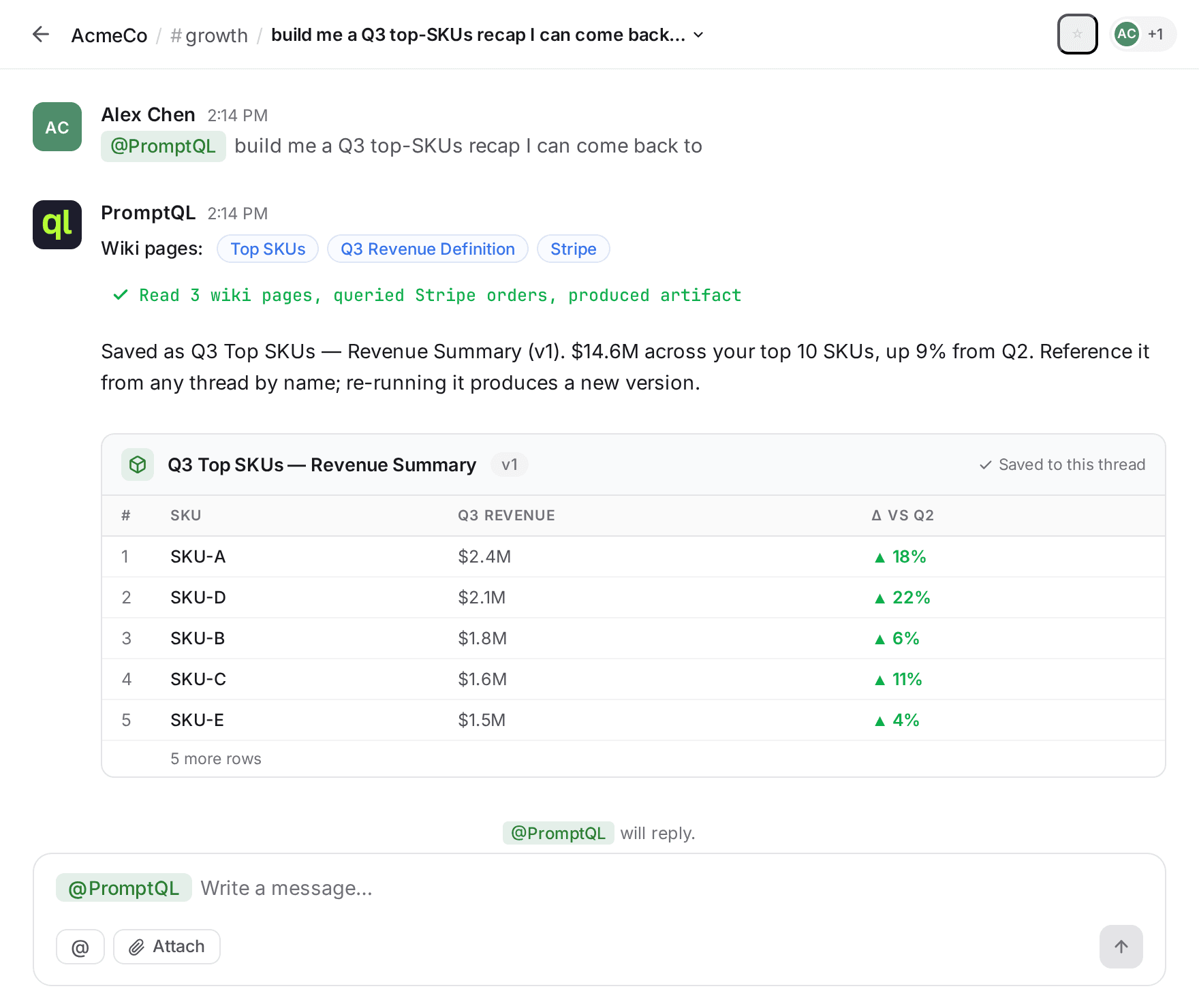
What it is
An artifact is a named, versioned thing PromptQL produces in a thread — text, a table, a chart, or an interactive app. Sometimes PromptQL makes one because the result is clearly worth keeping; sometimes you ask for one because you know you'll come back to it. Either way, it lives in the thread with a title you chose and a version number that ticks up whenever it's re-run.
Artifacts are referenceable across threads, too. A Q3 recap built in your growth room can be cited in ops without rebuilding it from scratch. That's what turns a one-off question into something the team can actually use.
How to do it
- In a thread, ask PromptQL for the thing you want to keep. Give it a name in plain language — “build me a Q3 top-SKUs recap I can come back to” is enough.
- PromptQL produces the artifact in the thread with a title and a version pill (v1, then v2, and so on). The form follows the request — text for a summary, a table for a ranking, a chart for a trend, an interactive app for anything more involved.
- Re-run it any time. Same artifact, fresh data, new version. The old versions stay where they were so you can compare or roll back.
- Reference it from other threads by name. The growth-room recap shows up in ops without anyone rebuilding it.
What's next
One question, saved. But you still have to remember to run it — or wait for someone to ask. The next hand-off in Basics is moving the running itself off your plate.
First up: Run it on a schedule. Same artifact, same recap — but PromptQL fires it on the cadence you set. The when moves from manual to automated.